

In our roundup for the best Google Workspace backup solutions, we focus on backup solutions that protect Google Workspace data beyond what Google already offers. We compare vendors on their approach to backup architecture, storage options and capabilities, flexibility of recovery options, and long-term retention.
Featured post




Change layout
CRN Names MSP360 a Top 20 ‘Coolest Data Protection Company’ for 2020
MSP360 has yet again been recognized for its comprehensive backup and recovery solutions.
The recognition this time around comes from the widely respected The Channel Company, through its Computer Reseller News publication. Continue reading

Takeaways From 2019 Ransomware Attacks on MSPs
If you are an MSP or use the services of one, you should be aware that the level of cyberthreat for MSPs has increased dramatically over the last year.
As we’ve previously pointed out, the range of threat vectors faced by the average MSP is now huge, from social engineering attacks to cryptojacking, alongside the ever-present threat of phishing. Continue reading

News You Might’ve Missed. 20-24 April
What's new this week in the news for MSPs? This week Google's Cloud for Healthcare is ready to launch, and BeyondCorp remote access for virtual workers is launched. Amazon's AppFlow debuts, IT giant Cognizant is hit by Maze ransomware, and the City of Torrance in LA County is targeted by DoppelPaymer ransomware. Finally, beware of a new phishing campaign using fake customer complaints to access corporate networks.
Integrate MSP360 Managed Backup into Your Help Desk Portal with Email
Earlier we had an article on 7 best free and open-source ticket systems for MSPs. Today we want to show you how you can integrate the MSP360 Managed Backup solution with your help desk portal using email.
Continue reading
Don’t miss new articles!
Thank you for subscribing!

Top 10 PowerShell Commands Every IT Admin Should Know
PowerShell needs no introduction — it’s the configuration management and task automation framework of choice for the Windows environment. It combines the flexibility of a powerful scripting language with the power and speed of the command line to help IT admins orchestrate, automate and troubleshoot common IT functions. Continue reading

MSP360 Backup 3.0 for macOS & Linux
A new version of MSP360 Backup for Linux and macOS has just come off the slipway. The new release features a number of improvements over MSP360 Backup 2.9 for Linux and macOS.
The new features are based on our customers’ requests and appear as a result of the teamwork between customers and developers.
New feature list:
- SFTP protocol support
- Compression and encryption improvements
- File search in backup storage
- UI/UX minor improvements.
Download MSP360 Backup for macOS and Linux 3.0 and do not hesitate to share your feedback in comments.
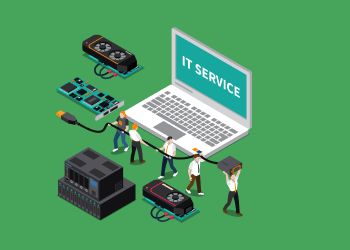
Your MSP Goodwill Is The Key to Business Survival
When your customers are struggling, the best thing you can do is be supportive. During challenging times, your customers need you to help them stay afloat by providing them with options instead of roadblocks. If you can accomplish that, you’ll reap the rewards later. Continue reading

8 Multi-OS Environment Security Best Practices
As an MSP, you may find yourself managing IT infrastructures or environments that include a mix of different operating systems. You might be working with Linux and Windows servers at the same time, for example. Or you may be supporting Windows workstations alongside Macs. Continue reading
News You Might’ve Missed. 13-17 April
What's new this week in the news for MSPs? This week Amazon gave the Outposts hybrid cloud service to GovCloud; the U.S. Defense Department's internal watchdog says there was no interference in Jedi bidding; log-in credentials were stolen in a San Francisco International Airport hack; webhooks are a vulnerability in Slack; and a Ragnar ransomware attack against energy giant EDP. Let's see what's going on.

The MSP’s Guide To Vetting Cybersecurity Vendors
As the cybersecurity market grows, it has become increasingly difficult for managed service providers to assess the value of third-party vendors. Typically, MSPs must now assess hundreds of different products, even within a fair niche product category, and each with different features and price points. In this article, we’ll take a look at a basic set of practices for assessing different cybersecurity vendors for MSPs, and show you how to get the most out of your interactions with them. Continue reading

Want to Keep Your Employees Happy? Ask Yourself These Three Questions
No matter what you do, some employees will never be happy with the decisions you make as a leader, but if you create a more inviting workplace, many of them will show their appreciation for your efforts by being more productive. Continue reading
Load more