
MSP Software by MSP360
MSP360 offers centralized, all-in-one IT management and data protection MSP software, combining MSP360 Managed Backup, Backup for Microsoft 365 and Google Workspace, MSP360 RMM, MSP360 Managed Connect and MSP360 Tickets under one management console.






All-in-One MSP Software
Centralized Management for MSP360 Products
Centralize your MSP software with a single pane of glass: manage all products and platforms in one place, with everything you need displayed on a unified dashboard featuring customizable widgets.
Managed Backup (BaaS)
Managed Backup for Microsoft 365 and Google Workspace
Remote Monitoring and Management
Managed Connect
Tickets
Multi-tenancy and scalability
MSP software with pay-as-you-go pricing model
Security is a priority
Automation with API

Book a Demo
During the personal demo you will see MSP360 products in action. To give you a better understanding of what value it can bring to your business during the demo session you will:
- Learn how to get started with the service
- See how to schedule and run backups
- Understand how to remotely manage and monitor endpoints
- Get all your questions addressed
Essential MSP Software Features in One Platform
A feature-rich solution tailored for MSPs.
Web Console
Backup-as-a-Service
Remote Monitoring and Management
Built-In Ticketing System
Command Line Interface
Advanced Monitoring and Reporting
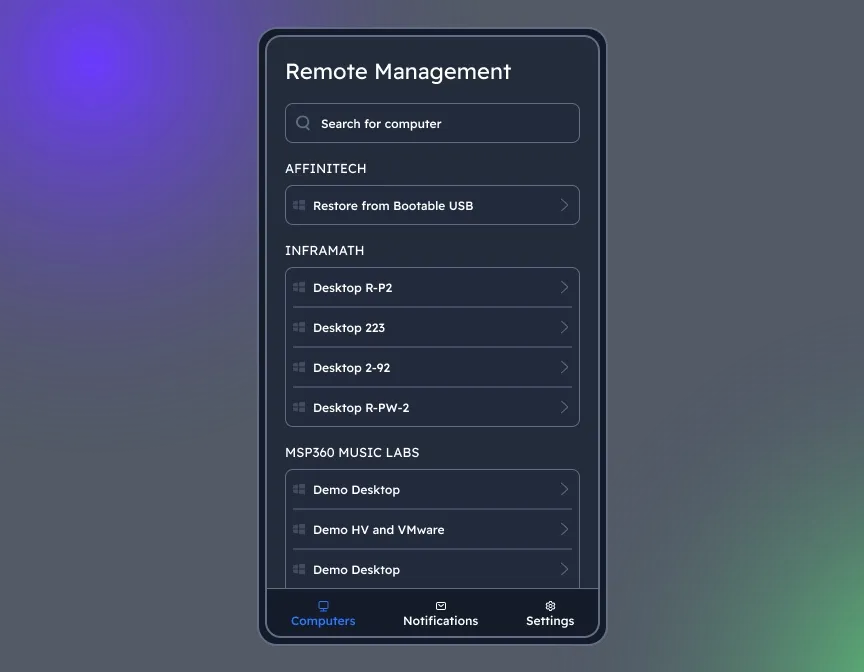
Mobile Application for iOS and Android
Granular Role-Based Access
Cloud-first MSP software
Unified Billing
White-Labeling
Remote Connection for Troubleshooting
MSP Software Integrations for Smarter IT Management
Integration with ConnectWise
Integration with Autotask
Integration with HaloPSA
MSP360 Open APIs for Automation and Integration
Automated provisioning
Your data in your existing tools
Reporting without manual work
Getting Started with MSP Platform
Find how to set up and configure our MSP software with our comprehensive getting started guide.
Product Interface
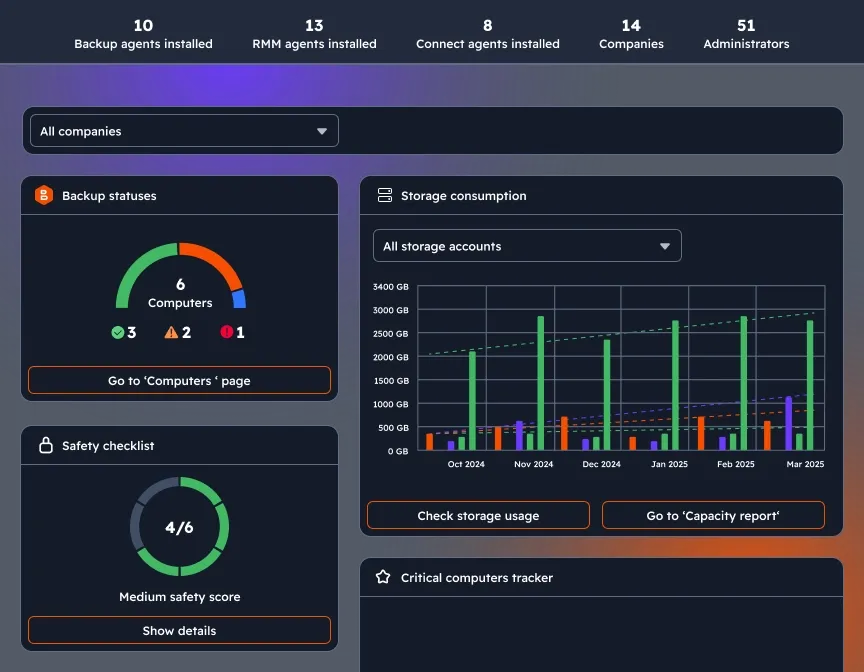
Customizable dashboard
Enhance visibility and control with a widget-based dashboard: get updates about backup statuses, storage consumption, license management, agent updates, and security settings on a single page.
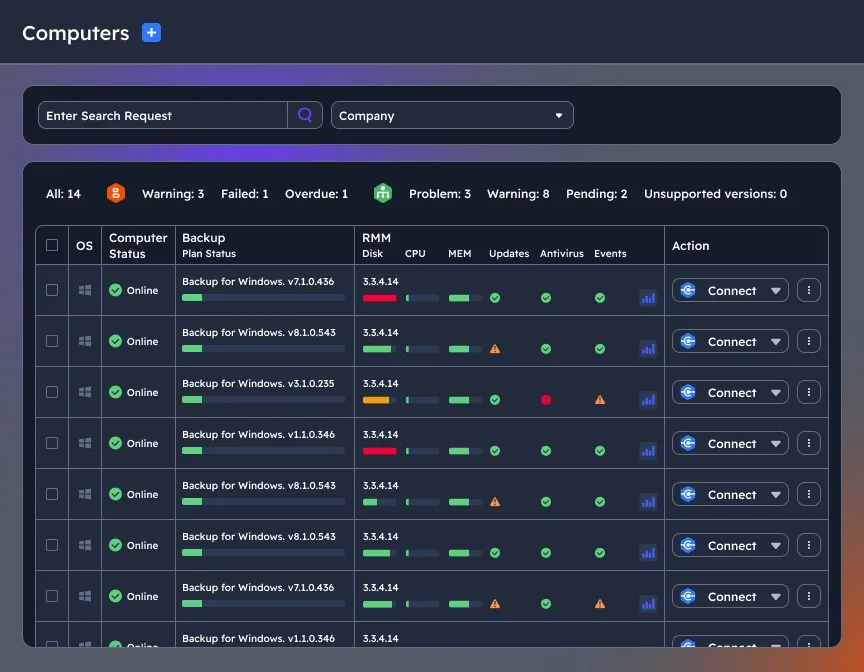
Manage multiple endpoints remotely
Multi-endpoint support with centralized management for backups, remote monitoring, and endpoint control.
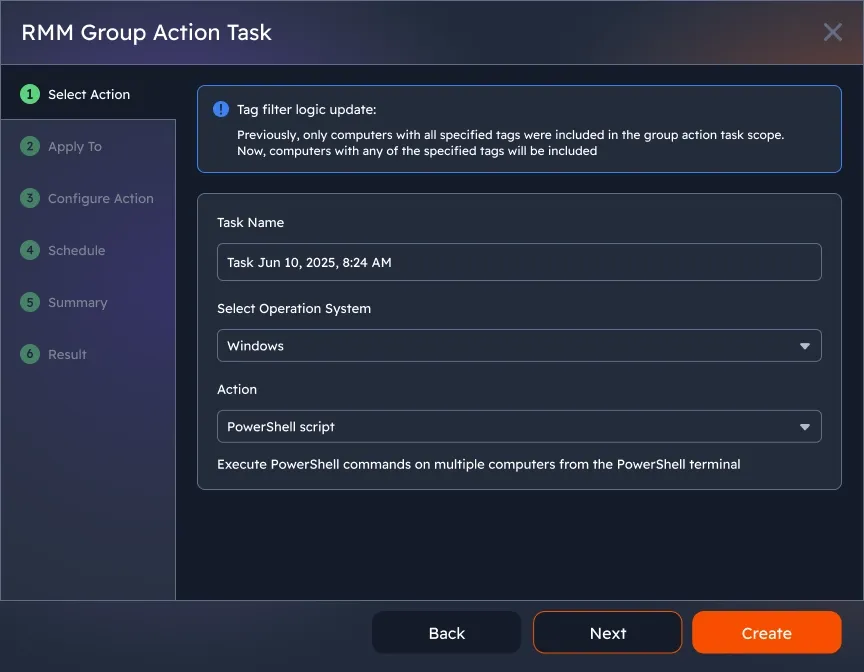
Group policies and bulk management
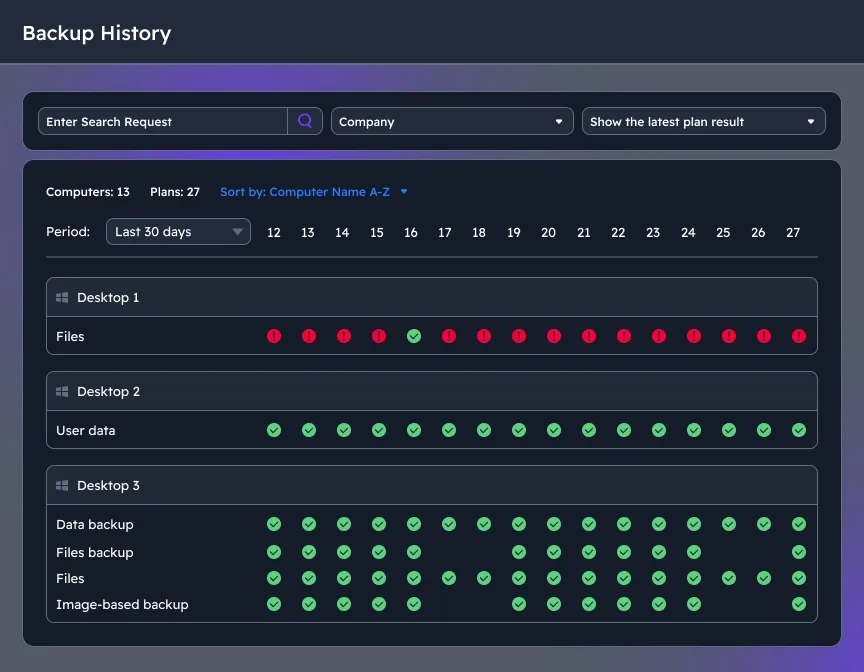
Advanced reporting and troubleshooting
The MSP360 web console features tracking of backup and restore activities of your users with a significant level of detailing. This helps MSPs and businesses gain insights for stronger analytics and cost optimization.
MSP Platform in Review













Frequently Asked Questions about MSP Software
Are MSP360 products secure?
If I already have one of the products and multiple endpoints associated with it, do I have to install other products on my computers manually?
Do I need to use separate dashboards to access MSP360 products?
How can I manage MSP360 products?
Can I try MSP360 products before I buy them?
How are the products licensed?
Can I purchase MSP360 products in a bundle?
How much do MSP360 products cost?
Do you have educational materials about MSP360 products?
Do you have onboarding process in place?
Do you offer 24/7 support?
Does MSP360 include a ticketing system?
MSP Platform Resources
The MSP360 Platform is loaded with features designed to meet the needs of MSPs and complex IT environments, helping you streamline IT management and reduce operational overhead. For more insights on cybersecurity, cloud storage best practices, and IT management, visit our Resources Center.
More About MSP Platform
Standardize for Profits with the MSP360 Platform
MSP360 Managed Backup Best Practices
Make the Most of MSP360 RMM
Make the Most of MSP360 Managed Connect
Getting Started with MSP Software
MSP360 Platform is a centralized, all-in-one IT management and data protection platform for MSPs, that combines MSP360 Managed Backup, MSP360 Managed Backup for Microsoft 365 and Google Workspace, MSP360 RMM, MSP360 Managed Connect, and MSP360 Tickets under one management console for MSPs.