
Back Up to Wasabi Hot Cloud Storage with MSP360

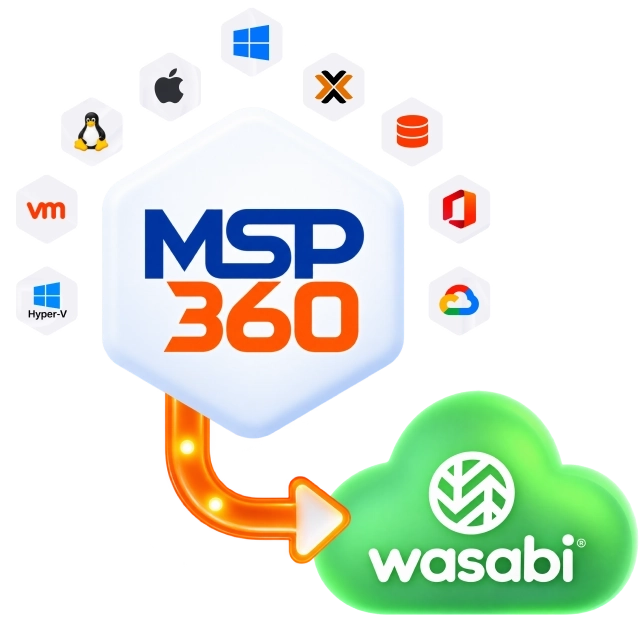
MSP360 protects endpoints, Windows and Linux servers, virtual machines, databases, Microsoft 365, and Google Workspace, with Wasabi Hot Cloud Storage providing predictable, flat-rate cloud storage.
Back Up to Wasabi Hot Cloud Storage with MSP360
Flat-Rate Pricing
$7.99/TB per month
No Egress or API Request Fees
Object Lock Support
Immutability protects backups from ransomware and accidental deletion
MSP360 Cloud Backup With Wasabi Hot Cloud Storage

MSP360 Cloud Backup With Wasabi Hot Cloud Storage

MSP360 built-in backup solutions cover desktops, servers, virtual machines, and SaaS backup: from a beginner-friendly setup to multi-tenant, centrally managed deployments.

Windows Desktop Backup

Avoid downtime and data loss on Windows-based endpoints with file-level and image-based backups.
Windows Backup Software

MSP360 Backup for Windows Desktop

Works on

Windows 7, 8, 10, and 11

Linux Backup

Protect your valuable files and folders with MSP360 Backup Pro for Linux, using local or cloud storage with flexible retention and scheduling.
Cloud Backup for Linux

MSP360 Backup Pro for Linux

Works on

Ubuntu
Debian
SUSE Enterprise
openSUSE
Oracle Linux
Red Hat
Fedora Linux
CentOS
Amazon Linux 2

macOS Backup

File-level backup for Mac desktops and laptops, built for small teams without dedicated IT.
macOS Backup Software

MSP360 Backup for macOS

Works on

10.12 Sierra
10.14 Mojave
10.15 Catalina
12.0 Monterey
13 Ventura
14.x Sonoma

VMware Backup

Offers application-consistent backups and Changed Block Tracking (CBT) for efficient incremental backups.
VMware Backup Software

MSP360 Backup for VMware

Works on

VMware vSphere 6.0 and later
Windows 10 and later (Pro, Enterprise)
Windows Server versions 2016 and later

Hyper-V Backup

Back up virtual machines on Hyper-V Failover Clusters and use Changed Block Tracking for faster, more efficient incremental backups.
Hyper-V Backup Software

MSP360 Backup for Hyper-V

Works on

Windows Server 2008 R2 through 2019
Windows 10 Pro or Enterprise, Windows 11 Pro
RCT-based incremental backups (CBT) supported on Windows Server 2016+ and Windows 10+

Proxmox Backup

Hypervisor-level VM backup with no agent on the host – connects to Proxmox via API for encrypted, incremental VM snapshots.
Proxmox Backup Software

MSP360 Backup for Proxmox VE

Requires a Windows machine with network access to the Proxmox host.

Windows Server Backup

Back up and restore Windows Server data quickly, with multiple integrity checks to help ensure reliable recovery.
Windows Server Backup Software

MSP360 Backup for Windows Server

Supported for

Windows Server 2008 R2/2012/2016/2019/2022/2025

SQL Server Backup

Protects databases and transaction logs while maintaining consistency, with pre- and post-backup actions and selective database targeting.
SQL Server Backup Software

MSP360 Backup for SQL Server

Supported for

MS SQL Server 2008 R2/2012/2014/2017/2019/2022
MS SQL Server Express

Microsoft 365 Backup

Cloud-to-cloud backup for Microsoft 365 workloads, with centralized management and recovery for core Microsoft 365 services.
Microsoft 365 Backup

MSP360 Backup for Microsoft 365

Supported for

Exchange Online
OneDrive
SharePoint
Teams data

Google Workspace Backup

Cloud-to-cloud backup and data protection for Google Workspace, with centralized management for all core Google components.
Google Workspace Backup

MSP360 Backup for Google Workspace

Supported for

Gmail
Google Drive
Shared Drives

MSP Platform Integrated with Wasabi Hot Cloud Storage

Wasabi Hot Cloud Storage has always been available as a backup destination in MSP360 – connect your own Wasabi account and manage it yourself. You can also choose MSP360 Storage Powered by Wasabi for a fully managed option with unified billing.

Built for MSPs

MSP Platform

MSP360 Managed Backup is part of the MSP Platform.

Great for MSPs or businesses with multiple endpoints. One-stop-shop console with flexible monthly or annual payments. Ideal for MSPs and large IT departments.

MSP Platform Features

  • Centralized management
  • Advanced Reporting and Alerting
  • Rebranding
  • Mobile Application
  • MSP360 Connect Included
  • Support: 24/7/365 live technical support

How MSP360 Cloud Backup with Wasabi Hot Cloud Storage Works

MSP360 backs up desktops, servers, and virtual machines to Wasabi Hot Cloud Storage, with flexible options to configure, manage, and restore backups.

Wasabi Storage Options in MSP360 Platform

Wasabi Hot Cloud Storage has always been available as a backup destination in MSP360 – connect your own Wasabi account and manage it yourself. You can also choose MSP360 Storage Powered by Wasabi for a fully managed option with unified billing.

Bring Your Own WasabiMSP360 Storage Powered by Wasabi
Account ownershipYou own and control the Wasabi accountMSP360 owns the underlying account; you get a managed allocation within it
ProvisioningYou create or connect the bucket yourselfMSP360 provisions the storage for you
BillingTwo bills – MSP360 licenses and Wasabi storage separatelyUnified – licenses and storage on one invoice
Eligible MSP360 productsAvailable with MSP360 Backup and Managed Backup Available with MSP360 Managed Backup only
Price source$7.99/TB/month$7.99/TB/month, set by MSP360
Monthly minimum1 TB1 TB
Minimum storage-duration treatment90-day30-day
Object Lock availabilitySupported Supported
Support ownershipWasabi supports the storage account; MSP360 supports the backup softwareMSP360 supports both the backup software and the storage relationship
Best-fit customerAlready using WasabiWants one vendor and one invoice for backup + storage
Wasabi Storage Options

Connect Your Wasabi Storage in 3 Simple Steps
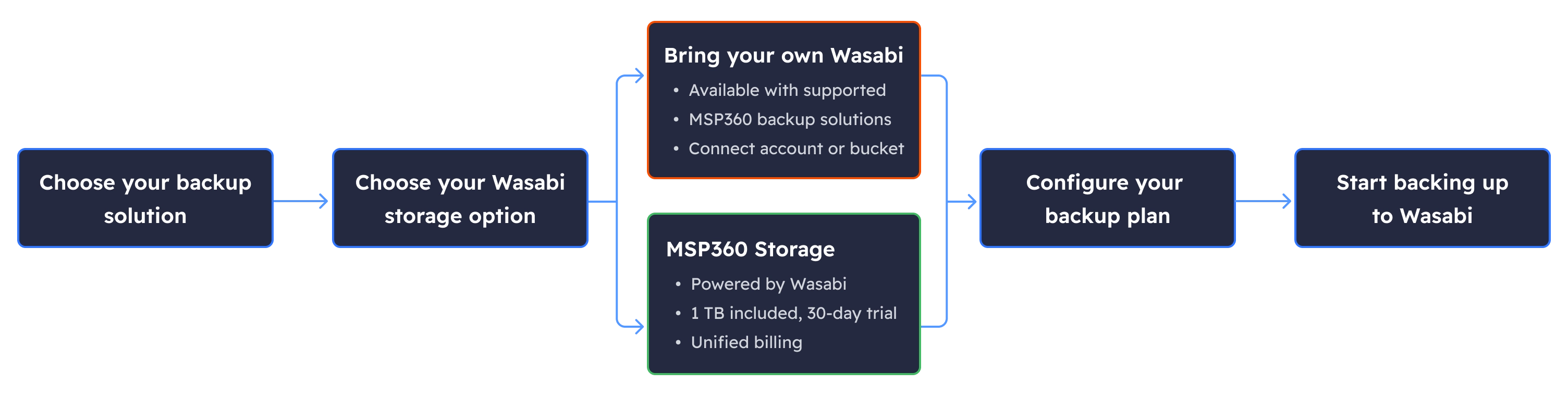
Connect Your Wasabi Storage in 3 Simple Steps
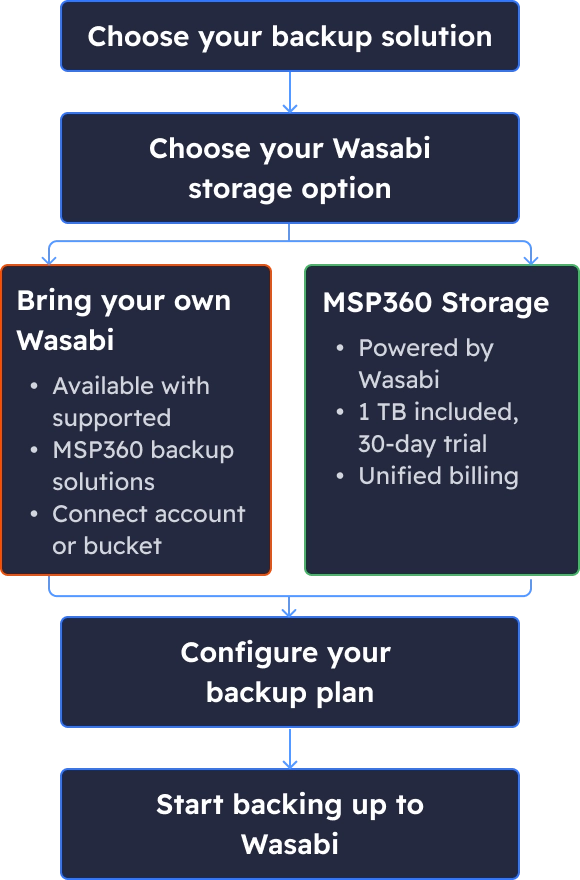

Keep Control of Your Backup Storage

Choose where your backup data lives

Connect your own Wasabi account and keep direct control over your storage configuration, credentials, regions, and retention settings.

Separate backup software from storage

MSP360 works with Wasabi and other leading cloud storage providers, so your backup strategy is not tied to proprietary built-in storage.

Keep storage costs predictable

Wasabi's capacity-based pricing and no API request fees simplify storage budgeting, especially as backup volumes grow.

Protect recovery points with immutability

Wasabi Object Lock support lets you apply immutable retention to help protect backups against deletion, modification, and ransomware.

Scale without redesigning your backup environment

Add storage accounts and choose the storage destination that fits each workload, customer, or data-protection requirement.

FAQ

Can MSP360 back up directly to Wasabi?

Yes. Wasabi Hot Cloud Storage is a supported backup destination across MSP360's backup products – connect it like any other supported cloud storage provider.

Can I use an existing Wasabi account and bucket?

Yes. Connect your existing Wasabi account credentials and select the bucket you want to use for backups.

What is MSP360 Storage Powered by Wasabi?

A managed storage option available with MSP360 Managed Backup – MSP360 provisions and manages the Wasabi storage for you, no separate Wasabi account required, with licenses and storage billed together. See the comparison table above for how it differs from bringing your own account.

Which MSP360 products support Wasabi?

MSP360 supports Wasabi Hot Cloud Storage across its Backup products: Windows, Linux, macOS, VMware, Hyper-V, Proxmox, Windows Server, SQL Server and MSP360 Managed Backup, including Microsoft 365 and Google Workspace backup.

Does MSP360 support Wasabi Object Lock?

Yes, on both storage paths. MSP360 supports Wasabi's Object Lock, including Default Object Lock (tied to your storage provider settings) and GFS Object Lock (configured manually), letting you define a retention period during which backups can't be modified or deleted.

How much does Wasabi storage cost?

$7.99 per TB/month on both paths – either as Wasabi's own Pay-As-You-Go rate (BYO) or as MSP360's price for MSP360 Storage Powered by Wasabi. See the comparison table above for how the two billing relationships differ.

What are the minimum storage and early-deletion terms?

They differ by path: a Wasabi account you connect yourself carries Wasabi's own terms (1 TB monthly minimum, 90-day minimum storage duration). MSP360 Storage Powered by Wasabi has a 1 TB minimum and a 30-day minimum retention period, with an early-deletion fee if data is removed sooner.

How are backups encrypted?

MSP360 supports client-side AES-256 encryption for endpoint, server, and VM backups before data leaves your environment. Microsoft 365 and Google Workspace backups use HTTPS in transit and AES-256 at rest.

What is included in each free trial?

A new, direct Wasabi account (the bring-your-own path) includes Wasabi's standard trial: 1 TB for 30 days. MSP360 Storage Powered by Wasabi separately offers 1 TB of storage during its own 30-day trial period – the two are separate offers, not the same trial, even though the numbers currently match.

Related Resources

To explore more about MSP360 backup solutions and data protection best practices, visit our Resources Center.

Article

Getting Started With MSP360 Managed Backup and Wasabi Hot Cloud Storage

Learn how to connect Wasabi Hot Cloud Storage to MSP360 Managed Backup, configure your storage account, and create your first backup plan.
Read Article
Article

MSP360 Backup Free With Wasabi Hot Cloud Storage

Follow a step-by-step guide to connecting Wasabi storage to MSP360 Backup Free and setting up cloud backups at no software cost.
Read Article
Article

Immutable Backups Explained

Understand how immutable backups protect data from unauthorized changes and deletion, and learn how to enable this protection in MSP360.
Read Article
Article

Amazon S3, MS Azure and Wasabi Pricing Comparison

Compare cloud storage pricing models and key cost factors to better understand backup storage expenses across Amazon S3, Microsoft Azure, and Wasabi.
Read Article
Article

Object Lock vs. Immutability: What's the Difference?

Understand how immutable backups protect data from unauthorized changes and deletion, and learn how to enable this protection in MSP360.
Read Article
Article

How Ransomware-Proof Is Your Backup? A Guide to Immutability

Discover how immutable backups help defend against ransomware, prevent backup tampering, and preserve recovery points when an attack occurs.
Read Article
Webinar

A Practical Guide to Ransomware: Protecting Your Backups with MSP360 + Wasabi

Explore practical approaches to ransomware protection and learn how MSP360 and Wasabi can help strengthen your backup security strategy.
Watch Recording
Video

Wasabi Backup with MSP360

Watch a step-by-step walkthrough of creating a Wasabi storage account and connecting it to MSP360 Managed Backup.
Watch Video
Video

MSP360 and Wasabi: A Guide to Unified Billing

Learn how unified billing simplifies backup and storage management by bringing MSP360 Managed Backup and Wasabi storage charges into one place.
Watch Video