Best Backup Exec Alternatives in 2026: A guide to choosing the right solution


Backup Exec has officially entered its end-of-life phase and many are left scrambling for the best Backup Exec alternative. Cloud Software Group ended sales on March 31, 2026. Full end of life hits on April 30, 2029 – which means you still have time, but not the kind that lets you ignore this till Q4 2028.
This guide covers the key things to evaluate before migrating, then offers two paths depending on what you do:
- an MSP managing client environments
- an IT team protecting a single organization.
For MSPs, the harder question isn't when to move from Backup Exec – it's what you are actually switching to, and whether you are just recreating the exact same legacy architecture.
[content]
When to Pick the Best Backup Exec Alternative?
The sooner the better, as this is the timeline:
- March 31, 2026 – No new licenses. No renewals.
- April 30, 2029 – End of support: no patches, no security fixes, no vendor tech support.
If you're still on active support, the urgency is real but no need to rush. A proper migration – testing restore workflows, retraining staff, standing up new infrastructure – takes months, not weeks. Starting now gives you room to do it right.
What to Evaluate to Better Migrate from Backup Exec?
Before comparing product pages, map what you're protecting and where your current friction is. The top alternatives for a Backup Exec solution vary by specific business needs:
Workload coverage. Backup Exec's strength was breadth: Windows Servers, VMware, Hyper-V, SQL Server, Exchange. Not every alternative covers all of these at the same depth. When you're evaluating, dig past the headline claim – check which hypervisor versions are supported, whether SQL transaction log backups are included, and what 'Exchange support' actually means in 2026 (on-prem Exchange vs. Microsoft 365 are very different problems).
Storage model. Backup Exec was largely designed around local and tape. If you're moving to cloud storage – which most organizations should be – the cost model changes significantly. Software license, cloud storage fees, egress costs, and deduplication efficiency all factor into your real spend. The license price comparison is the least useful number for this case.
Management overhead. How much manual work does a normal backup cycle involve? How many consoles do you touch in a week? This is where modern solutions have the clearest advantage over legacy backup architectures, and it's often invisible until you're actually running the new system.
Licensing clarity. Backup Exec's licensing history is a case study in complexity – perpetual, subscription, capacity-based, agent-based, edition tiers. Part of the evaluation should be whether a replacement simplifies your model or just renames the headache.
Security and recovery expectations have also changed significantly since Backup Exec became the standard in many environments. Modern backup platforms should support immutable storage options, ransomware recovery workflows, and recovery verification/testing – not just backup completion status.
Backup Exec Alternatives Compared
Before going deeper on any one solution, here's how the main alternatives stack up on the factors that actually drive the migration decision.
| MSP360 | Veeam | AcronisCyber Protect | NAKIVO | CommvaultCloud | Datto SIRIS | |
| Best for | MSPs, IT teams | Enterprise IT, MSPs | SMB, IT teams | SMB, MSPs | Enterprise IT | MSPs |
| Deployment | Cloud-managed agent | On-prem / cloud | On-prem / cloud | On-prem / cloud | Cloud-managed | Cloud-managed appliance |
| Storage model | Bring your own (S3-compatible) | Own or Veeam Cloud Connect | Acronis-hosted or own | Own or NAKIVO Cloud | Own or Commvault cloud | Datto Cloud (standard); SIRIS Private available |
| Windows Server | ✓ | ✓ | ✓ | ✓ | ✓ | ✓ |
| VMware / Hyper-V | ✓ (CBT) | ✓ (CBT) | ✓ | ✓ (CBT) | ✓ | ✓ |
| SQL Server | ✓ (log backups) | ✓ | ✓ | ✓ | ✓ | ✓ |
| Microsoft 365 | ✓ | Via add-on | ✓ | ✓ | ✓ | Via Datto SaaS Protection (separate product) |
| Immutable storage | ✓ (S3 Object Lock) | ✓ | ✓ | ✓ | ✓ | ✓ |
| Multi-tenant console | ✓ | Via VCSP program (separate licensing) | Limited | ✓ (up to 100 tenants) | Via partner program | ✓ |
| Licensing model | Per workload | Per workload (VUL) | Per workload / GB | Per VM / socket | Capacity-based | Per device |
| Free trial | 15 days | 30 days | 30 days | 15 days | 30 days | Demo only |
Best Backup Exec Alternative For MSPs
Managing Backup Exec across a client portfolio means you've probably absorbed the tax of doing the same work repeatedly – configuring, monitoring, and troubleshooting per-client, without a unified view of what's actually running. That's a solvable problem, and a migration is the moment to solve it.
What matters for this option
- One console for all client environments – not per-client installs you RDP into
- Per-client reporting without context-switching
- Storage flexibility: your own accounts, client-owned accounts, or both
- Per-workload licensing that scales with client size without renegotiating agreements
- Coverage for the workloads your clients actually run: Windows Servers, VMware, Hyper-V, SQL, Exchange, and increasingly Microsoft 365
Here's how the main options compare on those criteria.
MSP360 Managed Backup
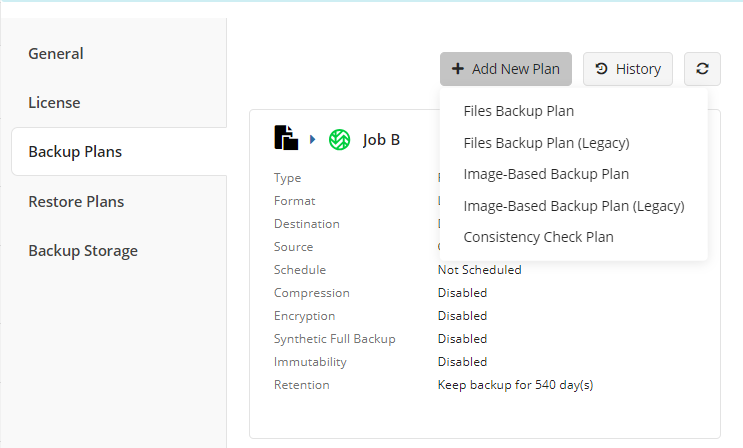
Best for MSPs running multi-client environments on their own storage
Built specifically for MSPs. You get a centralized web console where every client environment lives – deploy agents, configure backup plans, monitor jobs, pull reports, all without touching a client machine directly.
What MSP360 Managed Backup covers:
- Image-based and file-level backup for Windows Servers and desktops
- VMware vSphere 6.0–8.0 with application-aware snapshots and Changed Block Tracking (CBT)
- Hyper-V including Failover Cluster support, CBT, and GFS retention
- SQL Server and Exchange Server (on-premises) with application-consistent backups
- and transaction log support
- Microsoft 365 and Google Workspace under the same platform
Storage is bring-your-own: AWS S3, Backblaze B2, Wasabi, Azure, IDrive e2, or any S3-compatible provider, including immutable storage configurations supported by those platforms. You control the storage relationship – no markup, no lock-in. Licensing is per workload (server, VM host, SQL instance), which means you can right-size per client rather than buying blocks of capacity upfront.
NAKIVO Backup & Replication
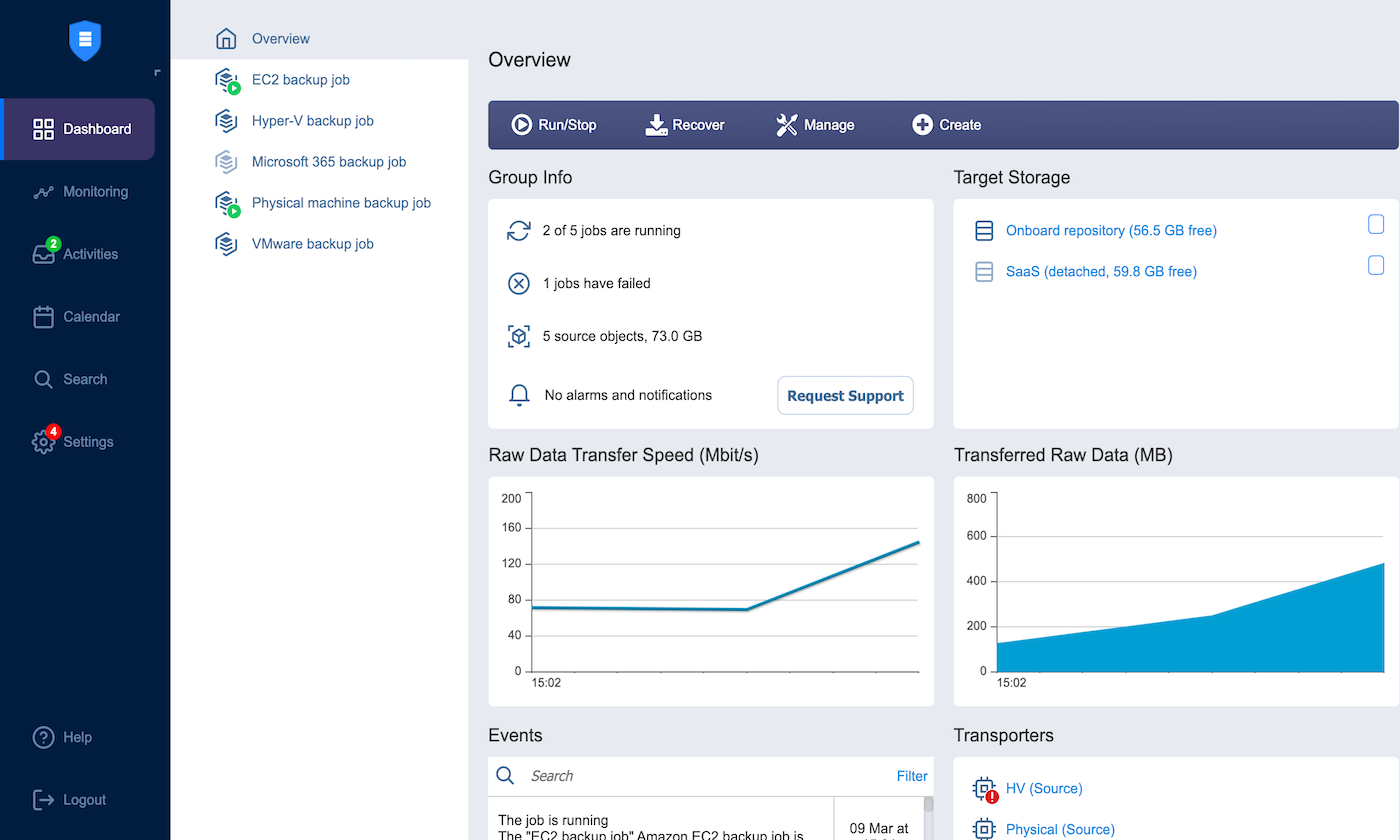
Best budget-conscious alternative for VM-focused environments
NAKIVO competes primarily on price-to-features ratio. It covers VMware, Hyper-V, Nutanix AHV, physical Windows/Linux, and Microsoft 365, with CBT-based incrementals, instant VM recovery, and immutable backup support. Deployment is fast, typically under an hour, and the interface is straightforward.
MSP multi-tenancy is available and functional (up to 100 isolated tenant environments, web-based MSP Console, no client-side firewall changes required via Direct Connect), but where NAKIVO shows its constraints is reporting and alerting customization – Capterra users consistently flag this as a gap, and per-client billing automation lags behind purpose-built MSP platforms. For an IT team protecting a mid-sized virtual environment on a tight budget, NAKIVO is worth a serious look.
Datto SIRIS
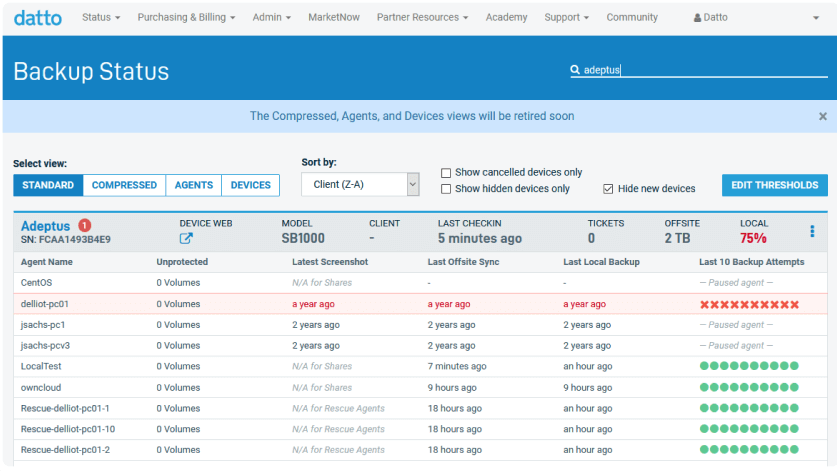
Best Backup Exec alternative for MSPs who prefer an appliance-based BCDR model
Datto's approach is different from the rest of this list: you're buying a physical or virtual appliance that handles backup locally, with automatic offsite replication to the Datto Cloud. That architecture gives you fast local restores and a built-in DR target – which matters for clients who need to recover quickly and don't have their own cloud storage infrastructure.
The significant constraint for most deployments is storage lock-in: the standard architecture replicates to the Datto Cloud, which is the only offsite target in the default setup. There is a SIRIS Private option – replication between two SIRIS appliances without Datto Cloud – but it's designed for regulated industries like healthcare and finance where mixing client data in a shared cloud isn't permitted, not a general workaround for MSPs who want open storage economics. If you want to control your storage margins, Datto's standard model doesn't accommodate that.
Best Backup Exec Alternative for an IT Department
For internal IT, the stakes are simpler but the pain is real: you're responsible for one environment, with a small team and a budget that gets reviewed annually. Backup Exec's appeal was that it was self-contained and familiar. A replacement needs to cover the same ground without requiring a specialist to run it or a capital project to fund it.
The part that often gets missed in the cost comparison: Backup Exec running on-prem meant tape libraries, NAS, or local disk – hardware that needs to be refreshed every 5–7 years, maintained, and physically managed. Moving to cloud backup converts a lumpy capital expense into a predictable monthly line item – and removes the infrastructure you're responsible for keeping alive.
What matters for this option
- Setup that doesn't require a professional services engagement
- Workload coverage for your specific mix, without paying for tiers you don't use
- Real cost visibility: software plus storage, not just the license price
- Restores that actually work when you need them
- Recovery testing – especially in ransomware recovery scenarios
MSP360 Backup Pro
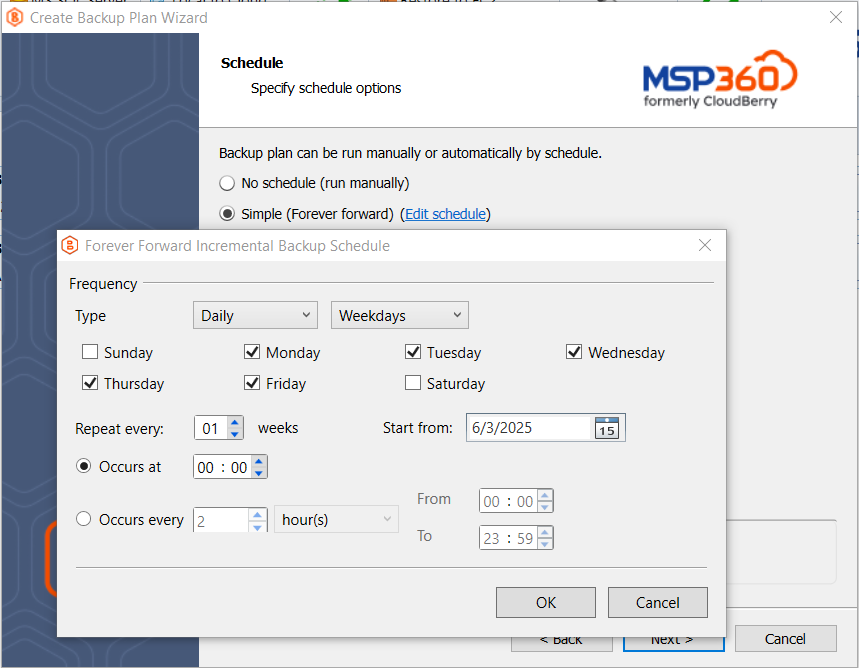
Best for small to mid-size teams that need simple, affordable VM backup
Designed for single-organization use. Agent-based, installed locally, managed from the same interface you configure backups in – no separate management server required.
- Windows Server backup: file-level and image-based, flexible scheduling and retention
- VMware and Hyper-V with CBT for incremental efficiency
- SQL Server: database and transaction log backups, selective database targeting, configurable retention
- Cloud storage across all major providers – run fully cloud, fully local, or hybrid for fast local restores with offsite DR in the cloud
Licensing is per device. You pay for what you protect.
Veeam Data Platform
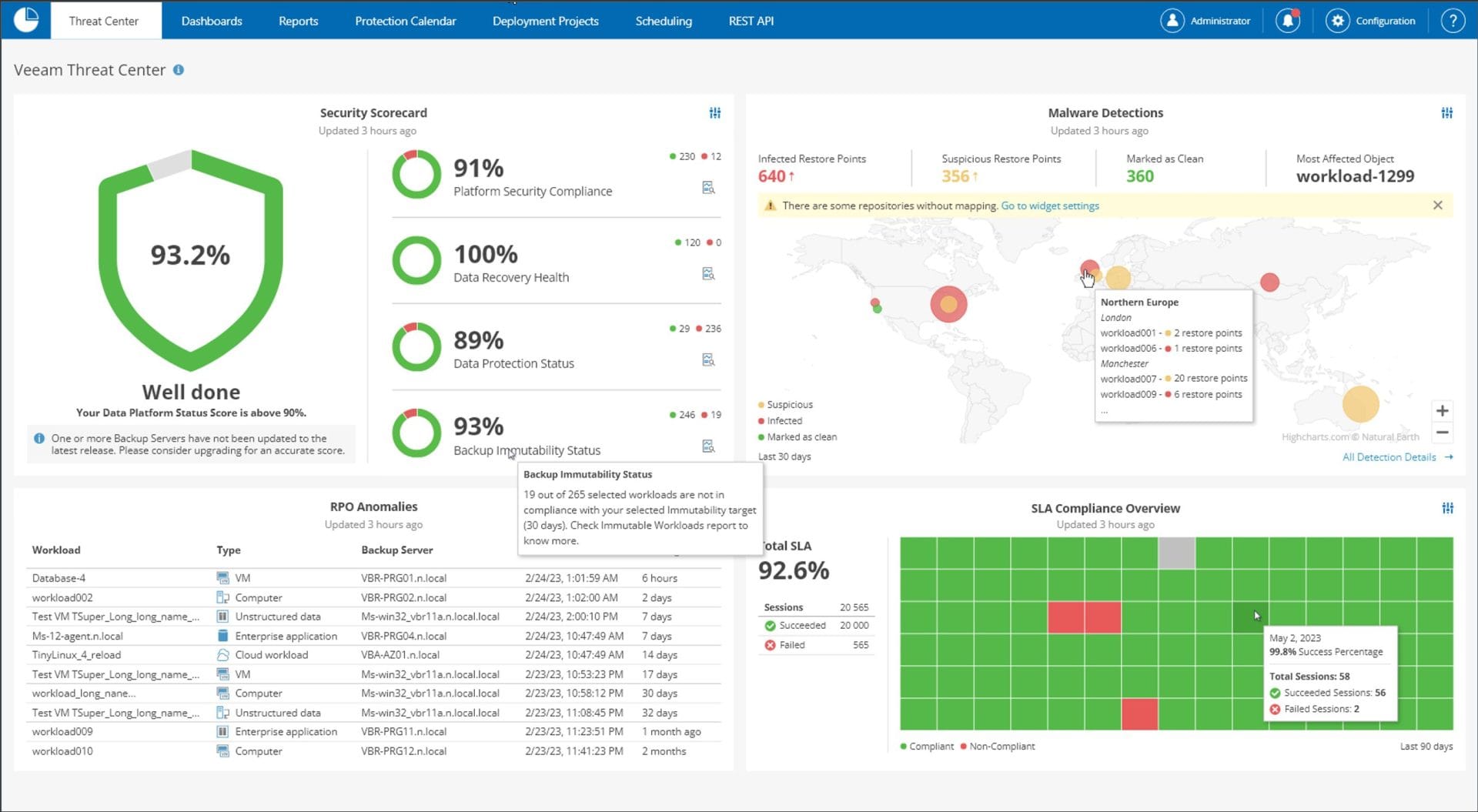
Best for enterprise IT teams with VM-heavy environments
Veeam is the most widely deployed backup platform in the enterprise market, and for good reason: its VM backup and recovery workflows are mature, well-documented, and trusted in large-scale environments. It supports VMware, Hyper-V, physical Windows/Linux, and cloud workloads, with solid immutability options and a strong partner ecosystem.
Where it falls short for MSPs is centralized multi-tenancy – managing client environments at scale requires Veeam's VCSP program, which adds cost and complexity. On licensing: Veeam moved to Universal License (VUL) per-workload pricing ($250–$450/workload/year), which is cleaner than the old socket model – but Veeam raised rates 4–8% in both 2025 and 2026, so multi-year cost projections need to account for compounding increases. If you're an IT team protecting one large environment with a dedicated backup admin, Veeam is a strong shortlist candidate.
Acronis Cyber Protect
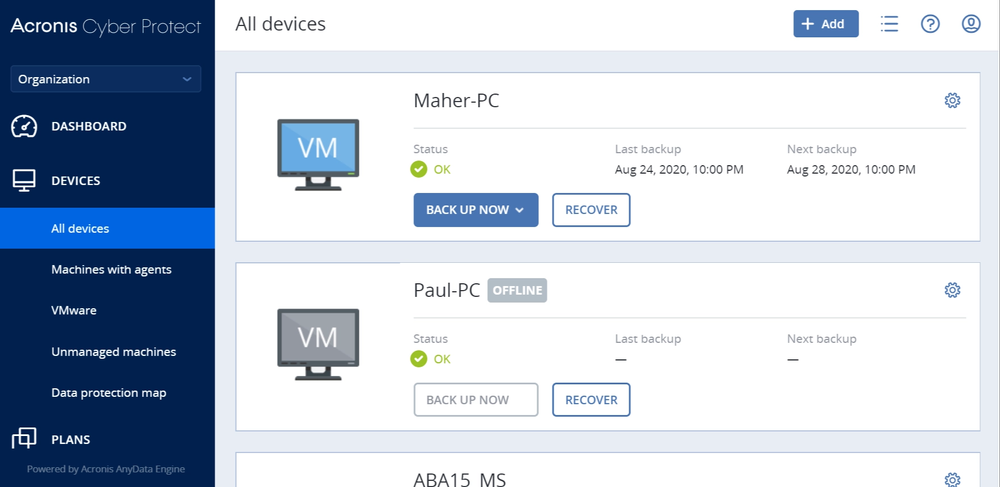
Best for IT teams that want backup and endpoint security bundled
Acronis combines backup, antivirus, and endpoint protection into a single agent – which is either a genuine simplification or an unwanted package deal, depending on your environment. If you're already paying for separate security tools, the bundled approach may not save money. If you're a small IT team that wants one vendor for both problems, it might.
Coverage is broad: Windows, macOS, Linux, VMware, Hyper-V, Microsoft 365. Immutable storage is supported. The hosted storage option (Acronis Cloud) is convenient but adds per-GB cost and removes your control over where data sits – worth factoring in before comparing license prices.
Commvault Cloud
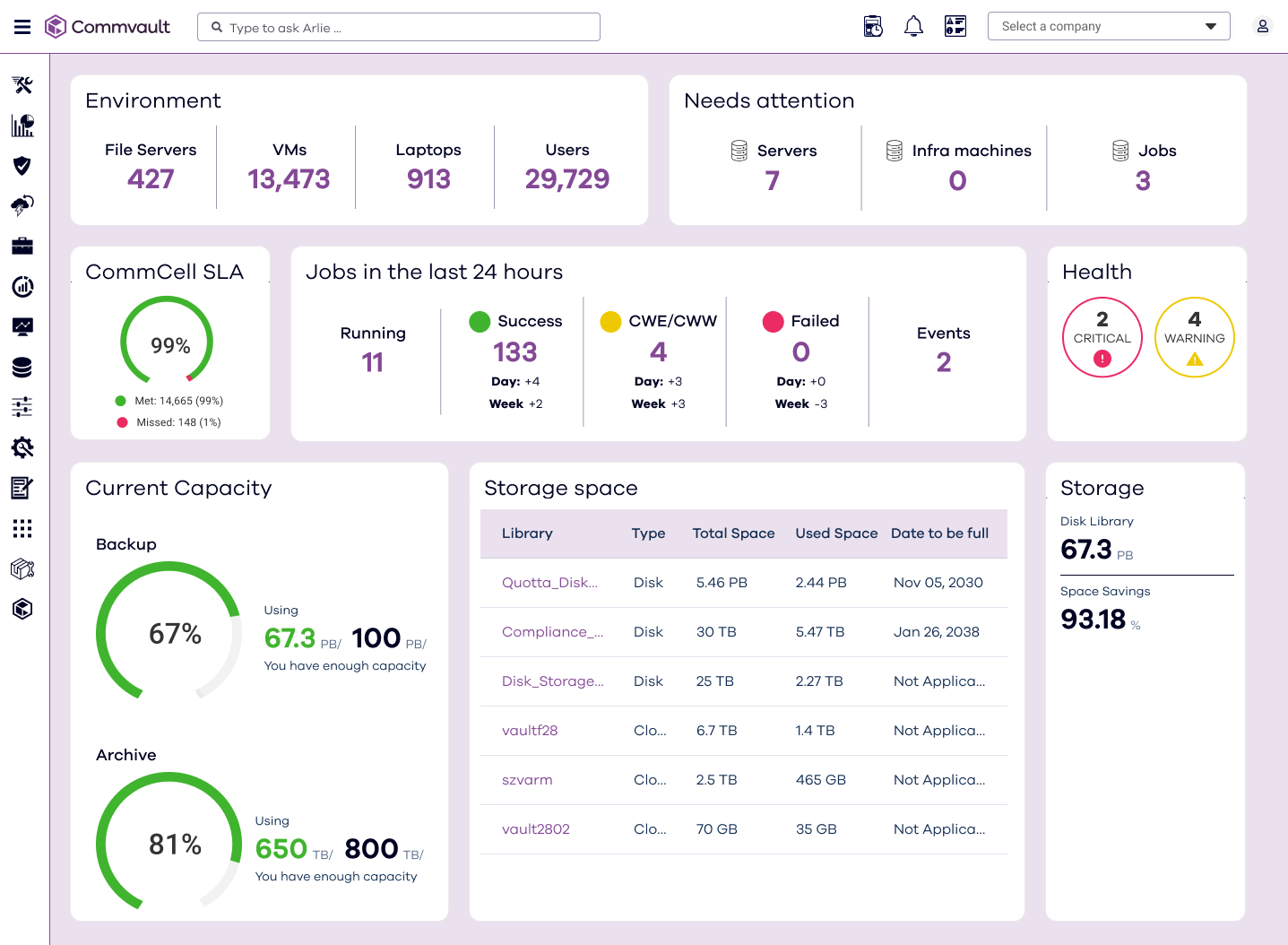
Best for enterprise IT in regulated industries
Commvault is the platform of choice when compliance, data governance, and audit trails are the primary drivers. It covers the widest workload range in this list – VMs, databases, containers, SaaS, cloud-native apps, endpoints — and its policy framework is designed for complex, multi-tier retention requirements.
The tradeoff is complexity and cost. Commvault is not a self-service deployment; implementation typically involves professional services, and the licensing model requires careful sizing to avoid surprises. It's overkill for most SMBs and most MSP client environments, but if you're running a healthcare network or financial institution with serious compliance obligations, it belongs on the evaluation list.
Which alternative is right for you?
If you're an MSP and data ownership, storage flexibility, and per-client margin control matter – MSP360 is the logical move. It's the only platform in this list built around that model. If you're an IT team with a large, VM-heavy environment and a dedicated backup admin, Veeam is the mature enterprise choice. If compliance and governance are your primary drivers – Commvault. If budget is the primary constraint and your environment is mostly virtual, NAKIVO is worth testing.
The one choice that doesn't make strategic sense: picking whichever alternative looks most like Backup Exec and recreating the same architecture. The migration is the moment to fix what wasn't working.
What the Switch Actually Costs
The license price comparison is where most evaluations go wrong. It ignores three things that often matter more:
Storage infrastructure
If you're running tape or on-prem NAS with Backup Exec, those costs are real but often accounted for separately. A cloud-first replacement trades capital hardware spend for predictable monthly storage fees – usually lower in total, and without the refresh cycle.
Management time
How many hours per week does your team spend on backup administration, job monitoring, and troubleshooting? That's a cost too. Centralized management and better alerting can recover meaningful hours.
Egress and storage efficiency
Cloud storage pricing varies more than people expect. Backblaze B2 at $6.95/TB is materially different from AWS S3 Standard at ~$23/TB. CBT-based incremental backups can significantly reduce daily data transferred compared to traditional incrementals – in many environments by 80–90%, which compounds into significant monthly savings at scale.
To see how your specific environment compares, the MSP360 TCO Calculator lets you input your current software costs, storage fees, and workload mix and outputs a side-by-side against MSP360 with your choice of storage provider.
Explore More Articles
Optimize IT operations by exploring the MSP360 RMM Community Edition to understand exactly what you get with free RMM software, including tools for free patch management, the RMM Watchdog, and updates in MSP360 RMM 2.5. Secure critical infrastructure using the best free backup software, while anticipating upcoming instant restore and backup features. Manage cloud resources efficiently through Microsoft 365 cost optimization, consult the Office 365 backup complete guide, and implement the best SharePoint backup solutions, all supported by the MSP360 price guarantee.
[readmore] Best Microsoft 365 Backup Solutions
[readmore] Best Google Workspace Backup Solutions
Switching to the Best Backup Exec Alternative
Backup Exec's end of life is a migration with a known deadline – not an emergency, but not something to defer indefinitely. The organizations that come out ahead are the ones that treat it as a chance to update their architecture, not just swap one backup agent for another.
MSP360 supports the core workloads most Backup Exec environments rely on. The difference is where it stands relative to where IT is today: cloud storage with full control of ownership, centralized management, and licensing that scales with your environment rather than against it. If you're evaluating your options, this is what the best Backup Exec alternative actually looks like in practice.
See what the numbers look like for your environment: Run the TCO comparison →Or try the product yourself - free for 15 days: Start your free trial →
Simple. Reliable.