How to Remove Files from Backup Storage with MSP360 Backup
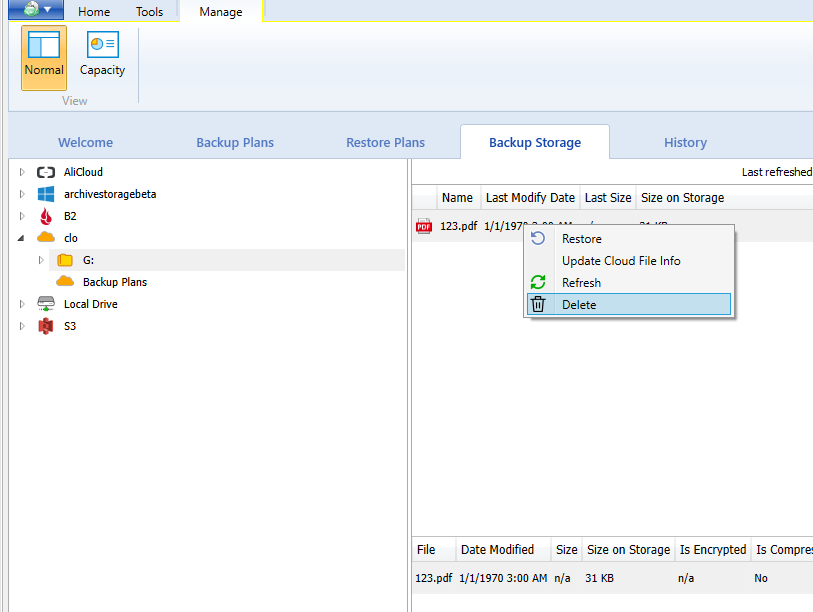
If you need to delete data from the backup storage in MSP360 Backup just click it with the right mouse button and then click the Delete button. This will remove data from the backup storage tab and the backup storage itself. Screenshot is ahead
Once data is deleted it cannot be undeleted. Be careful
Categories