MSP360 Connect Pro

Unattended Remote Access Software for Small Businesses

Access remote computers securely whenever you need them with our fast unattended remote access software. MSP360 Connect Pro combines unattended access software for Windows PCs and servers with cross-platform remote desktop connections for Windows and macOS.


quality-choice-2025
trusted-vendor-2025
highest-user-adoption-summer-2025
high-performer-summer-2025-emea
high-performer-summer-2025
Unattended Remote Access Software
What You Get with MSP360 Unattended Remote Access Software

What You Get with MSP360 Unattended Remote Access Software

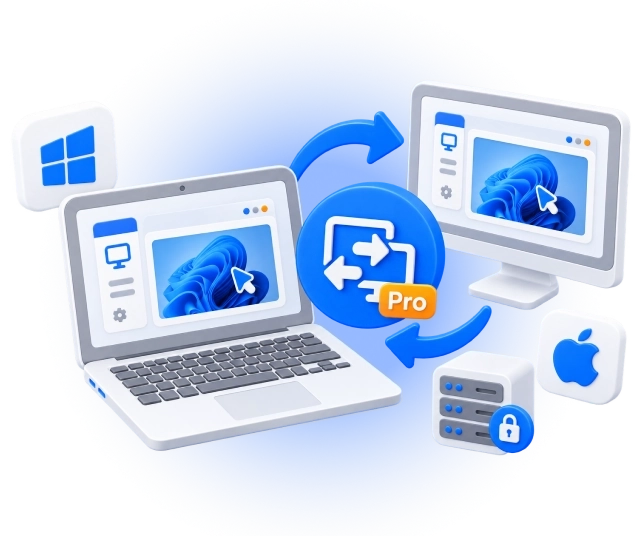
MSP360 Connect Pro is a remote desktop software for small businesses that need access to work computers from another location. Connect to Windows and macOS devices, and use unattended access to reach Windows PCs and servers without someone approving each session.

Unattended Remote Access for Windows

MSP360 Connect Pro lets you access remote Windows computers and servers without requiring someone at the remote device to approve each connection. Once unattended access is configured, you can authenticate using authorized Windows credentials instead of requesting a session PIN.

Download Unattended Remote Access Software for Windows

Connect from:

Windows 10/11
Windows Server 2012 R2/2016/2019/2022

Connect to:

Windows 10/11
Windows Server 2012 R2/2016/2019/2022
macOS 13.0 (Ventura) and higher

Remote Desktop Software for macOS

MSP360 Connect Pro also lets Mac users start cross-platform remote desktop sessions directly from macOS. Connect to supported macOS, Windows, and Windows Server computers to access a work computer, collaborate with another user, or provide remote assistance.

Download MSP360 Connect Pro for macOS

Connect from:

macOS 13.0 (Ventura) and higher

Connect to:

Windows 10/11
Windows Server 2012 R2/2016/2019/2022
macOS 13.0 (Ventura) and higher

MSP360 Connect Pro Features

MSP360 Connect Pro provides the essential features small businesses need for fast, stable, and secure remote access, including:

Unattended remote access

Access authorized Windows computers and servers without requiring somebody at the remote machine to approve the connection or provide a rotating PIN.

Fast, stable and secure remote sessions

Connect with minimal delay using WebRTC-based remote desktop technology. Encrypted connections protect the data transmitted during your sessions.

Up to 25 saved devices

Keep up to 25 frequently used computers in your address book for faster repeat connections.

Multi-monitor support

Work with computers that use multiple displays and switch between remote monitors during a session.

Multi-user and concurrent sessions

Work with multiple remote sessions and bring another participant into a session when collaboration is required.

File transfer

Transfer files of up to 1 GB between Windows computers during remote sessions.

Session recording

Record remote sessions and replay them later using the built-in Session Player.

Text and voice chat

Communicate with the remote user directly within an active session.

Unattended Remote Access for Everyday Business Tasks

Working remotely should not mean coordinating every connection with someone in the office. MSP360 Connect Pro lets you access Windows PCs and servers even when no one is there, so you can use your work applications or handle maintenance on your own schedule.
Unattended Remote Access for Everyday Business Tasks

Use it to:

  • Access your office PC remotely when working from home or another location.
  • Perform maintenance outside business hours when the person who normally uses the computer is away.
  • Connect to Windows servers without requiring somebody nearby to provide a PIN.
  • Provide attended assistance when needed to users on supported Windows and macOS computers.

Compare MSP360 Connect Free to MSP360 Connect Pro

MSP360 Connect FreeMSP360 Connect Pro
Features
Remote access to Windows and macOS
2FA and encrypted connection
Unlimited concurrent sessions*
Multi-monitor support
Session recording*
Text and voice chat
Saved devices525
File transfer*Up to 10 MBUp to 1 GB
Unattended access*
PriceFree $89.99 per /year**
**per device used to initiate connections
Download Free Buy Now
Compare Editions
*Windows-only

Product Reviews and Customer Feedback

quality-choice-2025
trusted-vendor-2025
highest-user-adoption-summer-2025
high-performer-summer-2025-emea
high-performer-summer-2025
connect-getapp-2025
connect-capterra-2025
connect-softwareadvice-2025
connect-techradar

Get Started with MSP360 Connect Pro

To explore more valuable insights for enhanced cybersecurity, cloud storage best practices, and IT management, visit our Resource Center.

Guide

Getting Started with MSP360 Connect Pro

Read Now
Whitepaper

Make the Most of MSP360 Connect

Download Now
Whitepaper

Features Overview

Download Now
Whitepaper

Product Datasheet

Download Now

Unattended Remote Access FAQ

What is unattended remote access?

Unattended remote access allows an authorized user to connect to a remote computer without another person having to approve the connection each time. It is useful for office computers, servers, and other systems that you may need to reach when nobody is physically present.

How does unattended access work with MSP360 Connect Pro?

On a supported Windows remote computer, enable unattended access in Connect. Instead of asking someone at the remote computer for a rotating PIN, Connect Pro can authenticate the connection using authorized Windows credentials and, if configured, an additional custom password.

Does MSP360 Connect Pro work on macOS?

Yes. MSP360 Connect Pro supports Windows and macOS. From a Mac, you can use Connect to establish remote desktop sessions with supported Windows, Windows Server, and macOS computers.

Can I use unattended access with a remote Mac?

No. Connect supports remote access to macOS computers, but unattended access is currently supported only when the remote host is Windows. Connections to a remote Mac use attended access.

Can I connect to Windows Server with unattended access?

Yes. Supported Windows Server systems can be configured for unattended access, making it possible to reach a server when nobody is physically present at the machine.

How many computers can I save with Connect Pro?

Connect Pro allows up to 25 devices in the address book, compared with five devices in Connect Free.

Can I still use attended remote access with Connect Pro?

Yes. You can establish attended connections to Windows and macOS computers when someone at the remote computer is available to authorize the session.

What is the difference between Connect Free and Connect Pro?

Both editions support remote connections to Windows and macOS. Connect Pro adds unattended access for Windows hosts, increases the address book from 5 to 25 devices, and raises the Windows file-transfer limit from 10 MB to 1 GB.

How much does MSP360 Connect Pro cost?

MSP360 Connect Pro costs $89.99 per year per device used to connect from, billed annually.

Start Using MSP360 Unattended Remote Access Software

Access remote Windows computers when nobody is there and connect securely to Windows and macOS devices with MSP360 Connect Pro.

quality-choice-2025
trusted-vendor-2025
highest-user-adoption-summer-2025
high-performer-summer-2025-emea
high-performer-summer-2025
Unattended Remote Access Software