MSP360 Connect Free

Free Remote Desktop Software for Windows and macOS

Access your own computer or help family and friends with our fast, encrypted free remote desktop software. MSP360 Connect Free includes the essential tools for personal use and one-time, attended sessions, with no subscription fee.

quality-choice-2025
trusted-vendor-2025
highest-user-adoption-summer-2025
high-performer-summer-2025-emea
high-performer-summer-2025
MSP360 Connect Free
What You Get with MSP360’s Free Remote Desktop Software

What You Get with MSP360’s Free Remote Desktop Software

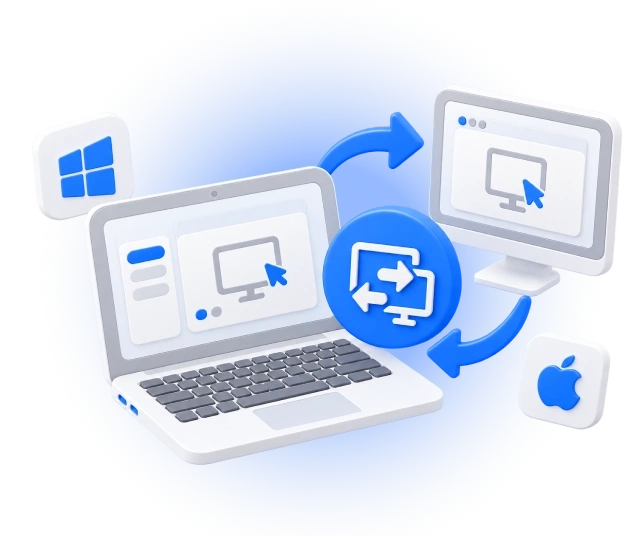
MSP360 Connect Free is a secure and easy-to-use free remote desktop software for personal use and on-demand connections. It supports Windows and macOS devices and provides fast, low-latency connections to remote devices anytime, from anywhere.

Free Remote Desktop Software for Windows

On Windows, MSP360 Connect Free combines cross-platform attended access with the broadest set of Free edition session tools. Connect to supported Windows, Windows Server, and macOS devices, record remote sessions, transfer files up to 10 MB, and run multiple Windows sessions concurrently.

Download Free Remote Desktop Software for Windows

Connect from: Windows 10/11, Windows Server 2012 R2/2016/2019/2022
Connect to: Windows 10/11, Windows Server 2012 R2/2016/2019/2022, macOS 13.0 (Ventura) and higher

Download Free

Free Remote Desktop Software for macOS

The macOS version lets Mac users initiate cross-platform remote desktop sessions directly from their Mac. Access supported macOS, Windows, and Windows Server computers for personal remote access or to provide on-demand assistance to friends and family.

Download Free Remote Desktop Software for macOS

Connect from: macOS 13.0 (Ventura) and higher
Connect to: Windows 10/11, Windows Server 2012 R2/2016/2019/2022, macOS 13.0 (Ventura) and higher

Download Free

MSP360 Connect Free Features

MSP360 Connect Free provides the essential features needed for fast, stable, and secure personal remote connections, including:

Fast, stable remote sessions

WebRTC support helps provide responsive, real-time connections between devices with minimal delay.

Attended remote access

Start a session when the person at the remote computer is available to share or confirm the session credentials. This model is suited to one-time assistance and personal connections.

Up to 5 saved devices

Keep the computers you use most often in the address book instead of entering their details again for every connection.

Multi-monitor support

Switch between remote displays or view them together when the remote computer uses more than one monitor.

File transfer

Move files during remote sessions with a 10 MB transfer limit. Direct connections inside a local network may not have the same transfer limit.

Text and voice chat

Communicate with the remote user without moving the conversation to a separate tool.

Session recording

Record remote access sessions and play them back with the built-in Session Player.

Multi-user and concurrent sessions

Invite another participant to an active session and connect to multiple devices at the same time.

Free Remote Access for Everyday Tasks

You should not need a complex IT platform to reach a personal computer or help someone you know. MSP360 Connect Free makes it straightforward to start an on-demand session and control a remote device from another location.
Free Remote Access

Use it to:

  • Help a family member or friend solve a computer problem.
  • Access files or applications on your own remote computer.
  • View and switch between multiple remote monitors.
  • Talk through a task with built-in text or voice chat.
  • Record a session for reference or training.

Compare MSP360 Connect Free to MSP360 Connect Pro

MSP360 Connect FreeMSP360 Connect Pro
Features
Remote access to Windows and macOS
2FA and encrypted connection
Unlimited concurrent sessions
Multi-monitor support
Session recording
Text and voice chat
Saved devices525
File transferUp to 10 MBUp to 1 GB
Unattended access
Price Free
Download Free
$89.99 per admin/year
Buy Now
Compare Editions

Product Reviews and Customer Feedback

itprotoday2
4.5/5
pcmag2
4/5
pcworld2
4/5
techradar2
4.5/5
thurrott2
4/5
quality-choice-2025
trusted-vendor-2025
highest-user-adoption-summer-2025
high-performer-summer-2025-emea
high-performer-summer-2025
connect-getapp-2025
connect-capterra-2025
connect-softwareadvice-2025

Get Started with MSP360 Connect Free

To explore more valuable insights for enhanced cybersecurity, cloud storage best practices, and IT management, visit our Resource Center.

Guide

Getting Started with MSP360 Connect Free

Read Now
Whitepaper

Make the Most of MSP360 Connect

Download Now
Whitepaper

Features Overview

Download Now
Whitepaper

Product Datasheet

Download Now

Free Remote Desktop Software FAQ

Is MSP360 Connect Free really free?

Yes. It is a free product, not a trial. There is no expiry date, no card required at download and no charge later. You get up to 5 saved devices, unlimited concurrent sessions and encrypted connections at no cost.

What can I use MSP360 Connect Free for?

You can use MSP360’s free remote desktop software to help friends or family with computer issues, access your own computer during an authorized session, collaborate with another user, or complete occasional personal tasks on a remote device. The free edition is intended for personal rather than commercial use.

How many computers can I connect to with the free version?

You can save up to 5 devices in your address book. There is no cap on how many sessions you run at the same time. If you need more saved devices, MSP360 Connect Pro raises the limit to 25.

Is there a time limit on remote sessions?

No. Sessions run as long as you need them and there is no monthly cap on connection time

Does MSP360 Connect Free work on Mac?

Yes. There is a macOS app, and you can connect both to and from Mac computers. From a Mac you can reach macOS, Windows and Windows Server machines, and from Windows you can reach Macs. The Windows app carries the fuller session feature set, so check the platform notes above before you choose which machine to work from.

What is attended access, and can I connect when nobody is at the other computer?

Attended access means the person at the remote computer shares a connection PIN with you to start the session. That is what the free version uses, and it suits helping somebody who is sitting at their machine. To connect when nobody is there, you need unattended remote desktop software , and it starts at Connect Pro.

Is free remote desktop software safe to use?

It depends entirely on the tool, and it is worth checking before you install anything. MSP360 Connect Free encrypts every channel with SSL, supports two-factor authentication, requires a computer ID and PIN for each session, and blocks repeated failed attempts. Free sessions also need the remote user to share the PIN, so nobody connects to a machine without somebody there agreeing to it.

Can I use MSP360 Connect Free at work?

The free edition is built for personal use and one-off help. If you support machines as part of a job, you will run into the 5-device limit and the lack of unattended access quickly. MSP360’s remote desktop software with unattended access covers a single technician, and remote support software for teams covers a helpdesk supporting many endpoints.

Do I need to install the software on both computers?

Yes, both machines need the app: the one you connect from and the one you connect to. Installation takes a couple of minutes and the app shows you the computer ID and PIN you need straight after setup.

Can I connect to a Windows Server with the free version?

Yes. Windows Server 2012 R2, 2016, 2019 and 2022 are supported. Bear in mind that free sessions are attended, so somebody has to be at the server to share the PIN. Server work usually calls for unattended access, which is a Pro feature.

What is the difference between MSP360 Connect Free and Connect Pro?

Connect Pro adds unattended access, raises saved devices from 5 to 25, lifts the file transfer limit from 10 MB to 1 GB, and includes 24/7 technical support. Everything about the session itself, encryption, multi-monitor, recording and chat, works the same in both. Pro is $89.99 per year, per connecting device.

Download Free Remote Desktop Software

Enjoy high-speed stable connections with MSP360 Connect Free, a reliable remote desktop software.

quality-choice-2025
trusted-vendor-2025
highest-user-adoption-summer-2025
high-performer-summer-2025-emea
high-performer-summer-2025
MSP360 Connect Free