

In our roundup for the best Google Workspace backup solutions, we focus on backup solutions that protect Google Workspace data beyond what Google already offers. We compare vendors on their approach to backup architecture, storage options and capabilities, flexibility of recovery options, and long-term retention.
Featured post
Change layout
Expedited Image-Based Restore in MSP360 Backup 6.0
In addition to upload resumption, image-based backup in MSP360 Backup 6.0 gets a performance boost that reduces restore times by up to three times.
Resuming Image-Based Backup in MSP360 Backup 6.0
MSP360 Backup already offers backup resumption for file-level backup which lets users continue an interrupted backup plan without having to re-upload the entire data set. In release 6.0 we extend this functionality to image-based backup.

MSP360 Backup 6.0: S3 Intelligent-Tiering and Direct Glacier Upload
MSP360 Backup 6.0 brings two notable improvements to S3 backup — direct upload to Glacier and support for Amazon's latest Intelligent storage tier.
Storage-Specific Retention Policy in Hybrid Backup in MSP360 Backup
One of the new features in MSP360 Backup 6.0 is the ability to configure an individual retention policy for each storage of a Hybrid Backup plan.
Purchasing Maintenance Inside MSP360 Backup 6.0
MSP360 Backup receives another major update — release 6.0 — which brings you the ability to purchase maintenance right within the app.
Introducing MSP360 Backup 2.8 for macOS & Linux
This release of MSP360 Backup for macOS & Linux adds the long-awaited Detailed Report feature and also supports the latest changes of the Windows version for continued compatibility between the versions. Continue reading
Introducing MSP360 Backup 2.7 for macOS & Linux
Cloud services providers roll out updates frequently these days. This release of MSP360 Backup for macOS & Linux brings it up to date, along with improving its performance and UX. Continue reading
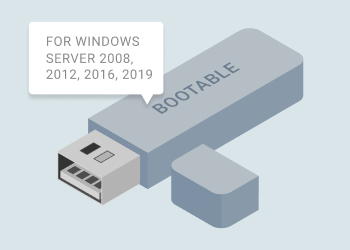
How to Create a Bootable USB for Windows Server
Bootable USB is a backup media that allows recovering image-based backups on machines with no operating system. (That technique is called bare-metal recovery.) This article provides instructions on how to create a bootable USB drive with MSP360 Backup (now MSP360 Backup) for Windows Server and applies to Windows Server 2008 / 2008 R2, 2012 / 2012 R2, 2016 and 2019.
Continue reading
SQL Server Database Backup with MSP360
To keep your Microsoft SQL Server databases safe, you need to back them up. Today, it is considered a best practice to have at least two backup copies of all of your data, one on-site and one off-site.
In this article, we will demonstrate how MSP360 Backup can provide both on-site and off-site SQL database backups by backing up data to both local storage and cloud storage, and how to backup a database in SQL Server.
Continue reading
SQL Server Database Restore with MSP360
MSP360 Backup supports backup and restore of Microsoft SQL Server databases. The product integrates with Microsoft SQL Server's built-in backup and restore mechanisms, provides SQL Server compression, and offers flexible scheduling, among a range of other useful options.
In this article, we’ll discuss how to restore SQL Server databases using MSP360’s solution. For instructions on the backup process, please refer to our article “SQL Server Database Backup.”
Continue reading

Introducing MSP360 Backup 5.9.4
MSP360 Backup 5.9.4 adds important new features, including: support for Microsoft Azure lifecycle policy, enhanced Hybrid Backup functionality, bug fixes, and performance improvements.
Continue reading
Load more