Problem Solving Network Share / Mapped Drive Backup
Network Credentials
Make sure you specified actual network access credentials for network share or mapped drive. This post applies to MSP360 Backup Windows Desktop PRO and all server editions
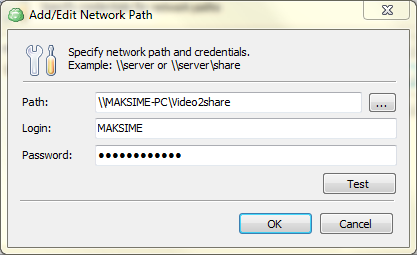
Go to the "Tools" menu and click on the "Network Credentials" icon.
Click "Add" button and specify actual network path, login and password. Click "OK".
Running Service Under Administrator Rights
In some cases you might need to run Backup Service under administrator account:
Go to the "Tools" menu and click "Change Service Account" icon.
Enter administrator credentials and click "OK".
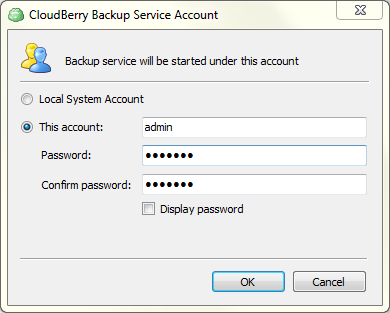
The service will be restarted automatically.
Conclusion
If you are experiencing any further issues, please visit our help center.
Categories