AWS Import/Export in MSP360 Backup & Explorer is Now Easier
We are glad to inform that now it is easier to use AWS Import/Export Amazon feature with MSP360 Backup and MSP360 Explorer. This post explains the benefits of the changes and provides instructions on how to set up AWS Import/Export.
FREE WHITEPAPER
Mastering AWS IAM for Amazon S3
Learn how to effectively manage the security of your Amazon S3 account to protect your and your clients' data
[hubspot type=cta portal=5442029 id=9120adb3-1267-4129-ad5a-d8f06b87d969]

What has been changed
Now you do not need to provide your shipping details twice - in the Wizard and before printing the shipping label. The shipping label is generated once automatically.
How to set up AWS Import/Export
Below there is an instruction about how to use the new opportunity on the example of MSP360 Backup.
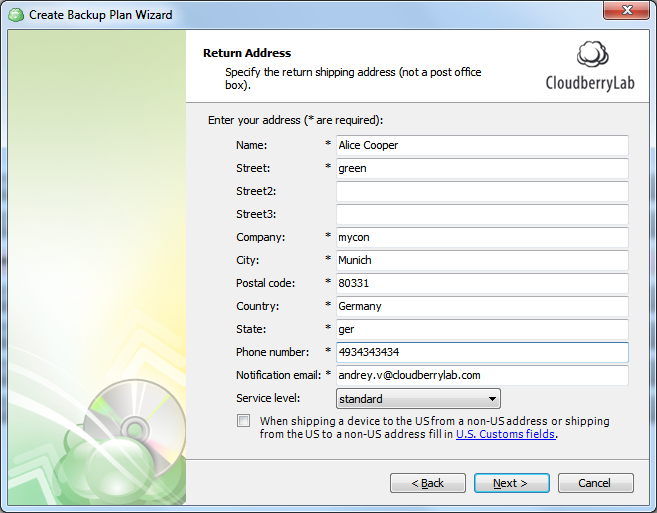
- At the Return Address screen of Create Backup Plan Wizard (or Edit Backup Plan Wizard), provide your address for the case the shipment can not be delivered. Click Next.
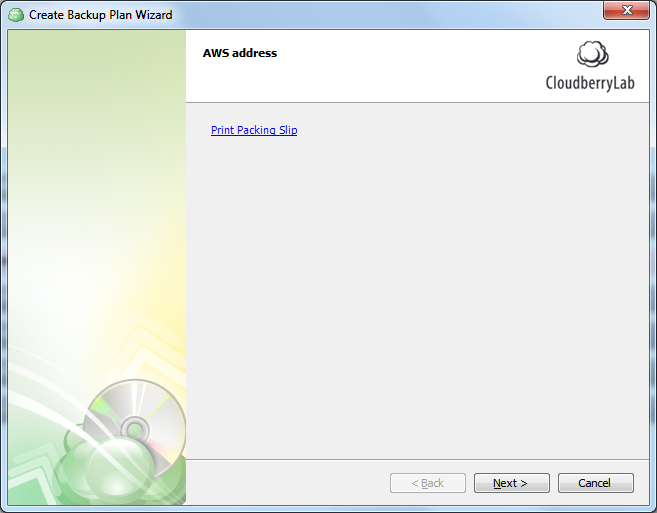
- Click Print Packing Slip link.
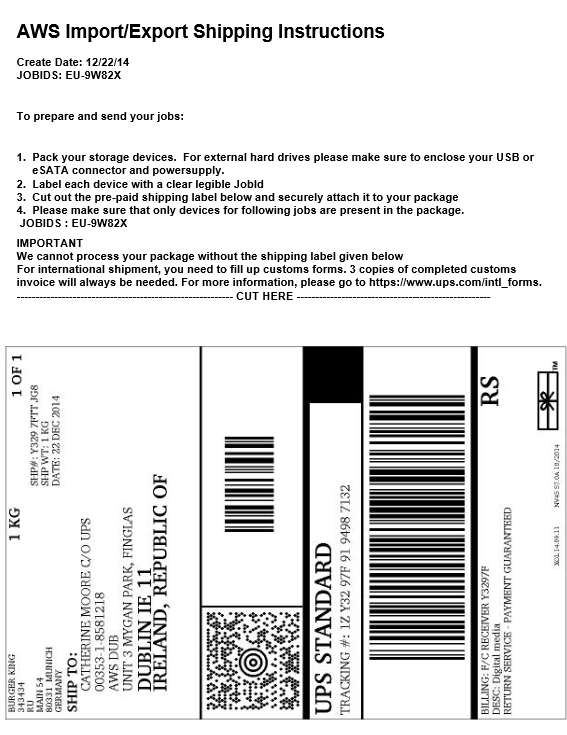
AWS Import/Export Shipping Instructions open as a PDF file.
-
Print the generated file.
-
Cut out the pre-paid shipping label and attach it to the package.
5. Follow the printed instructions and refer to AWS Import/Export documentation for further guidance.
Categories