Latest posts

Change layout
MSP360 Connect product article blog header

Introducing Web-Based Remote Access (Beta)

Introducing Web-Based Remote Access (Beta)

We are pleased to announce that web-based remote access (beta) is out! You can now establish a remote connection via a browser directly from the MSP360 console without having to install the MSP360 Connect application on the computer from which you need to connect. Moreover, you can now connect to multiple remote devices simultaneously in separate browser windows. Continue reading

MSP360 Connect product article blog header

How to Start Your MSP360 Connect Pro Trial

How to Start Your MSP360 Connect Pro Trial

Start a free, 15-day Connect Pro trial right in the MSP360 Connect app installed on your computer.

If you are not a Connect user yet, please download and install the app first.

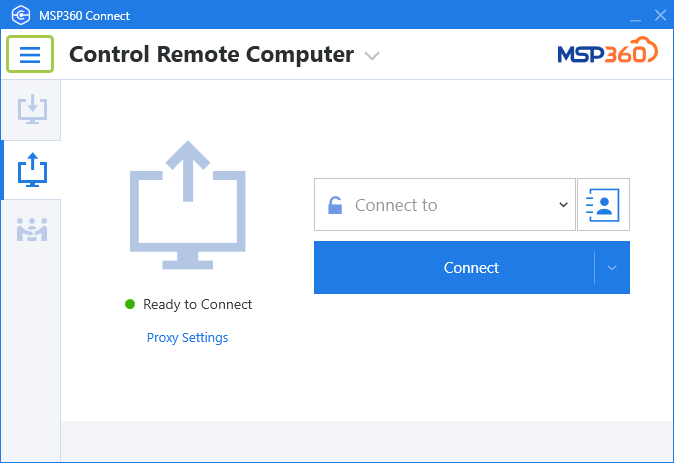
Open Connect on your computer and click on the menu in the upper-left corner.

menu button

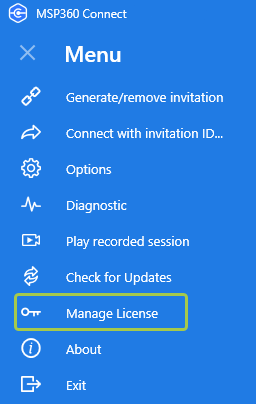
Click on Manage License.

manage license

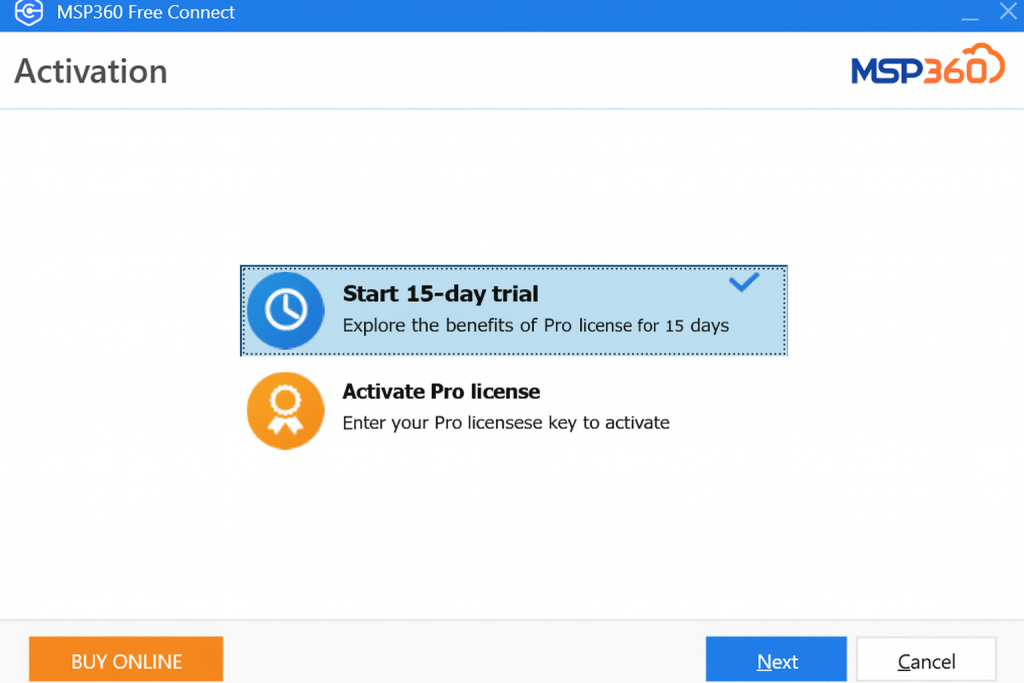
In the window that appears, choose Start 15 days trial and then click Next.

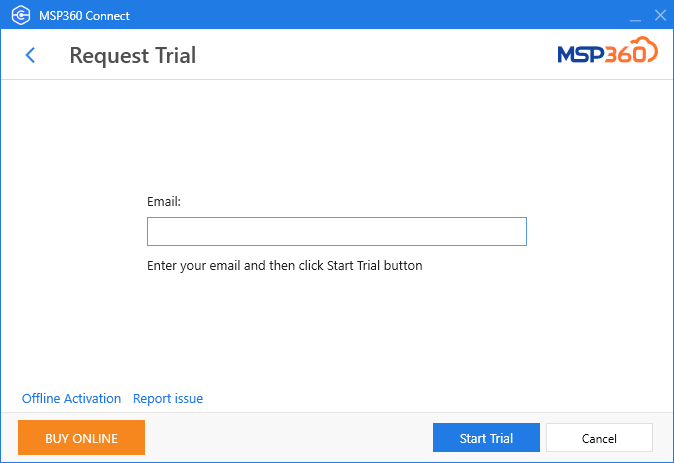
Enter your email address and click Start Trial.

enter email to activate Pro trial

That’s it. Please contact us if you have any questions.

Protecting Backups From Ransomware_ What MSPs Can Do blog header

Protecting Backups From Ransomware: What MSPs Can Do

Protecting Backups From Ransomware: What MSPs Can Do

It would have been hard to miss the rapid rise in ransomware attacks hitting businesses of every size. Over the past year, attacks have crippled hospitals, schools, government organizations and more. What’s more, high-profile attacks have hit major national infrastructure or supply chain organizations like the Colonial Pipeline, Kaseya, meatpacking company JBS and more. Continue reading