A Security-First Approach: Enhancing Backup and IT Management for MSPs
In today's current threat landscape, managed service providers (MSPs) should prioritize security to enhance their backup and IT management services. By adopting a security-first approach, MSPs can protect their customers against current and evolving threats. They can also distinguish themselves from their rivals in a highly competitive global marketplace.
Watch this short 4-min video instead of reading the article:
Adopting a security-first approach to improve your backup and IT management services may seem like a pipe dream at first. Fortunately, there are many ways to integrate security into your services.
These include:
1. Encrypt Customer Data
Use backup encryption to help your customers maintain the privacy and integrity of their data. Source- and server-side encryption options are available. With source-side encryption, you use keys to encrypt data stored on a server or network. Alternatively, with server-side encryption, you safeguard data at rest at the storage level.
Consider multiple encryption methods, too. Many MSPs use the Advanced Encryption Standard (AES), which lets you encrypt data 128 blocks at a time. There's also the Triple Data Encryption Standard (TDES), which utilizes a 56-bit key to encrypt blocks of data. In addition to these, MSPs may use Blowfish, Twofish, and many other encryption methods.
Encrypt all of your customers' data. Along with this, make sure only authorized users can access encryption keys. Track your data encryption performance as well. This allows you to continuously fine-tune the performance of your encryption tools and get the best results out of them.
[hubspot type=cta portal=5442029 id=6cae84c3-fb62-47b1-a1f2-6744125b00e5]
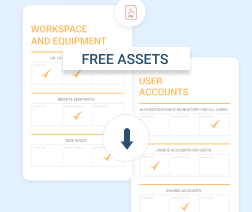
Assess vulnerabilities and threats, network security, workspace and equipment security, documentation, and more. The pack includes:
- a ready-to-print PDF file
- an Excel file to help create a customizable assessment resource
2. Perform Regular Security Audits
Audit your customers' backup and IT management systems. Ideally, you should perform a customer IT security
auditat least once a year. If a customer recently suffered a data breach, you should conduct an audit after the incident. This allows you and your customer to find out why the incident happened. From here, you can help your customer take appropriate steps to prevent similar incidents in the future.
Before you conduct an audit, meet with the customer to establish goals and objectives. Next, evaluate your customer's backup and IT management systems. Track vulnerabilities in these systems and keep a running list of them. After your audit is complete, prepare a report for your customer.
[readmore] Regular Backup Audits for MSPs
In your security reports, provide customers with calls to action. Share details about the vulnerabilities they face and why they need to address them. Additionally, explain how you can help them secure their backup and IT management systems moving forward.
[hubspot type=cta portal=5442029 id=aa07fdb8-7776-46a5-9fa0-ec6e93f0f0a6]
3. Develop a Comprehensive Disaster Recovery Plan (DRP)
Include backup and IT management in your disaster recovery planning checklist. A customer's DRP should explain how their data is backed up and stored off-site. Test the plan against a wide range of potential disasters.
Consider DRP backup options carefully. In some instances, cloud backups work best since they allow customers to restore data off-site following a disaster. On the other hand, it may take longer to restore data from a cloud backup than other options.
Lastly, make sure that customers keep their DRP up to date. Review each customer's plan with them at least once a year or after a disaster. You can schedule periodic check-ins with customers as well. If a customer has concerns or questions regarding backup, IT management, and disaster recovery, address them right away.
[readmore] Disaster Recovery with MSP360
Focus on Security at Every Stage of Backup and IT Management
Security plays a key role in your customers' backup and IT management effectiveness. With a security-first approach, you can give your customers the peace of mind that comes with knowing their systems are well protected. Plus, you can offer secure, reliable backup and IT management services that meet your customers' expectations.
Keep reading more resources
Linux offers great advantages but is not always the right solution for MSPs. Below are four reasons why Linux may not work well for your MSP business. To stay competitive, MSPs must prioritize 5 ways 5G networking opens new frontiers for MSPs, from edge computing migrations to real-time device backups that minimize downtime in distributed IT operations. Implementing 6 ways to minimize downtime in IT operations through proactive monitoring and hybrid strategies is essential, particularly when paired with advanced enhanced hybrid backup features in tools like MSP360 Backup, which now include new real-time backup functionality for near-continuous data protection. Yet, amid rising cyber threats, asking are you doing enough for cybersecurity prompts critical thinking, where strategies like air-gap vs. immutable backups provide ransomware-resilient layers. For cost-effective archiving, transitioning to AWS S3 Glacier storage class instead of AWS S3 Glacier vaults offers a step ahead in scalability, while developers managing Azure resources might debate Azure CLI vs. PowerShell for automation efficiency.
Ultimately, driving growth requires 5 ways to improve sales and marketing, from refining service catalogs to highlighting unique value propositions like those validated in the Backup review by Lawrence Systems, ensuring MSPs not only survive but thrive in a security-conscious ecosystem.
RMMPlatform: This flagship product provides powerful monitoring and alerting and automated patch management and HALOPSA integration, to ensure endpoints remain secure and operate smoothly.
Find what PowerShell and Command Prompt are, what is the difference, and when to use each of these tools. Also, having a policy in place makes sense, when it comes to cyber insurance.
Managed Backup: This service offers reliable cloud backup and image-based protection. A key feature is the dedicated SaaS backup for popular platforms like Microsoft 365, including OneDrive backup, Outlook Backup features, Google Workspace and the benefits of Domain Management.
Start securing your IT environment today with our Free Backup Software or explore the full range of features. We are a trusted company committed to your success and here we share some tips on how MSP marketing can help you grow in a niche better, or setting up a new IT department.
MSP360 includes MSP Platform, which lets managed service providers manage backup, secure remote access, remote monitoring, and day-to-day administration from one web console.