
MSP360 and HaloPSA Integration
Instant Remote Endpoint Access from HaloPSA Control Panel using MSP360 Managed Connect Integration.
Coming soon: integration with MSP360 Managed Backup and RMM for ticket creation, product usage tracking, billing.
Why Use MSP360 with HaloPSA?
The current integration gives MSPs one-click remote access to any endpoint using MSP360 Managed Connect directly from the HaloPSA console.
In upcoming releases, MSP360 Backup and RMM events will automatically create detailed support tickets in HaloPSA, including timestamps, affected endpoints, and error details. Real-time sync of usage and backup data, along with automated invoicing, will make your workflows more efficient, eliminating manual setup and enabling instant endpoint management.
Instant Remote Endpoint Access
No-Code Setup
Billing and Invoicing Automation
Ticketing Automation
SLA Compliance
Product Interface
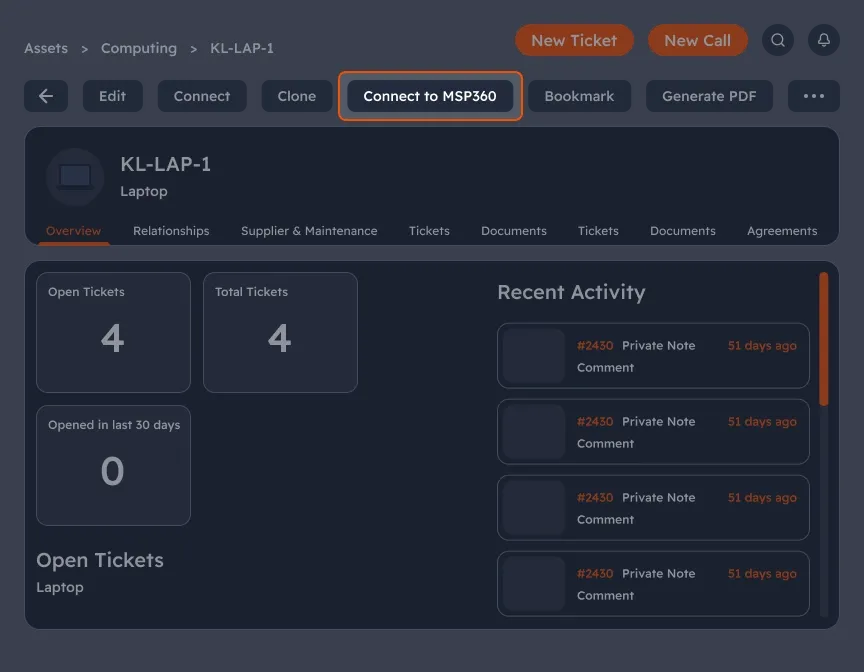
One-click access to MSP360 remote tools from HaloPSA
Technicians can launch MSP360 Connect directly from HaloPSA asset pages, reducing context switching and speeding up issue resolution.
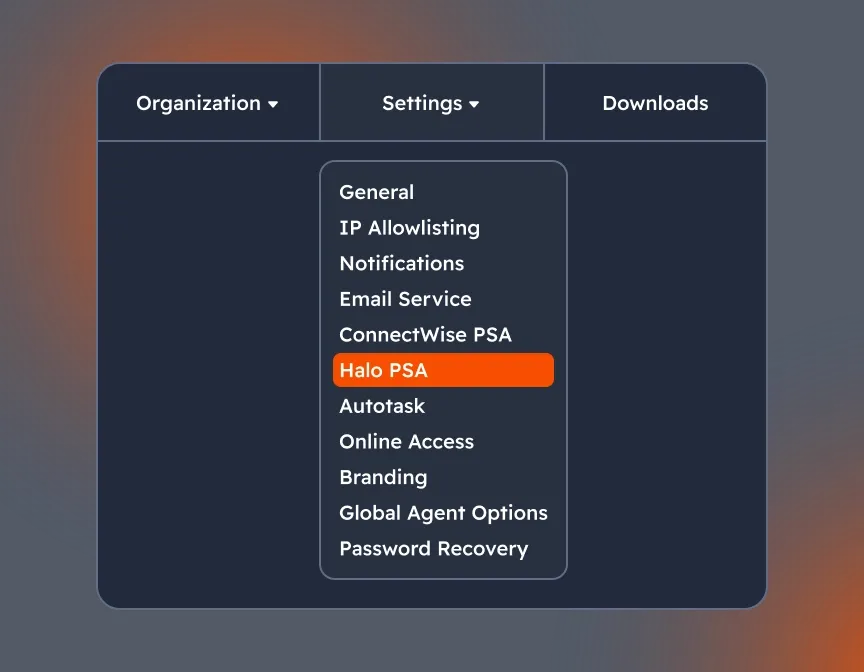
Easy to set up integration from MSP360 side with the menu tab HaloPSA
The integration can be quickly configured from within MSP360 using a dedicated HaloPSA tab, making setup easier even for non-technical users.
MSP360 and HaloPSA Integration FAQ
What functionality does the MSP360 + HaloPSA integration currently support?
Is administrative access required to set up the integration?
Can I map multiple sites and customers between MSP360 and HaloPSA?
How often does the integration sync data between MSP360 and HaloPSA?
Can I choose which companies or devices to sync with HaloPSA?
Is the integration secure? How is data protected?
MSP360 HaloPSA Integration
MSP360 and HaloPSA integration automates ticketing and billing, cuts manual work, reduces errors, and helps MSPs scale faster with a seamless, connected workflow.