In our roundup for the best Google Workspace backup solutions, we focus on backup solutions that protect Google Workspace data beyond what Google already offers. We compare vendors on their approach to backup architecture, storage options and capabilities, flexibility of recovery options, and long-term retention.
Table of Contents
Google Workspace is one of the most popular SaaS platforms in use today. With Google Workspace, mission-critical business data lives in Gmail, Google Drive and Shared Drives, Contacts, and Calendar. Although Google Workspace offers built-in data protection, their solutions aren’t built to prevent all kinds of data loss events, nor do they offer the extended retention needed for compliance, ransomware protection, or accidental deletion scenarios.
We believe that MSP360, Afi, and Synology offer some of the best Google Workspace backup solutions due to their mature features, trusted reliability, and flexibility.
Afi runs fully managed in the cloud and includes pre-built reporting APIs as well as automation built into the solution.
On the other side, MSP360 offers a Bring Your Own Cloud (BYOC) model, so your organization can use your own storage offerings (AWS, Azure, Wasabi etc. ), avoid vendor lock-in, and keep full control of where your data is stored, how much it costs, and how long you retain it.
Synology and CubeBackup are local, self-hosted backup solutions. These options allow for more control of your infrastructure and storage, but with less scalability.
MSP360 Backup for Google Workspace

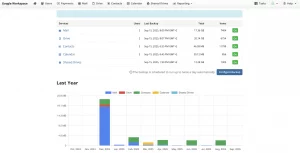
MSP360 Backup for Google Workspace is a cloud-to-cloud backup solution designed to protect Gmail, Google Drive, Shared Drives, Contacts, and Calendar while giving organizations full control over their backup storage. The platform supports both single-domain organizations and MSPs managing multiple domains with a unified and secure solution that minimizes vendor lock-in. The Managed version includes a centralized console that allows you to manage backups for multiple clients with flexible licensing and scalability.
Best Features
Built on the BYOC model, it works with all major public cloud storage providers. MSP360 Backup for Google Workspace is delivered as a cloud-to-cloud solution, so there is no need to install or pay for local hardware. Features such as strong encryption, multi-factor authentication, role-based access controls (RBAC), backup history, object lock, advanced reporting, and audit logging help organizations meet security and compliance requirements and align with major government regulations.
Who it’s for
MSP360 Backup for Google Workspace is suitable for managed service providers and SMB IT teams that require single- or multi-tenant backup management, ransomware protection, and flexible cloud storage options. It is also a good fit for businesses that need backup integration with RMM and PSA platforms.
Pricing: from $1.1
| Cons | Pros |
|---|---|
| 1) Immutable backup in Managed Edition only | 1) Centralized management console for MSPs |
| 2) Limited metadata backup in Shared Drives | 2) Bring Your Own Cloud – support for Amazon S3, Wasabi, Backblaze B2 |
| 3) Limited integrations outside MSP-specific platforms | 3) Responsive support |
| 4) Free trial limited to 15 days | 4) Flexible and transparent pricing policy |
| 5) Cloud-to-cloud solution only (no local or hybrid editions) | 5) No long-term commitment |
AFI Google Workspace Backup
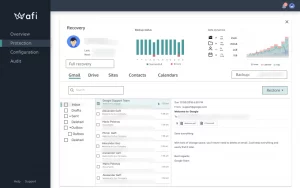
AFI Google Workspace Backup provides software-as-a-service (SaaS) data protection solutions that focus on frequent backups and fast recoveries specifically for Google Workspace. A startup founded in 2018 with headquarters based in Estonia, Afi.ai offers a straightforward solution that allows for dependable data protection with quick deployment.
Best Features
Afi provides almost continuous protection with version history and the ability to restore individual items. The platform also has built-in features to aid in incident response including indexed search and anomaly detection.
Who it’s for
Afi Google Workspace Backup serves mid-size organizations and educational institutions that need high-performance cloud-to-cloud backups with advanced search and ransomware detection.
Pricing: from $3
| Cons | Pros |
|---|---|
| 1) No BYOC option (vendor lock-in) | 1) Item-Level & Granular Restore Capabilities |
| 2) Low Ecosystem Breadth | 2) Text Search Across All Backups |
| 3) Unexpected billing beyond storage limits | 3) Object Lock |
| 4) Limited Reporting and Analytics for MSPs | 4) Easy Deployment |
| 5) Limited storage pricing transparency | 5) Point-in-Time Recovery |
CubeBackup
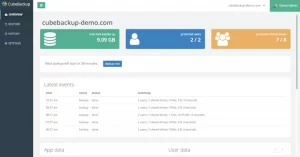
CubeBackup is a self-hosted backup service for Google Workspace that was founded in 2018. The solution is based out of Singapore. CubeBackup’s target market is businesses and organizations that desire complete control over their backups and the storage location of their data.
Best Features
CubeBackup provides customers with a backup as a service solution that enables them to retain their backed up data on local storage, or on a private or public cloud instance (ex: AWS, Azure, Google Cloud).
Who it’s for
CubeBackup suits organizations that prefer a self-hosted Google Workspace backup solution with full control over backup storage.
Pricing: from $5
| Cons | Pros |
|---|---|
| 1) Limited to self-hosted infra and requires admin interaction. | 1) Supports both Google Workspace and Microsoft 365 backups |
| 2) No built-in cloud storage (Bring Your Own Storage required) | 2) Focuses on encryption and security |
| 3) Requires manual maintenance of infrastructure and storage | 3) Provides version history for backed-up data |
| 4) Less suitable for large-scale or highly distributed environments | 4) Offers powerful restore and export functions |
| 5) Limited advanced security features compared to cloud-native SaaS backup platforms | 5) Point-in-time recovery option |
| 6) OS/hardware/Docker knowledge and expertise required |
Synology

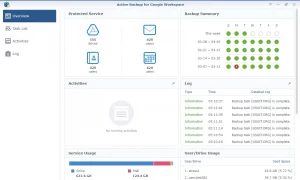
Synology Active Backup for Google Workspace is included software that runs on Synology NAS appliances to back up Google Workspace data. Unlike cloud-to-cloud solutions, Synology stores backups locally on NAS devices. It is a Taiwanese company that started in 2000. This solution is geared towards organizations looking for an appliance-based, on-premises backup solution for Google Workspace.
Best Features
Includes user self-service features such as high-frequency backups, granular and point-in-time restores, and a self-service recovery portal. Allows admins to centrally manage backups from the Synology NAS interface. Supports Gmail, Drive, Contacts, Calendar.
Who it’s for
Synology Active Backup for Google Workspace suits organizations and schools already using Synology NAS infrastructure that want to back up Google Workspace data locally.
Pricing: Synology NAS device ($630–$1,200+ depending on model) one-time
| Cons | Pros |
|---|---|
| 1) Appliance based model does not scale very well (limited by hardware capacity) | 1) High-frequency backups (5+ times per day) |
| 2) Requires local maintenance and IT admin | 2) Self-service recovery portal for end users |
| 3) Encryption keys for backed up data are stored on device with backups | 3) Cost-Efficiency |
| 4) Not suitable for very large or multi-tenant environments | 4) Centralized interface |
| 5) Cross-domain restoration is not supported (explicit limitation in Synology spec) | 5) Supports backup of core GW workloads |
SysCloud

SysCloud provides backup, security, and compliance solution for Google Workspace environments. The company was founded in 2013 and is based in California, United States. SysCloud was initially created to address cloud backup and protection challenges faced by educational and compliance-focused organizations. From there governance became a focus for the platform in addition to backup.
Best Features
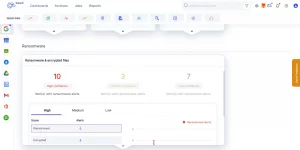
SysCloud offers automated backups, granular and point-in-time restores, comprehensive audit logs/reporting and built-in ransomware detection with their backup solution along with security and compliance monitoring. SysCloud gives you backup and visibility into your data along with retention controls and insight into user activity.
Who it’s for
SysCloud suits businesses, educational institutions, and non-profits that want automated Google Workspace backups with compliance monitoring.
Pricing: from $4
| Cons | Pros |
|---|---|
| 1) Limited versions of backed up data | 1) Backup of all included GW apps |
| 2) Slow and unreliable restores | 2) Robust reporting and audit logs |
| 3) Delays in initial backup | 3) Real-time alerts on threats |
| 4) Pricing can be difficult to understand | 4) Automated backup jobs |
| 5) Pricing goes up if you archive deleted users | 5) Configuration of custom retention settings |
Spin.ai

SpinBackup (Spin.ai) offers cloud-native backup and security solutions for Google Workspace. SpinBackup was founded in Palo Alto, California in 2017. The company was founded with a vision to cover SaaS backup and cybersecurity use cases, in an effort to fill the void between single-purpose SaaS backup solutions and full-scale SaaS security platforms. Presently, Spin.ai is pivoting to focus on SaaS security platform (SSPM) strategy with backup as a layer on top of security and risk management.
Best Features
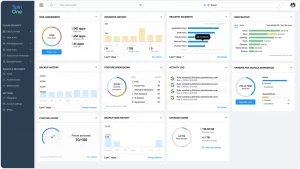
Automatic backups, point-in-time restore, item-level restore, immutable backups, ransomware detection, security analytics. Audit logs, self-service recovery.
Who it’s for
Spin.ai suits security-focused organizations that want SaaS backup combined with SaaS security monitoring and ransomware protection.
Pricing: from $1,080/year
| Cons | Pros |
|---|---|
| 1) Scant publicly available benchmarking results | 1) Audit logs for access and self-service recovery options |
| 2) Large-file and large-scale restore failures | 2) Immutable backup |
| 3) Shared Drive licensing model complexity and cost | 3) Item-level restore option |
| 4) Long-term commitment required | 4) Point-in-time restore |
| 5) Lack of pricing transparency | 5) BYOS (Bring Your Own Storage) |
Acronis Cyber Protect

Acronis Cyber Protect helps you lower cyber risk with centralized backup, disaster recovery, and security managed from a single console. It was founded in 2003 and is based in Schaffhausen, Switzerland. The company’s Cyber Protection solution combines backup and security into one seamless platform.
Best Features
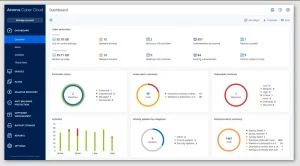
Acronis Cyber Protect has built-in Google Workspace data protection with point-in-time recovery and security features to help organizations fight ransomware. When supported by the storage model selected, backup data can be protected using immutability (Object Lock). Acronis Cyber Protect is centrally managed from the Acronis console.
Who it’s for
It suits medium to large enterprises that require rapid recovery, advanced ransomware protection, and data security tailored to specific industries.
Pricing: from $4.25
| Cons | Pros |
|---|---|
| 1) Licensing requirements (annual commitment, no month-to-month) | 1) Non-erasable backup |
| 2) Unclear pricing when using third-party cloud storage | 2) Encryption options are strong |
| 3) High cost | 3) Unlimited storage if hosted on Acronis |
| 4) Integration with third-party cloud storage requires Acronis Backup Gateway-additional moving part/ operational lock-in | 4) Easy to implement |
| 5) Restore to a point in time |
Druva Google Workspace cloud backup
Druva Google Workspace Backup is a Backup-as-a-Service offering available through Druva’s Data Resiliency Cloud. The company, headquartered in Sunnyvale, California (USA) and founded in 2008, offers a fully SaaS-native platform requiring zero on-premises hardware or software deployments. Their solution provides AWS-backed, vendor-managed storage with rapid deployment, secure backup, and fast recovery for Google Workspace environments.
Best Features
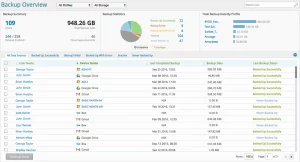
Druva Google Workspace Backup enables fast, easy deployment with minimal configuration. It includes built-in backup and recovery workflows and stores all data in the Druva Cloud. An out-of-the-box product focused on operational simplicity and fast time to protection vs. deep customization and storage control.
Who it’s for
Druva Google Workspace Backup serves large enterprises and government organizations that require highly scalable SaaS backup with centralized management and compliance controls.
Pricing: from $2
| Cons | Pros |
|---|---|
| 1) Lack of Transparent Pricing | 1) Automatic backups |
| 2) Storage pricing lacks transparency | 2) SOC2, HIPAA, compliance ready |
| 3) Contracts require long-term commitment | 3) Cloud native solution |
| 4) No BYOS option | 4) Robust encryption: AES-256 bit encryption |
| 5) Backup scheduling options are limited | 5) Ability to recover individual files/directories |
| 6) Limited investment and presence in backup for Google Workspace | |
| 7) Platform is endpoint-first, not SaaS-first |
AvePoint Cloud Backup
AvePoint Cloud Backup for Google Workspace provides data protection for organizations that run critical workloads on SaaS platforms. Founded in 2001 and headquartered in Jersey City (USA), AvePoint specializes in products around the Microsoft ecosystem and has recently entered the Google Workspace space. AvePoint has a strong presence in government and enterprise environments with a priority around compliance and data protection.
Best Features
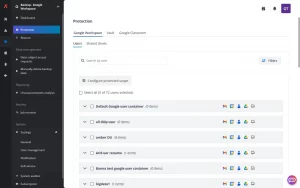
Ability to restore specific items and permissions. Zero-trust security model. Native integrations with Google Drive, Gmail, Shared Drives. Giving you unified data protection and restore processes across your Google Workspace without additional overhead.
Who it’s for
AvePoint Cloud Backup serves organizations with strict compliance and governance needs, especially those in regulated industries, education, and government.
Pricing: from $2
| Cons | Pros |
|---|---|
| 1) Lack of transparent pricing | 1) Enterprise-level governance: permissions, lifecycle, DLP policies |
| 2) Hidden costs for API calls | 2) Hybrid storage options |
| 3) Support can be slow to respond | 3) Framework support for GDPR, HIPAA, etc |
| 4) Long-term commitment only | 4) Role-based administration |
| 5) Complex initial setup that requires an experienced admin | 5) Robust Reporting |
| 6) Requires additional Compliance Guardian products to unlock full features |
NinjaOne (Dropsuite)
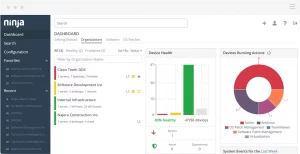
NinjaOne - SaaS Protection by Dropsuite is a cloud-to-cloud backup solution for securing data in Google Workspace. It was built by Dropsuite, based in Melbourne, Australia, and acquired by NinjaOne in 2024. NinjaOne provides a suite of cloud security products that are architected to run easily, perform consistently, and deploy quickly.
Best Features
Core offerings of NinjaOne Backup include complete backup and recovery solution with point-in-time restore and granular restore capabilities as well as encryption out of the box to cover most recovery scenarios.
Who it’s for
NinjaOne (Formerly Dropsuite) is ideal for MSPs who are looking for a multi-tenant SaaS backup platform with integrations to an RMM ecosystem in order to manage multiple customer environments.
Pricing: No publicly listed pricing
| Cons | Pros |
|---|---|
| 1) The restore performance is slow | 1) Helps adhere to many compliance standards |
| 2) Vendor lock-in (Dropsuite-managed cloud storage) | 2) Quick deployment and easy onboarding |
| 3) High switching costs and migration complexity | 3) Easy to understand backup policies |
| 4) Modules have inconsistent UX | 4) Supported by entire NinjaOne product ecosystem |
| 5) Immutable backups (Object lock) |
Keepit
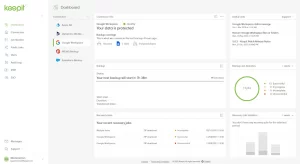
Keepit is a SaaS-first backup platform that allows organizations to back up data used within cloud applications. The company was founded in 2007 and is based in Copenhagen, Denmark. With sovereignty as a core value, Keepit empowers organizations to own their data. Keepit’s backup platform allows for long-term data retention making it easier to search across historical versions of your data.
Best Features
Point-in-time restore, immutable backups with a no-overwrite guarantee and transparent retention management policies. Keepit integrates with most major SaaS applications such as Google Workspace allowing cross-application backup and recovery utilizing the same retention and security policies.
Who it’s for
Keepit is for mid-size and enterprise companies who desire a fully managed SaaS backup platform with vendor managed storage and robust compliance features.
Pricing: No publicly listed pricing
| Cons | Pros |
|---|---|
| 1) Limited Restoration Speed | 1) Point-in-time restore |
| 2) Licensing confusion | 2) Easy onboarding & quick initial implementation |
| 3) No BYOS - Forced to use Keepit cloud | 3) Unlimited version history |
| 4) Requires a global admin account without mandatory MFA | 4) UI-friendly interface |
| 5) Limited restore notification/alerting options | 5) Support is good |
Backupify Google Workspace Backup
Backupify Google Workspace Backup is a cloud-to-cloud backup platform that offers data protection for Google Workspace workloads. It started in 2008 as one of the earliest SaaS backup companies, and Datto acquired it in 2014. Now, Backupify operates as part of the Datto SaaS Protection portfolio and today primarily serves customers within the Kaseya ecosystem, as Kaseya completed their acquisition of Datto in 2022.
Best Features
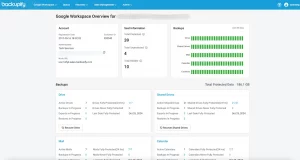
Backupify automatically backs up all data with unlimited retention so you can restore to any point in time as necessary. Recovery is performed on an item-level basis for email, files, and Shared Drives. Backupify is a cloud-native solution that works directly within Google Workspace and requires zero infrastructure management to provide continuous data protection for critical business data. Powered by Datto’s global private cloud, and managed by Kaseya’s ecosystem, Backupify keeps all protected data stored separately from your production environment.
Who it’s for
Best suited for IT administrators and small to medium businesses looking for automated protection of Google Workspace data with no complex configurations.
Pricing: from $3
| Cons | Pros |
|---|---|
| 1) Vendor Lock-in with limited option to use own storage | 1) Multi-tenant MSP portal |
| 2) Licensing complexity | 2) Strong reporting and audit logs |
| 3) Limited notification and monitoring capabilities. | 3) Simple onboarding |
| 4) Slow support response | 4) Granular restore |
BDRShield for Google Workspace
BDRShield for Google Workspace is a component of Vembu Technologies’ comprehensive backup and disaster recovery (DR) platform that protects cloud and on-premises workloads. Originally focused on endpoint and on-premises backup products since 2002, the Chennai, India-based company with offices in California expanded into SaaS data protection solutions in recent years. Vembu offers BDRShield as part of its consolidated backup and disaster recovery offering for cloud applications.
Best Features
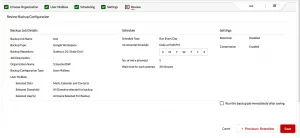
Granular restore points, retention policies, and local/private/cloud storage flexibility. Ability to secure Google Workspace alongside Vembu’s single, centralized management ecosystem.
Who it’s for
Suitable for managed service providers and IT teams looking for a one-stop backup solution for SaaS applications in addition to endpoint and legacy workloads.
Pricing: No publicly listed pricing
| Cons | Pros |
|---|---|
| 1) Lacks enterprise-scale capabilities | 1) Flexible storage options |
| 2) Complicated UI | 2) Role-based access control |
| 3) Basic reporting and analytics capabilities | 3) Long-term retention support |
| 4) Licensing complexity | 4) Item-level and granular recovery |
| 5) Limited advanced features |
Spanning Backup
Spanning Backup for Google Workspace delivers a SaaS-based backup solution that automatically backs up core Google Workspace workloads. It was founded in 2010 and acquired by Kaseya in 2018. Spanning is part of the Kaseya portfolio (alongside Backupify). It is a fully SaaS solution with vendor-managed storage, meaning the solution emphasizes ease-of-use and automation. Spanning can be a great fit if you are looking for rock-solid data protection without any operational overhead.
Best Features
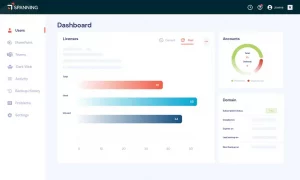
Spanning provides automated backups of the core Google Workspace applications with the ability to restore data point-in-time or perform granular item-level restores. Spanning stores backups outside the Google Workspace tenant, enabling independent recovery. Its integration with the Kaseya ecosystem supports consistent workflows, reporting, and managed service delivery.
Who it’s for
Spanning Backup targets small and mid-size businesses, education and nonprofits looking for an effortless automated backup solution.
Pricing: No publicly listed pricing
| Cons | Pros |
|---|---|
| 1) Vendor Lock-in | 1) Ability to restore across users to any account |
| 2) Unexpected price increases | 2) Search and filtering made easy |
| 3) Manual account/license management | 3) Multi-admin accounts |
| 4) Slow support response | 4) Daily automatic backups |
| 5) No bring-your-own-storage option (powered by Datto Cloud) | 5) Intuitive UI |
Redstor Backup and Archiving

Redstor Backup for Google Workspace delivers cloud-native data protection as a service for backing up and retaining Google Workspace data long-term. Based in the UK, Redstor has been a leading provider across the UK and Europe, particularly in the public sector since 1998. Designed around immutability and data resilience principles, Redstor positions Backup as part of a greater data protection strategy founded in ransomware protection and compliance-led recoveries versus traditional operational restores.
Best Features
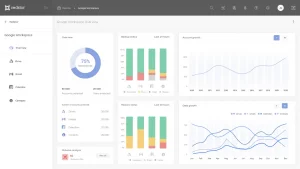
Automatically protects backup of core Google Workspace services. Restores can be run to historical points in time with granular item restores. Backups are immutable and stored in vendor-managed cloud storage greatly minimizing risk of ransomware or accidental deletion.
Who it’s for
Good for managed service providers looking to offer managed backup as a service with central monitoring and compliance.
Pricing: No publicly listed pricing
| Cons | Pros |
|---|---|
| 1) No private channel restore support | 1) Automatic inclusion of new users |
| 2) Web UI usability issues | 2) Immutable backup (Object lock) |
| 3) Premium Pricing | 3) Rich Connector Ecosystem (Entra ID, Salesforce) |
| 4) Inconsistent Restore Speeds | 4) AI-Powered Malware Detection |
| 5) No Hidden Fees |
Arcserve SaaS Backup for Google Workspace
Arcserve provides managed backup as a service to organizations looking for enterprise-class dependability without the hassle of managing infrastructure. Established in 1983 and based in Minnesota, USA, Arcserve was formerly owned by CA Technologies before going independent in 2016. It has since acquired a number of companies before merging with StorageCraft in 2021.
Best Features
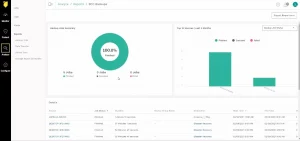
Arcserve SaaS Backup for Google Workspace provides automated Google Workspace workload protection, central tenant management, and object-level restore operations. Backup data is retained in cloud storage that is operated and managed by Arcserve.
Who it’s for
Large enterprises who want comprehensive protection for their SaaS workloads and are already invested in Arcserve’s data protection stack.
Pricing: No publicly listed pricing
| Cons | Pros |
|---|---|
| 1) Strong Vendor Lock-In (No Bring Your Own Storage) | 1) Integrated with Rest of Arcserve Ecosystem |
| 2) No fine-grained immutability controls | 2) Cloud-native backup architecture |
| 3) Limited Transparency into Pricing | 3) Supports both Google Workspace and Microsoft 365 |
| 4) Lacks third-party integrations | 4) Point-in-time Restore |
| 5) Limited Support and Technical Documentation |
IDrive Google Workspace Backup
IDrive Google Workspace Backup offers cloud backup software built around simplicity and streamlined protection for Google Workspace. It was founded in 1995 and is based in California, US. As one of the oldest backup solutions on our list, IDrive specializes in keeping their pricing straightforward and manageable. IDrive targets smaller teams and growing businesses that are just getting started with backup.
Best Features
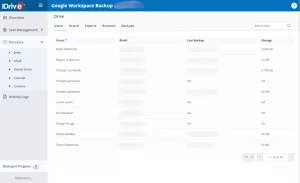
IDrive Google Workspace Backup includes mailbox and file-level restore options, an easy-to-use interface, and allows for centralized backup management. Backups are stored in IDrive’s private cloud.
Who it’s for
IDrive Google Workspace Backup is ideal for those looking for a no-frills, easy-to-use, and affordable backup solution for their small business or non-profit.
Pricing: from $2
| Cons | Pros |
|---|---|
| 1) Vendor lock-in (no BYOS / BYOC available) | 1) Cloud-to-cloud backup architecture |
| 2) Limited control over immutability options | 2) Easy onboarding and user interface |
| 3) Less MSP-focused (No native PSA/RMM integrations, limited white-label options) | 3) Encryption at rest and in transit |
| 4) Scalability concerns | 4) Centralized backup management dashboard |
| 5) Support Quality |
CloudAlly Backup
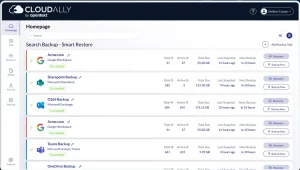
OpenText builds CloudAlly Google Workspace Backup as a cloud-based backup solution with a strong emphasis on compliance. The company founded CloudAlly in 2011 with a focus on governance and education. Their Google Workspace backup product fits under OpenText’s larger umbrella of information management tools.
Best Features
CloudAlly’s solution for Google Workspace is an automated cloud-to-cloud backup with long-term retention and auditing. CloudAlly focuses on compliance and adheres to regulations such as SOC 2 and HIPAA.
Who it’s for
CloudAlly Backup for Google Workspace suits small to mid-sized businesses, educational institutions, and nonprofit organizations.
Pricing: from $2.5
| Cons | Pros |
|---|---|
| 1) Low degree of backup frequency and customization options | 1) Automated cloud-to-cloud backups |
| 2) Not transparent with pricing | 2) Robust compliance features |
| 3) Not as flexible for MSPs looking to maximize cost optimization | 3) Unlimited retention policies |
| 4) Limited enterprise-grade capabilities | 4) Powered by OpenText |
| 5) No advanced search and filtering options | 5) Easy deployment and onboarding |
| 6) Lacks advanced ransomware protection and anomaly detection |
Unitrends Backup
Unitrends Backup for Google Workspace is Unitrends’ offering that extends its traditional backup and disaster recovery portfolio to SaaS workloads. Founded in 1989 in Massachusetts, USA, Unitrends has a long history in enterprise backup and disaster recovery solutions and was acquired by Kaseya in 2018. With Unitrends Backup for Google Workspace, Google Workspace becomes just another recovery target – servers, VMs, cloud instances, and all recover to object storage using the same engine and workflow.
Best Features
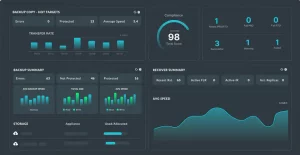
Workflows integrate backup and restoration of supported Google Workspace services with your organizational change-control procedures and audit processes. Unitrends manages and monitors Google Workspace coverage through its centralized infrastructure and governs SaaS workloads like any other workload in its protection portfolio.
Who it’s for
Unitrends Backup for Google Workspace suits mid-sized to enterprise organizations and IT teams already invested in Unitrends or Kaseya technology that want to extend existing backup and disaster recovery workflows to Google Workspace.
Pricing: No publicly listed pricing
| Cons | Pros |
|---|---|
| 1) Inconsistent support experience | 1) Supports Google Workspace and Microsoft 365 workloads |
| 2) Management portal feels clunky | 2) Integrates with Unitrends overall platform |
| 3) Deployment & updates require some elbow grease | 3) Works well in hybrid environments |
| 4) Unitrends platform not fully optimized for SaaS-first & MSP-scale workloads | 4) Centralized backup management for Google Workspace |
| 5) Vendor-hosted storage only | 5) Recognized and trusted vendor name |
| 6) Automation around SaaS workflows needs improvement |
Why you can trust this list
We complete this roundup with the same process every time:
- Companies are chosen based on meeting minimum SaaS backup requirements with each of the following core features: Architecture, Storage Model, Immutability, Restore Levels, Export Options, Price
- Pros and Cons are validated with open sources such as vendor websites, vendors' articles & documentation, pricing tiers, analyst reports, and independent 3rd party roundups.
- We also look at user reviews from Reddit communities such as r/sysadmin, r/googleworkspace, r/gsuite, r/msp and review sites like G2, Capterra, TrustRadius, Gartner to validate if there are any consistencies with regards to price, restore failures, storage caps, scaling limitations, and support experience.
- Verified claims from the above sources will be added if they support a common pro or con.
This list aims to feature only information that can be validated from public sources. However, some pros and cons can be subjective based on individual needs, and errors may occur.
Key Criteria and Features
The following criteria and key features were considered when evaluating vendors:
- Multi-tenant management – Single console/dashboard, billing per tenant, pay as you go model, and dedicated MSP roles.
- Granular restore – Item level, point in time restore, cross-user restore to original or alternate locations.
- Ransomware proof – Immutable storage/Object lock.
- Granular Retention Policies – Ability to configure custom retention settings.
- Flexible storage options – Options to provide your own storage (bring-your-own-storage)
- Access controls – RBAC, MFA support, detailed logs.
- Advanced Search Capabilities – indexed search across all your backups with advanced export capabilities
- Complete GW Protection - Google Drive, Gmail, Shared Drives, Contacts, and Calendars
- Usability – Easy onboarding, intuitive dashboards, quick restores, and responsive support.
- Scalability – Handles large tenants and growing data
Note: Please feel free to confirm any details with a vendor yourself prior to making a purchase decision.
FAQ for onboarding to Google Workspace Backup Vendors
What does BYOC mean?
BYOC stands for Bring Your Own Cloud. With BYOC, users can manage their storage costs and avoid paying cloud storage vendor markups. While margin improvement is dependent on service models, you can see drastic improvements with BYOC when leveraging storage, retention and security controls themselves.
What is immutable backup?
Immutable backup is a retention option that prevents deletion or tampering for a set period of time (Write Once Read Many, or WORM). Immutable backups are used to mitigate ransomware risk as well as satisfy audit requirements.
What questions to ask when choosing a Google Workspace backup solution?
-
How easy is it to administer multiple tenants?
-
What is required to back up?
-
What integrations are required?
-
Does the vendor offer any other products that would be beneficial?
-
Any added backup storage options (BYOC, hosted storage, or both)?
-
Do they support the ability to restore at granular levels?
-
What is their price model?
-
Do vendors require long-term commitment only?
What does vendor lock-in mean?
Vendor Lock-in happens when a vendor’s product or service causes it to be difficult, expensive, or technically challenging to switch to another vendor’s product or service.
Why do you need to backup your Google Workspace?
Google is responsible only for the infrastructure it provides, while data protection is your responsibility. Without a comprehensive Google Workspace backup, you risk data loss, retention gaps, and compliance issues.
Users are responsible for:
- Data backups, restore, and availability
- Audit logs transparency
- Security: phishing prevention
Final Thoughts On Best Google Workspace Backup Solutions in 2026
The best choice for 2026 depends on your organization's unique needs: budget, desired control of storage, compliance regulations, and if you require MSP-specific features. MSP360 Backup for Google Workspace provides a nice middle ground with a BYOC storage option and a single console to manage it all. But there are other options that may work well for your organization, especially if you require full self-hosted control. Weigh the pros and cons of each vendor based on how they'll fit into your operations.