Discover the best Cloud to Cloud Backup Solutions for Microsoft 365 in 2026. All vendors providing a cloud to cloud backup solution for Microsoft 365 are included in this roundup. Cloud to cloud, as used here, specifically refers to solutions that back up Microsoft 365 data using Microsoft APIs, storing it separately from the production tenant, and that do not require any customer-installed backup servers or infrastructure for the Microsoft 365 workload. Vendors are included if they have a cloud to cloud backup solution for Microsoft 365, regardless of their overall platform's design or lineage.
Table of Contents
Research Approach for the Best Cloud to Cloud Backup Solutions
To ensure consistency and transparency, this roundup is conducted using the following process:
- Vendors were selected based on meeting basic SaaS backup functions and are evaluated according to the core features: architecture, storage model, immutability, restore levels, export features, and pricing.
- Pros and Cons were confirmed through open sources including vendor websites, knowledge base articles and documentation, pricing pages, analyst reports, and independent third-party roundups.
- Also, user feedback from Reddit like r/msp, r/sysadmin, r/office365 and review platforms like G2, Capterra, TrustRadius,Gartner was taken into account to confirm any trends with respect to pricing, restore issues, storage limits, scalability, and support experience
- Verified claims from these sources are included if they reinforce a common pro or con.
- The goal of this roundup is to include provable information from open sources. However, certain advantages and limitations can be subjective based on the unique situation, and minor inaccuracies are possible.
Note: Please feel free to confirm any details with a vendor yourself prior to making a purchase decision.
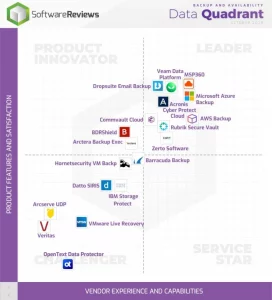
source: https://www.softwarereviews.com/categories/enterprise-backup#top-software
MSP360 Cloud to Cloud Backup for Microsoft 365
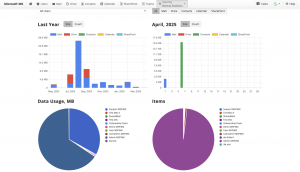
MSP360 Backup for Microsoft 365 offers cost-effective cloud to cloud data protection and quick recovery, with simple setup and maintenance that supports all core M365 components. Unified and secure backup management built for single-domain users and MSPs with multiple domains eliminates vendor lock-in and reduces maintenance time. Managed version is featured by a centralized console to manage backups for multiple clients with flexible licensing and scalability.
Key Features of MSP360 Backup for Microsoft 365
The solution is based on the BYOC model and is compatible with all leading public cloud storage providers. It is offered as a cloud to cloud service, so it does not require to use of local infrastructure. The product has strong encryption, multi-factor authentication, role-based access controls, backup history, object lock, advanced reporting, and audit logging to help organizations meet security and compliance requirements and to address the main government regulations.
| Cons | Pros |
|---|---|
| 1) Immutable backup in Managed Edition only | 1) Centralized management console for MSPs |
| 2) Limited metadata backup (in SharePoint, Microsoft Teams) | 2) Bring Your Own Cloud – support for Amazon S3, Wasabi, Backblaze B2, and other leading cloud providers |
| 3) Limited integrations outside MSP-specific platforms | 3) Simple setup and onboarding with PST export |
| 4) Free trial 14 days only | 4) Fast support response |
| 5) Cloud to cloud solution only (no local or hybrid editions) | 5) Google Workspace Support |
| 6) Flexible and Transparent Pricing Policy without a long-term commitment |
Acronis Ultimate 365
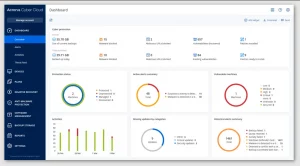
Acronis Ultimate 365 is a Microsoft 365-focused cyber protection bundle delivered within the Acronis Cyber Protect Cloud platform. that offers to reduce cyber risk with centralized backup, disaster recovery, and security under a single management platform. It uses a broader definition of cyber resilience and focuses on the availability, integrity, and security of business data and workloads running in a mixed environment.
Key Features of Acronis
Acronis Ultimate 365 includes built-in Microsoft 365 protection with point-in-time recovery and ransomware mitigation features. Backup data can be secured using immutability (Object Lock), where supported by the chosen storage model. The solution is centrally managed from the Acronis console.
| Cons | Pros |
|---|---|
| 1) Licensing complexity (long-term commitment, no month-to-month option) | 1) Immutable backup |
| 2) Cost predictability issues when using third-party cloud storage instead of Acronis-hosted storage | 2) Strong encryption |
| 3) Restore Limitations - SharePoint and OneDrive Restrictions | 3) Unlimited Acronis-hosted storage |
| 4) No PST Export | 4) Quick deployment |
| 5) High Cost | 5) Point-in-time restore |
| 6) Third-party cloud storage (AWS, Azure, Google Cloud, Wasabi, Backblaze) supported via Acronis Backup Gateway-additional component that introduces operational lock-in |
Druva Microsoft 365 Backup Express
Pricing from $2
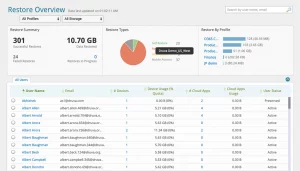
Druva Microsoft 365 Backup Express is a Backup-as-a-Service solution available as part of Druva Data Resiliency Cloud and is a purpose-built, simple to deploy, secure backup and fast recovery product for Microsoft 365 customers.
Key Features of Druva
Druva Microsoft 365 Backup Express is optimized for easy and quick deployments with simple configuration requirements. It provides backup and recovery workflows and retains data at rest in Druva Cloud. The product takes an out-of-the-box approach, prioritizing simplicity and fast protection over deep customization and storage control.
| Cons | Pros |
|---|---|
| 1) Pricing Transparency | 1) Automatic backups |
| 2) Storage Cost Opacity | 2) SOC2, HIPAA, compliance |
| 3) Long-term commitment only | 3) Fully cloud-native |
| 4) No BYOS (Mandatory Druva Cloud) | 4) Strong encryption: AES-256 |
| 5) Limited Backup Scheduling Granularity | 5) Granular recovery |
Cove Data Protection (N-able)
Pricing from $1.94
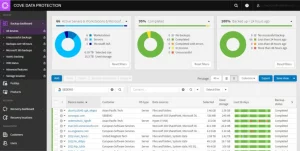
Cove Data Protection for Microsoft 365 Users (by N-able) is a cloud-managed backup and recovery solution protecting customer environments at scale. Cove’s approach to data protection emphasizes operational simplicity and reliability, with centralized backup, recovery, and data security management for Microsoft 365 Users.
Key Features of N-able
Features include encryption, integrated deduplication for storage efficiency, and ransomware protection. As a cloud-based solution, it ensures consistent backup and recovery of Microsoft 365 components like OneDrive and SharePoint.
| Cons | Pros |
|---|---|
| 1) Restore and Search Granularity Can Be Limited | 1) Cloud-First and Efficient Backups |
| 2) Lack of Hybrid/Non-Cloud Integration | 2) Unified, Centralized Dashboard for MSPs |
| 3) Pricing Transparency with Unexpected Costs | 3) Immutable backup |
| 4) Restore Speed/Performance with Large Data Volumes | 4) Compliance & Security Certifications |
| 5) Vendor Lock-In Risk ( Backups stored in N-able's private cloud) | 5) Support & Documentation |
| 6) No Google Workspace Support | |
| 7) Does not provide built-in PST export functionality |
AvePoint Cloud Backup
Price from $2
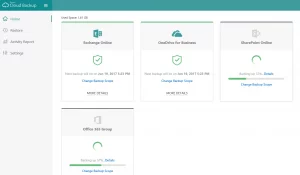
AvePoint built Cloud Backup for M365 as a data protection platform specifically for organizations that invest heavily in SaaS infrastructure. Instead of trying to support a laundry list of workload categories, AvePoint Cloud Backup for Microsoft 365 focuses on data protection, providing specialized backup and restore functionality for SharePoint, OneDrive, Exchange Online and Microsoft Teams.
Key Features of AvePoint
Features include item-level and permission-level restore. A security model that is based on zero-trust principles. AvePoint Cloud Backup also integrates natively with SharePoint Online, Exchange Online, OneDrive for Business and Microsoft Teams. This provides consistent data protection and restore workflows across your Microsoft 365 estate with no added infrastructure.
| Cons | Pros |
|---|---|
| 1) Lack of Clear Pricing Transparency | 1) Enterprise governance tools: permissions, lifecycle, DLP |
| 2) Hidden API Costs | 2) Hybrid storage support |
| 3) Slow response times | 3) Supports GDPR, HIPAA, industry frameworks |
| 4) Long-term commitment only | 4) Role-based administration |
| 5) Complex setup requires a skilled admin | 5) Advanced Reports |
Keepit
No publicly listed pricing
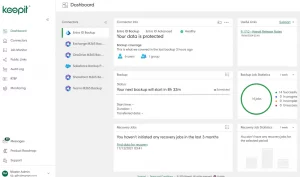
Keepit delivers a SaaS-first backup solution that protects data in your cloud applications. They built their platform for long-term retention and data versioning, which makes it easier to keep your data available over time and access historical data whenever you need it.
Key Features of Keepit
Point-in-time restore option, immutable backup with no overwrite guarantee, and transparent retention management policies. Integrations with most major SaaS applications including Microsoft 365, Google Workspace, and Salesforce, allowing for cross-application backup and recovery with consistent retention and security policies.
| Cons | Pros |
|---|---|
| 1) Limited Restoration Speed | 1) Point-in-time restore |
| 2) Licensing complexity | 2) Simple onboarding & quick initial setup |
| 3) SharePoint, Teams Restore Complexity | 3) Unlimited version history |
| 4) No BYOS - Mandatory proprietary Keepit cloud | 4) Simple, intuitive UI |
| 5) Requires Global Admin Account Without MFA | 5) Fast response time |
Backupify backup for Microsoft 365
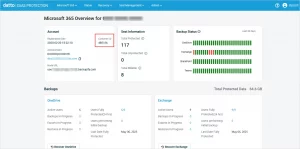
Backupify for Microsoft 365 is a cloud-to-cloud platform purpose-built to protect Microsoft 365 workloads. Backupify, a native SaaS backup and recovery tool, was acquired by Datto in 2014 and is now integrated as part of the Datto SaaS Protection portfolio and operates within the Kaseya ecosystem following Kaseya’s acquisition of Datto in 2022.
Key Features of Backupify
Backupify provides automated and unlimited retention backups from which users can restore to any point in time as needed. Recovery is available on a granular, item-level basis for mail, files, and SharePoint data. The cloud platform natively integrates with Microsoft 365, requires no infrastructure, and delivers continuous protection for critical data. Datto’s private cloud and Kaseya’s ecosystem secure and manage data, storing it separately from the Microsoft 365 production environment.
| Cons | Pros |
|---|---|
| 1) Vendor Lock-in - Limited option to use own storage | 1) Multi-tenant MSP portal |
| 2) Licensing complexity | 2) Simple onboarding |
| 3) Limited Notification and Monitoring Capabilities. No alerts for failed backups/backups with issues | 3) Strong reporting and audit logs |
| 4) Limited Export to PST (using third-party converter) | 4) Granular restore option |
| 5) Slow response times | 5) Google Workspace Supported |
Veeam Microsoft 365 and Entra ID backup
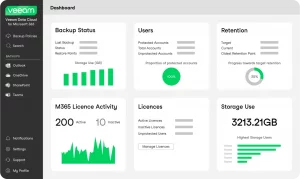
Veeam is considered one of the best Cloud to Cloud Backup Solutions. Veeam Microsoft 365 backup is based on experience in data protection for SaaS workloads. The solution targets organizations seeking enterprise-grade backup and recovery for Microsoft 365 services with full ownership of the data, retention policies, and recovery processes.
Key Features of Veeam
Features include backup and restore capabilities for Exchange Online, SharePoint Online, OneDrive, Microsoft Teams, as well as offering an additional paid option with Entra ID objects such as users, groups, and application registrations. The tool provides granular, item-level recovery as well as full point-in-time restores, allowing for precise remediation without restoring entire workloads.
| Cons | Pros |
|---|---|
| 1) Slow Initial setup | 1) Rich Connector Ecosystem |
| 2) Job Management Complexity (for the Self-Managed Version) | 2) Granular restore: emails, calendar, OneDrive files, Teams items |
| 3) High Cost | 3) Multi-storage support |
| 4) No Google Workspace support | 4) Scalability |
| 5) Multiple Policies Required | 5) Immutability (Object Lock) |
Rubrik Backup
No publicly listed pricing
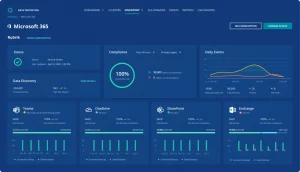
Rubrik approaches for Microsoft 365 data protection based on the principles of operational resilience, not just backup. The solution helps organizations take control of business-critical SaaS data, shorten recovery time, and reduce exposure during security incidents.
Key Features of Rubrik
Rubrik provides automated, continuous protection of M365 components. Recovery is supported from the level of an individual item, to full-service restore options. Search and recovery workflows are built for speed, to gain clarity during time-sensitive operations like recovering from ransomware or large accidental deletions. Rubrik’s broader data security infrastructure extends policy, role-based access control, and visibility to the data within these services.
| Cons | Pros |
|---|---|
| 1) No Google Workspace coverage | 1) Easy Scalability |
| 2) Licensing complexity (long-term commitment only) | 2) Advanced analytics for anomalies |
| 3) Limited Archived Email Backup (not backed up by default) | 3) Granular restore |
| 4) No built-in Free Trial Available | 4) MFA, RBAC, encryption |
| 5) No BYOC (Backups stored in Rubrik-managed Azure storage account) | 5) Full audit logs |
| 6) Hidden Costs (All users with SharePoint access must be licensed) |
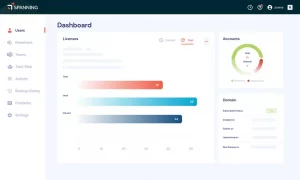
Spanning Backup
No publicly listed pricing
Spanning Backup for Microsoft 365 is a SaaS-based backup solution with a focus on simple, reliable protection for core Microsoft 365 workloads. Spanning emphasizes automation, appealing to organizations needing strong Microsoft data coverage without added operational complexity.
Key Features of Spanning
Spanning offers automated backups for core Microsoft 365 components, with support for both point-in-time and granular, item-level restores. The solution is cloud-native, with backups residing outside of the Microsoft tenant to support independent recovery scenarios to ensure consistent coverage of supported workloads, while its integration within the broader Kaseya ecosystem allows for user workflow, reporting, and service delivery alignment.
| Cons | Pros |
|---|---|
| 1) Vendor Lock-in | 1) Cross-user restore to any account |
| 2) Unexpected Cost Increases | 2) Easy search and filter |
| 3) Manual License Management | 3) Multi-admin management |
| 4) Slow response times | 4) Daily automated backups |
| 5) No BYOS support (based on Datto Cloud) | 5) UI/UX friendly interface |
Barracuda cloud to cloud Backup
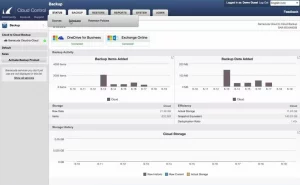
Barracuda cloud to cloud Backup is a Software-as-a-Service-based data protection solution for core Microsoft 365 services that puts a strong focus on security, simplicity, and operational assurance. Barracuda naturally extends its longstanding commitment to securing business-critical data and email to Microsoft’s cloud productivity stack.
Key Features of Barracuda
Automated backups with granular, item-level restore points and point-in-time recovery capabilities. Barracuda stores backups outside the Microsoft tenant in managed cloud storage, enabling independent recovery for compliance and retention needs. Barracuda aligns complete coverage of supported Microsoft 365 workloads with its broader portfolio of cloud security and data protection solutions.
| Cons | Pros |
|---|---|
| 1) No Google Workspace support | 1) Documentation and materials |
| 2) Setup complexity | 2) Strong encryption |
| 3) Interface slowness | 3) SOC2 compliant |
| 4) Slow full-site SharePoint restores in large tenants | 4) All backups are stored in Barracuda Cloud |
| 5) No option to use own storage | 5) Granular restore |
Asigra SaaS Backup
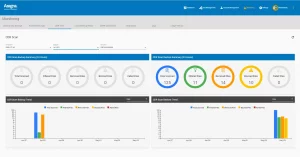
Asigra SaaS BACKUP positions itself as a security and reliability-focused SaaS data protection platform. The key advantages of Asigra are architectural flexibility, extensive security controls, and transparency in its operational model. Asigra targets SaaS customers who want greater control over how and where data is protected, stored, and recovered.
Key Features of Asigra SaaS Backup
The platform includes key security and compliance features, such as encryption and role-based access controls. Integrates with Microsoft 365 using supported APIs. Asigra fits environments where SaaS backup plays a role in a broader, security-driven data protection strategy.
| Cons | Pros |
|---|---|
| 1) Limited Connector Ecosystem. No Google Workspace Support | 1) Strong security positioning (encryption, access controls) |
| 2) Slow Feature Development | 2) Granular policy control |
| 3) Implementation complexity | 3) Flexible deployment and storage options |
| 4) Support Limitations | 4) BYOC supported |
| 5) Limited Immutable backup (Object lock) - depends on the storage provider | 5) Advanced search option (autodiscovery for Exchange) |
Cohesity Helios
No publicly listed pricing
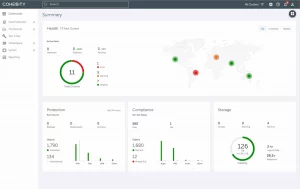
Cohesity Helios extends its enterprise data platform into Microsoft 365, embedding SaaS backup within broader governance and resilience strategy. The Cohesity platform is therefore not a cloud to cloud tool. Instead, the solution integrates Microsoft 365 backup into centralized policy, reporting, and security workflows across on-prem and cloud environments.
Key Features of Cohesity Helios
Cohesity Helios protects and recovers data from Microsoft 365 workloads and provides point-in-time and granular restore capabilities. One key option to note here is support for Microsoft 365 Backup Storage, which can achieve fast backup and restore performance by offloading to Microsoft-managed infrastructure. This makes Cohesity ideal for organizations wanting Microsoft 365 backup within a unified enterprise platform, not a standalone SaaS tool.
| Cons | Pros |
|---|---|
| 1) No granular search or restore in Backup Storage mode (only in Cohesity Backup Storage) |
1) Enterprise-grade governance |
| 2) Data remains inside Microsoft (using Microsoft 365 Backup Storage) | 2) RBAC |
| 3) Extensive Teams backup limitations (channels, tabs, shared channels) | 3) Centralized managemen |
| 4) API throttling risks at enterprise scale | 4) Supports Microsoft 365 Backup Storage natively |
| 5) No BYOC (Dependency on Microsoft 365 Backup Storage or Cohesity Backup Storage) | 5) Strong reporting |
| 6) Limited Granular Restore (only in Cohesity Backup Storage Mode) | |
| 7) Limited PST Export (Available for Mailboxes with Limitations) |
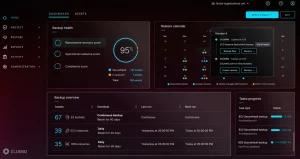
Clumio Backup
No publicly listed pricing
Clumio Backup is a cloud-native backup that has been built from the ground up with a SaaS-first operating model and was more recently acquired by Commvault to become part of its enterprise data protection portfolio. Within M365, the service emphasizes Microsoft-focused protection, operational simplicity, and scalable SaaS coverage.
Key Features of Clumio Backup
Point-in-time and granular item-level restore across workloads, subject to backup configuration and frequency. Clumio delivers its solution entirely as SaaS, so you don’t need any local infrastructure. Clumio’s inclusion in the Commvault portfolio gives an attractive route to centralized governance, reporting, and coverage across other SaaS platforms and cloud-native data with a central data protection and management objective.
| Cons | Pros |
|---|---|
| 1) Not purpose-built for Microsoft 365 backup (AWS-native backup solution) | 1) Strong fit for AWS-first organizations |
| 2) Vendor Lock-in | 2) Simple operational model |
| 3) No PST Export | 3) Generally positive usability feedback |
| 4) No Google Workspace support | 4) Minimal infrastructure management |
| 5) Integration challenges | 5) Commvault ecosystem |
NinjaOne (Dropsuite)
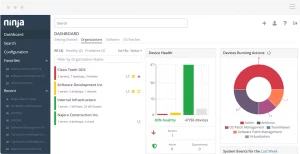
NinjaOne - SaaS Protection by Dropsuite is a cloud to cloud backup service that protects data across Microsoft 365. Built by Dropsuite and now part of NinjaOne’s suite of cloud security tools, the platform is designed with a focus on operational simplicity, predictable behavior, and fast time to deploy.
Key Features of NinjaOne Backup
The NinjaOne covers backup and recovery for Exchange Online, OneDrive for Business, SharePoint Online, and Microsoft Teams with point-in-time and granular restore capabilities, and encryption for common recovery use cases.
| Cons | Pros |
|---|---|
| 1) Restore performance can be slow | 1) Immutable backup (Object lock) |
| 2) Vendor Lock-in (Dropsuite-managed cloud storage) | 2) Fast deployment and onboarding |
| 3) Restore Performance Variability | 3) Simple backup policies |
| 4) SharePoint Restore Limitations | 4) Backed by NinjaOne ecosystem |
| 5) Capability Gaps in Backup Coverage -Limited Calendar/Contacts/Tasks Backup | 5) Meet many compliance requirements |
Redstor Backup and Archiving
No publicly listed pricing
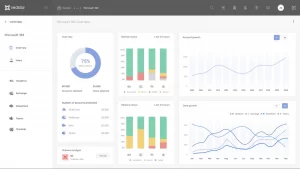
Redstor Backup and Archiving is a SaaS service providing Microsoft 365 backup and long-term retention. Redstor focuses on immutability and resilience of data to position Microsoft 365 backup as part of a comprehensive solution that focuses on ransomware protection and compliance-focused recovery, instead of operational restores.
Key Features of Redstore Backup
Redstor automates Microsoft 365 backups and enables point-in-time and selective item restores. The solution writes immutable backups to vendor-managed cloud storage and reduces the risk of ransomware or accidental deletion. Redstor natively integrates with Microsoft 365, best suited where backup, archiving, and compliance needs align.
| Cons | Pros |
|---|---|
| 1) Limited Teams Private Chat restore | 1) Automatic inclusion of new users |
| 2) No private channel restore | 2) Immutable backup (Object lock) |
| 3) Web UI usability issues | 3) Rich Connector Ecosystem (Entra ID, Google Workspace, Salesforce) |
| 4) Pricing Perceived as High | 4) AI-Powered Malware Detection |
| 5) Restore Speed Variability | 5) No Hidden Fees |
Unitrends Backup

No publicly listed pricing
Unitrends Backup for Microsoft 365 is one of the ways that Unitrends is extending its wider data protection portfolio to SaaS workloads, with Microsoft 365 being yet another recovery surface in addition to servers, VMs, and cloud workloads. The product extends Unitrends’ enterprise backup approach with guided workflows, centralized control, and IT governance to SaaS data protection.
Key Features of Unitrends
The solution backs up and restores Microsoft 365 services and integrates its workflows with an organization’s change-control and audit processes. Unitrends centrally manages and monitors Microsoft 365 protection, governing SaaS workloads like others in its portfolio. This makes Unitrends a “safe” choice for IT teams and decision makers.
| Cons | Pros |
|---|---|
| 1) Slow response time from Support | 1) Covers core Microsoft 365 workloads |
| 2) Not optimized for SaaS-first or MSP-scale operations. (Unitrends officially recognizes Spanning as their "SaaS Backup Solution") | 2) Integrates with the broader Unitrends platform |
| 3) Complex update and configuration processes | 3) Suitable for hybrid environments |
| 4) Immature and inconsistent management portal | 4) Centralized backup management |
| 5) Vendor lock in (Unitrends-managed cloud) | 5) Established vendor presence |
AFI Microsoft 365 Backup
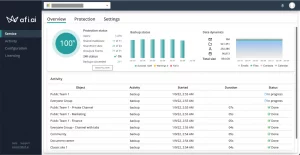
AFI Microsoft 365 Backup is a software-as-a-service data protection offering focused on high-frequency backup and fast recovery operations for Microsoft 365 customers. The advantage of the solution is easy to use option and reliable M365 data protection.
Key Features of Afi
AFI provides near continuous data protection, historical versioning, and fine-grained restores down to the individual object level. The platform also includes features for incident investigation, like indexed search and built-in anomaly detection capabilities.
| Cons | Pros |
|---|---|
| 1) No BYOC/Vendor Lock-In | 1) Item-Level & Granular Restore Capabilities |
| 2) Low Ecosystem Breadth | 2) Text Search Across All Backups |
| 3) Unexpected billing beyond storage limits | 3) Immutable Backup |
| 4) Limited Reporting & Analytics for MSPs | 4) Fast Deployment |
| 5) Storage Pricing Transparency | 5) Point-in-Time Recovery |
BDRShield for Microsoft 365
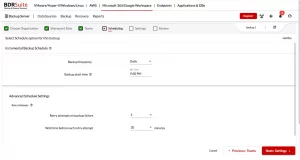
BDRShield for Microsoft 365 is a SaaS backup extension within Vembu’s broader on-prem and cloud backup and DR portfolio. The company offers BDRShield for Microsoft 365 as part of a broader backup and disaster recovery platform for cloud applications.
Key Features of BDRShield
BDRShield offers fine-grained restore, retention policies, and flexible deployment to local, private, or cloud storage. Vembu builds Microsoft 365 protection and management into its central, unified management infrastructure.
| Cons | Pros |
|---|---|
| 1) Lacks Enterprise-Scale Capabilities | 1) Flexible Storage Options |
| 2) Not User-Friendly UI | 2) Google Workspace support |
| 3) Reporting & Analytics Are Relatively Basic | 3) Role-Based Access Control (RBAC) |
| 4) Licensing Complexity | 4) Long-Term Retention Support |
| 5) Limited Advanced Features | 5) Item-Level & Granular Recovery |
VMOBACKUP for Microsoft 365
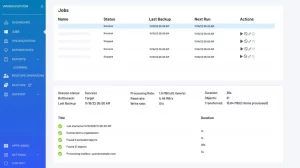
VMOBACKUP offers its Microsoft 365 Backup service only as a hosted solution. The company’s cloud-only architecture is a trade-off of architectural flexibility in exchange for simplicity.
Key Features of VMOBACKUP
VMOBACKUP for Microsoft 365 performs cloud-based backups and offers recovery operations at the file, folder, and mailbox level. Backup repositories are fully managed by VMOBACKUP and there is no customer-managed storage option and featured by Granular & item-level recovery, simple deployment and onboarding and user-friendly interface.
| Cons | Pros |
|---|---|
| 1) Vendor Lock-In (No BYOS/BYOC) | 1) Native cloud to cloud Microsoft 365 backup |
| 2) No Google Workspace Backup | 2) Broad Microsoft 365 workload coverage |
| 3) Limited Immutability (No S3, Azure, Object Lock support) | 3) Granular & item-level recovery |
| 4) Less Suitable for Large Enterprises | 4) Simple deployment and onboarding |
| 5) Fewer Ecosystem Integrations | 5) User-friendly interface |
Arcserve SaaS Backup for Microsoft 365
No publicly listed pricing
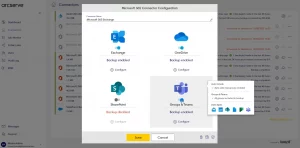
Arcserve SaaS Backup for Microsoft 365 is a managed data protection service offering enterprise reliability without infrastructure ownership. Arcserve markets the solution as part of its broader data resilience platform.
Key Features Arcserve Backup
Arcserve SaaS Backup for Microsoft 365 provides automated SaaS workload protection, central tenant management, and object-level restore operations. Arcserve retains backup data in cloud storage that it operates and manages.
| Cons | Pros |
|---|---|
| 1) Strong vendor lock-in (no BYOC) | 1) Part of broader Arcserve ecosystem |
| 2) Limited control over immutability (no granular immutability controls) | 2) Cloud to cloud SaaS architecture |
| 3) Pricing transparency is limited | 3) Broad Microsoft 365 workload coverage |
| 4) Fewer third-party integrations | 4) Google Workspace backup support |
| 5) Limited Technical Documentation | 5) Point-in-time recovery |
IDrive Microsoft 365 Backup
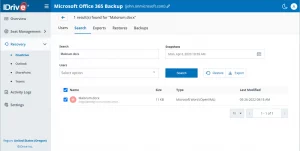
IDrive offers Microsoft 365 Backup as a cloud backup solution that focuses on user friendliness and simplified data protection processes. The company’s primary target customers are small teams and growing businesses.
Key Features of IDrive
IDrive Microsoft 365 Backup supports mailbox and file-level restores, the solution has UI friendly interface, and centralized backup management option. IDrive stores backup data in its own cloud infrastructure.
| Cons | Pros |
|---|---|
| 1) Vendor lock-in (no BYOC) | 1) Cloud to cloud native architecture |
| 2) Limited immutability control | 2) Simple onboarding and UI |
| 3) Less MSP-focused (No deep PSA/RMM integrations, Limited white-label options, Not designed as an MSP-first platform) | 3) Encryption at rest and in transit |
| 4) Scalability limitations | 4) Centralized backup management |
| 5) Slow response time | 5) Google Workspace support |
CloudAlly Microsoft 365 Backup
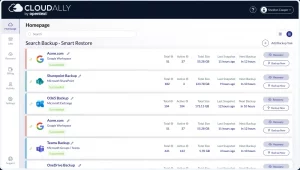
CloudAlly Microsoft 365 Backup, owned by OpenText, is a compliance-focused cloud backup solution for enterprises and regulated industries. It is one part of OpenText’s broader information management solution stack.
Key Features of CloudAlly
CloudAlly for Microsoft 365 provides automated cloud to cloud SaaS backup solution with long-term retention, and extensive audit capabilities. The solutions meets all compliance requirements like SOC2, HIPAA, etc.
| Cons | Pros |
|---|---|
| 1) Low Backup frequency and customization | 1) Cloud to cloud based architecture |
| 2) Pricing transparency is limited | 2) Strong compliance posture |
| 3) Less flexible for MSP cost optimization | 3) Unlimited retention |
| 4) Primarily SMB–mid-market focused | 4) Enterprise backing (OpenText) |
| 5) Search and Filtering Limitations | 5) Simple deployment and onboarding |
Choosing the Best Cloud to Cloud Backup Solutions
The right cloud to cloud backup C2C solution for Microsoft 365 is a critical decision that depends on an organization's specific needs, budget, and compliance requirements. This roundup highlights the diverse features, pros, and cons of the top vendors, from those prioritizing a bring-your-own-cloud model like MSP360 and Asigra to those offering a fully managed, all-in-one platform like Druva and Keepit. Key considerations should include: support for other SaaS platforms like Google Workspace (for mixed environments), the simplicity of setup and restore operations, pricing transparency, and the implementation of immutable backups for ransomware defense.
Ultimately, the best cloud to cloud backup solutions will be the one that provides reliable protection, fast recovery, and a management experience that aligns with your operational expertise, ensuring your business-critical data is always safe and accessible.