How to Backup Microsoft 365 OneDrive
This guide explains how to backup onedrive by comparing different approaches, including the native OneDrive backup service, manual methods, and dedicated third-party OneDrive backup solution.

This guide explains how to backup onedrive by comparing different approaches, including the native OneDrive backup service, manual methods, and dedicated third-party OneDrive backup solution.
In this article, we compare Microsoft’s built-in backup solution with third-party backup software alternatives, highlighting key differences in functionality, flexibility, and cost. Continue reading
Ransomware is one of the most dangerous and disruptive types of cyber threats we face today. Not only is it disruptive and costly for businesses, but it also causes massive disruption to the backbone of society. Here’s what happens and how to prevent ransomware in Microsoft 365 cloud.
We’re excited to announce the release of MSP360 Backup for Microsoft 365 and Google Workspace 4.7 with new features and improvements designed to simplify recovery workflows, improve usability, and deliver a more responsive, efficient experience. This update introduces Point-in-time restore for SharePoint, OneDrive, Google Drive, and Shared Drives, retention policy warnings, cleaned-up email reports, Task Manager failure indicators, improved backup search, and smarter dashboard statistics. Continue reading
This research report discusses the significant reduction in cost and the added data protection that Microsoft 365 backup solutions can bring to an organization through their automation. Case studies, reports, and 2023–2025 evaluations show automated backups save 30% via efficiency, faster restores, and optimized resources. Continue reading
In this article, you will learn why proprietary backup storage can be the silent killer in disaster recovery cost-effectiveness, and what you can do to avoid the pitfalls of inflexible backup storage.
Continue reading
Does the system apply the retention policy per domain or per tenant?Backup terminology can quickly become complex. Even experienced IT professionals sometimes find it challenging to distinguish between concepts like retention, redundancy, and true backup—especially within SaaS platforms like Microsoft 365 and Google Workspace.
This article walks through the reasons why Microsoft 365 & Google Workspace does not equate to full data protection, then offers tips on how IT professionals can close the gap by deploying data backup and recovery software that supports all their components.
This guide explains the types of roles and permission levels in MSP360, how they function across two services — MSP360 Backup for M365 / Google and MBS (Managed Backup Service) for M365 / Google — how to delegate access securely to admins and end-users, and which common mistakes to avoid during configuration.
Continue reading
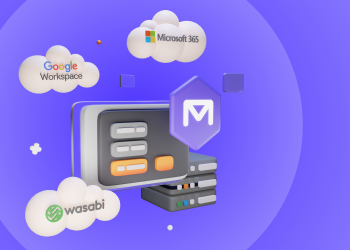
With MSP360 Backup for M365 / Google, you can back up and recover emails, files, and other services under Microsoft 365 and Google Workspace accounts. This guide will help you prepare to back up your data: purchase licenses, set up storage destinations, and configure your MSP360 account. Continue reading
According to Veeam, 76% of companies have experienced data loss in the cloud, while half of companies believe that in the event of mass file deletion, it wouldn’t be possible to recover their data. These are the mistakes organizations around Microsoft 365 data protection.
Continue reading