
File Backup Software
Easy-to-use file backup software for Windows, macOS, and Linux.







Protect Your Data with MSP360 File Backup Software
File Backup Software for Windows
Download MSP360 Backup
Works on
File Backup Software for Linux
Download MSP360 Backup
Works on
Cloud Backup for macOS
Download MSP360 Backup
Works on
Choose a Backup Solution That Fits Your Needs
MSP360 offers flexible backup solutions for businesses of all sizes. Compare our editions to find the right balance of features, control, and scalability for your data protection strategy.
Free
Start for Free - Upgrade Anytime Perfect for Getting Started
- File Backup
- Image-Based Backup
- Object Lock (Immutability)
- Client-Side Encryption
- Support: Forum-based support
- Supported OS: Windows, macOS, Linux
Pro
On-Premise Backup Solution with Local Management
- MS SQL Backup
- Hyper-V/VMware Backup
- Server Backup
- Support: Email support
- Supported OS: Windows, macOS, Linux
MSP Platform
MSP360 Managed Backup is part of the MSP Platform.
Great for MSPs or businesses with multiple endpoints. One-stop-shop console with flexible monthly or annual payments. Ideal for MSPs and large IT departments.
MSP Platform Features
- Centralized management
- Advanced Reporting and Alerting
- Rebranding
- Mobile Application
- MSP360 Connect Included
- Support: 24/7/365 live technical support
MSP360 File Backup Software Features
MSP360 file backup software is a feature-rich solution that offers high reliability and strong security standards, providing MSPs, small businesses, and home users with all the essential features needed for complete data protection.
Intuitive design
File and folder backup
Fast way to back up data
Safeguard data with encryption
Object lock (immutability)
Flexible Backup Scheduling and Retention
Cloud storage of your choice
Local backup
Centralized backup management
Advanced monitoring and reporting
File Backup Software Best Practices
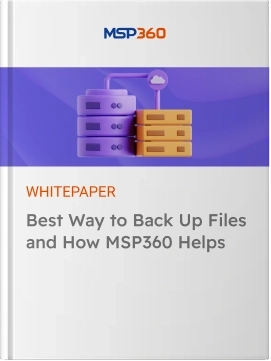
In this guide, we cover all the benefits of file backup software, explain the pros and cons of cloud storage and external drives as backup destinations, and share file backup best practices.
Product Interface
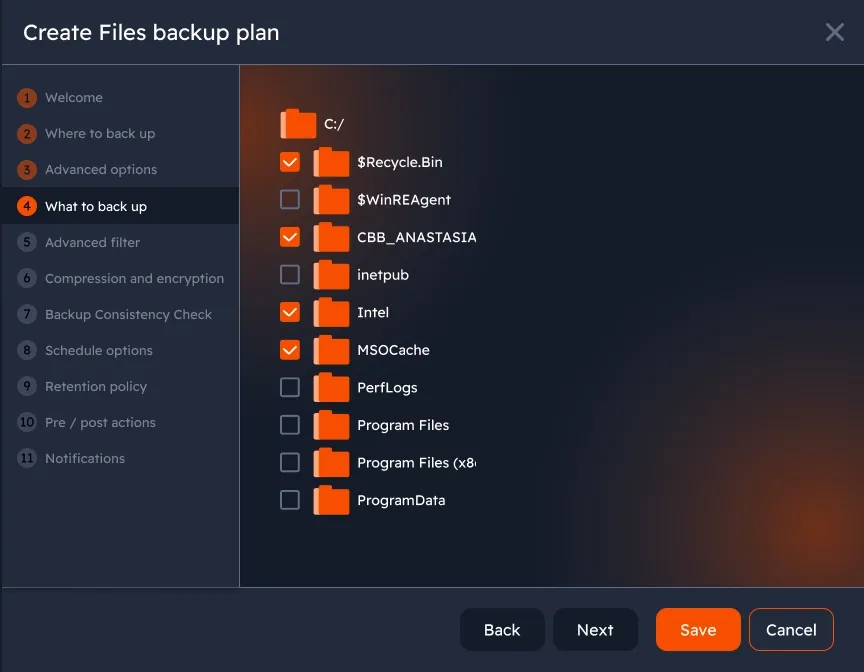
Choose files and folders to back up
Regularly back up files and folders on Windows, macOS and Linux to any destination with minimum time and bandwidth consumption.
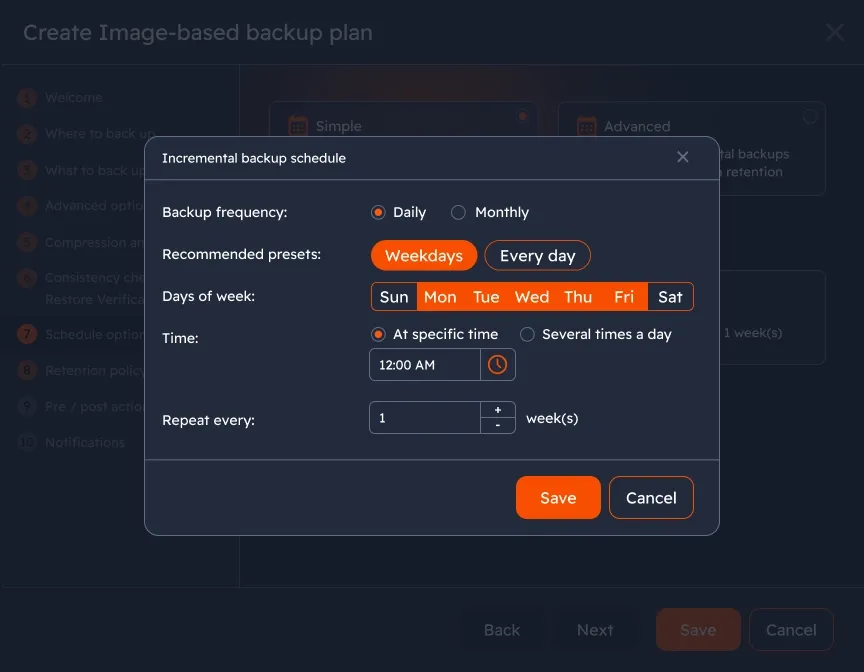
Customizable backup scheduling
Some of your documents might require a daily backup, while others are good with being copied weekly. Create backup plans with the appropriate preferences and you’ll be fine with both categories; file-level backup is easy to tailor to your needs.
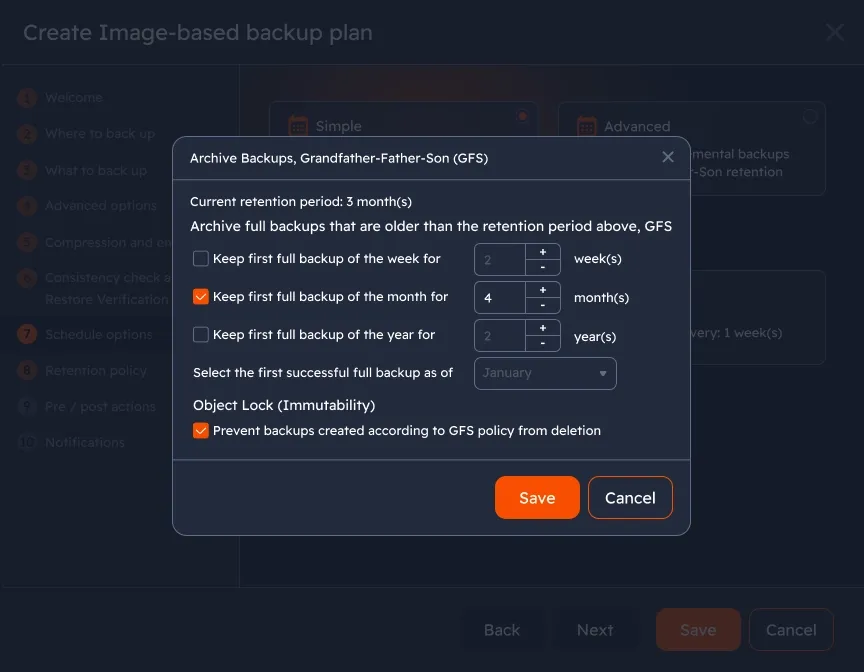
Ensure total backup protection with Object Lock
Lock datasets for the period defined by the GFS policy and prevent backups from deletion or any type of alteration with Object Lock. This feature is available for Amazon S3, Wasabi Hot Cloud Storage, and Backblaze B2.
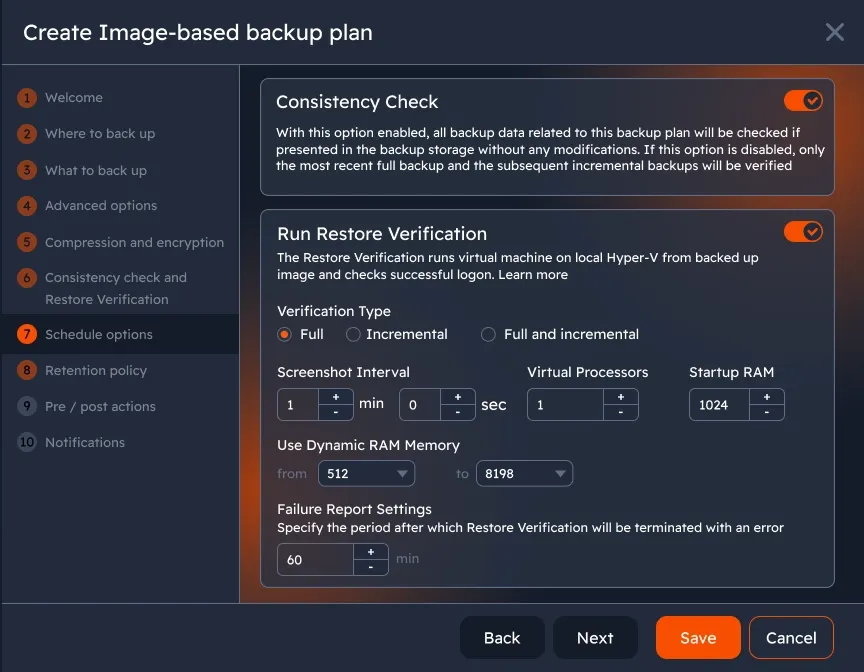
Confirm backup integrity and restorability
With these options enabled, you will always know that this backup plan data is valid and recoverable.
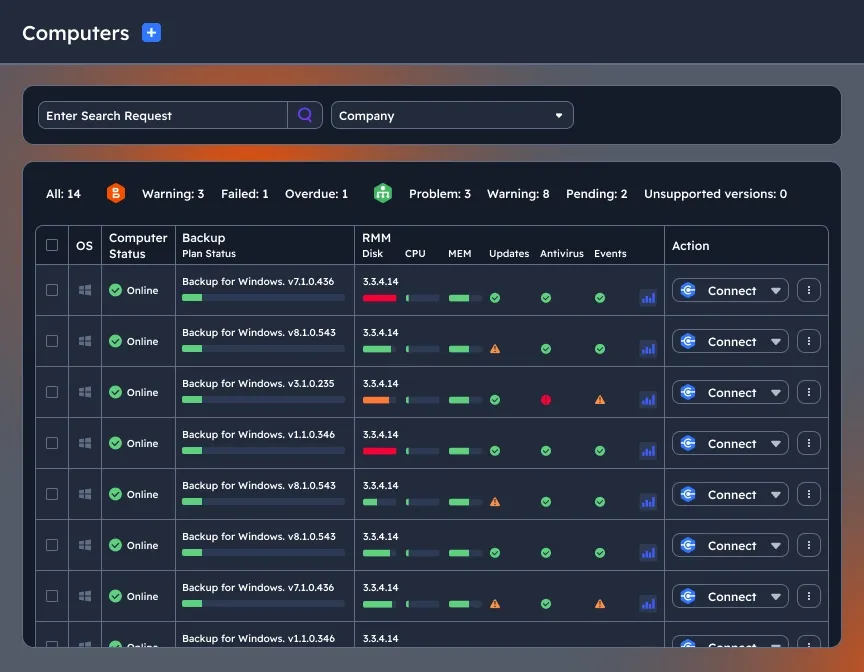
Centralized management
Simplify the file backup and restore process — monitor and manage all backup and restore jobs, users, endpoints, and storage from a single web console.
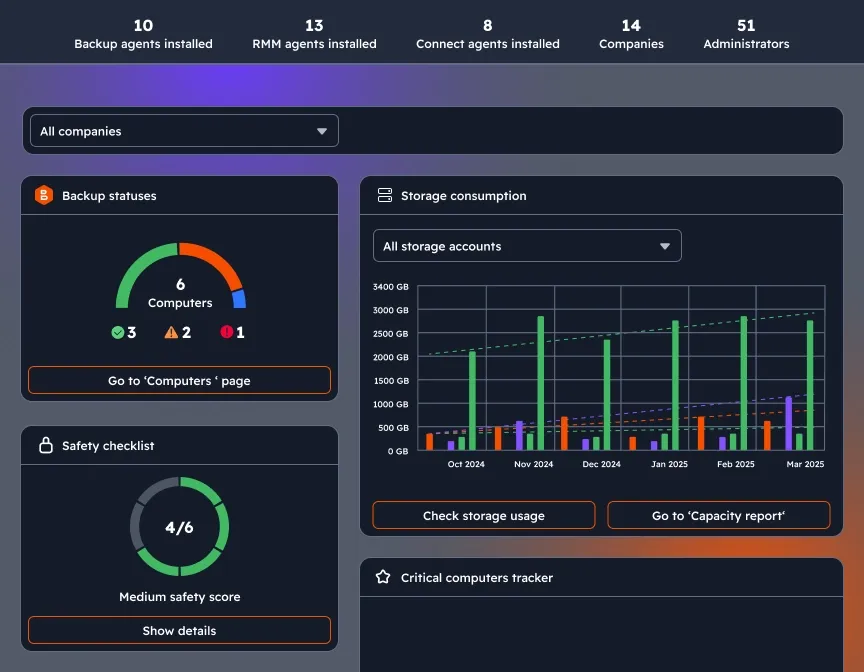
Customizable dashboard
Enhance visibility and control to your MSP360 management experience with a widget-based dashboard which combines information about backup statuses, storage consumption, license management, agent updates, and security settings on a single page.
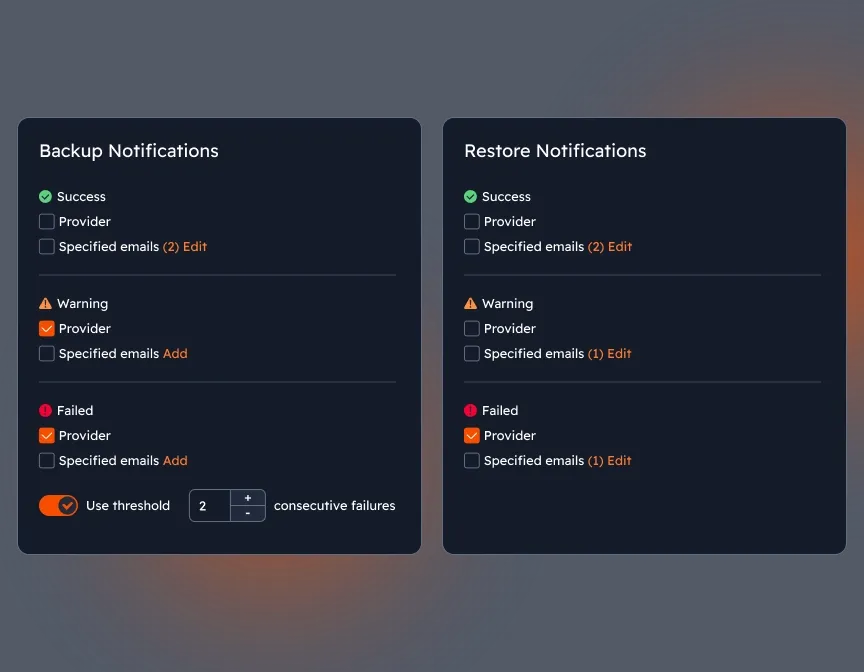
Notifications and alerts
Monitoring issues is crucial for protecting against emerging threats and ensuring compliance. Enable notifications for alerts for backup and restore jobs, and check them daily to prevent issues.
MSP360 File Backup Software FAQ
Which operating systems can you run file-level backup on?
Do you provide cloud storage for a trial period?
Can I use local storage to store data with MSP360 file backup software?
Which storage providers do you work with?
What is the difference between MSP360 Backup Free, Pro, and Managed Backup?
Can I use more than one storage account with MSP360 file backup solution?
How MSP360 Backup solutions are licensed and priced?
Resources Beyond MSP360 File Backup Software
To explore more valuable insights for enhanced cybersecurity, cloud storage best practices, and IT management, visit our Resources Center.
MSP360 Managed Backup
MSP360 Managed Backup for M365/Google
MSP360 RMM
MSP360 Managed Connect
MSP360 Tickets
Try MSP360 File Backup Software
Reliable file backup software for Windows, macOS, and Linux.