
Windows Backup Software
Protect your personal data effortlessly with our Windows backup software.






Why Use MSP360 Windows Backup Software?
MSP360 Windows Backup
MSP360 Backup Pro for Windows
Works on
MSP360 Windows Backup Features
Ensure an efficient backup strategy by choosing Windows backup software that supports any type of data and any storage location without breaking your budget. MSP360 offers a reliable Windows backup solution with all the essential features needed to protect data, designed for MSPs, small businesses, and individual users.
Back up Windows desktops and Windows Servers
Back up files and folders
Create image-based backup
Enable regular and automated backups
Encrypted backups
Total data protection with object lock
Compliance-ready backups
Storage options of your choice
Centralized backup management
Getting Started with MSP360 Windows Backup Software
Find how to set up and configure MSP360 backup software with our comprehensive getting started guide, designed to help you protect your data quickly and efficiently.
Product Interface
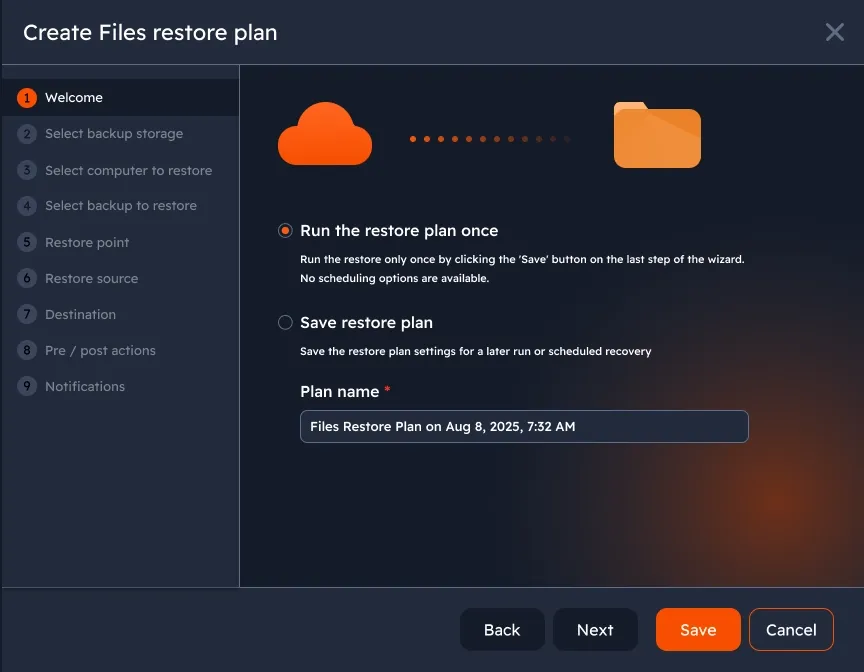
Choose files and folders to back up
Ensure your most important files are backed up regularly in case of hardware failure or accidental deletion. Select specific files and folders to back up on your personal PC, and perform backup and restore operations on macOS, Windows, and Linux.
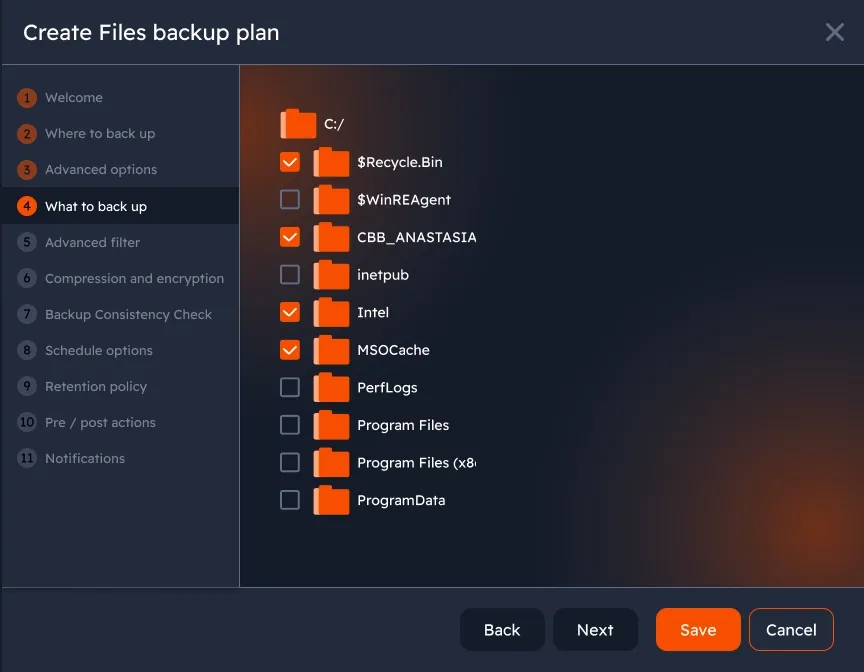
Image-based backup
Create an entire snapshot of your system, including OS, apps, and files for fast and complete recovery if a disaster strikes.
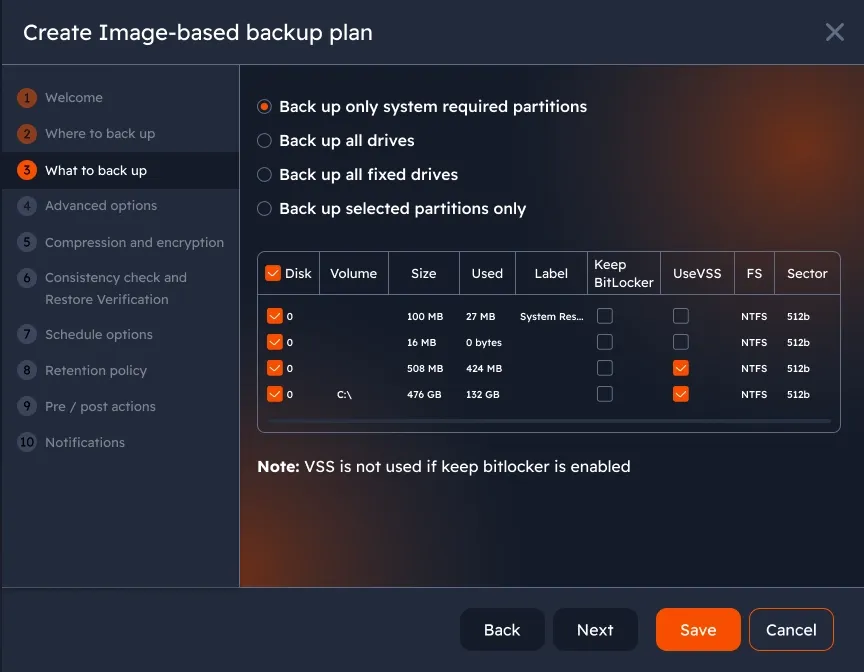
File-level and image-based restore
Create restore plans directly from a web console. Simply specify the settings you need, and you’re all set.
Automated and scheduled backups
Automate and customize backup schedules to ensure regular, complete backups.
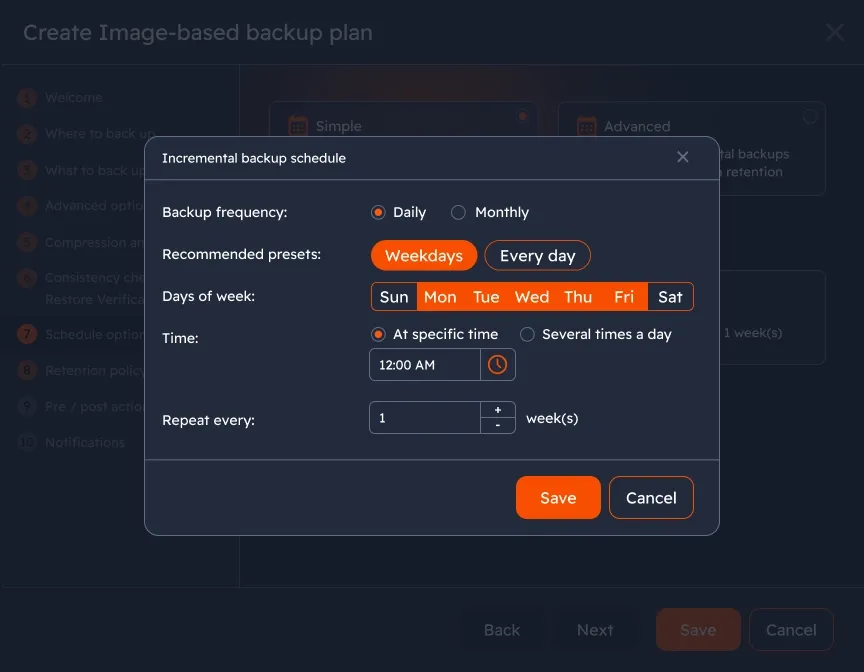
Ensure total backup protection with object lock
Enable object lock (immutability) for Amazon S3, Wasabi Hot Cloud Storage or Backblaze B2 to protect data backups from ransomware, unattended access, or accidental deletions.
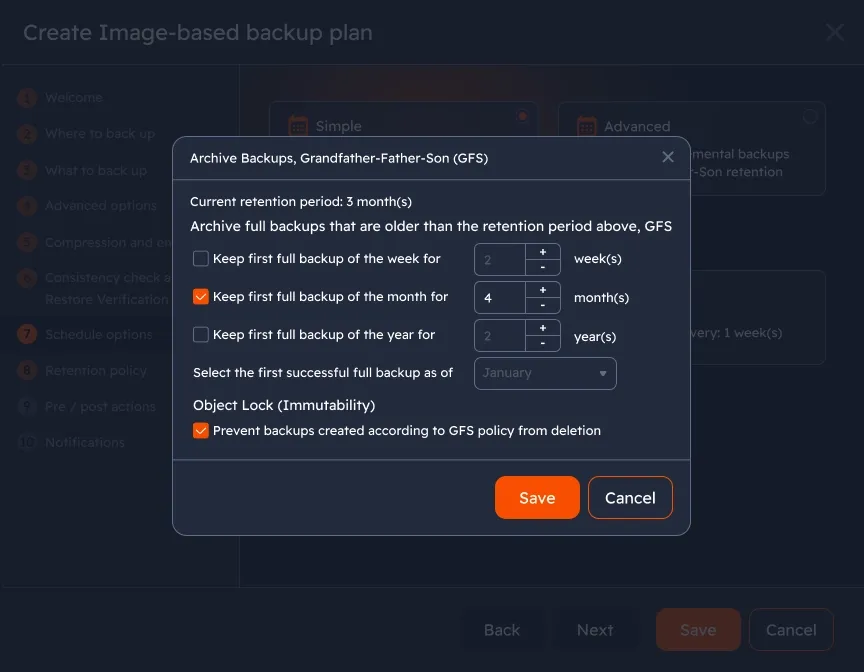
Confirm backup integrity and restorability
Test backup recoverability and ensure that data in the storage was not changed with restore verification and consistency check features.
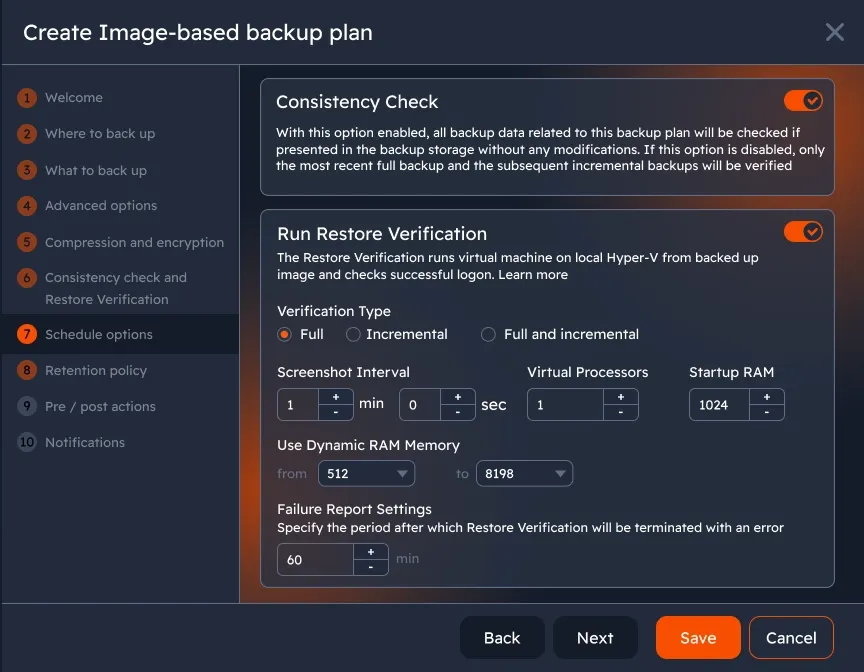
Reduce storage space with Forever Forward Incremental backups
With this approach, you keep only one backup generation in storage. Once the next full backup is renewed by merging the latest increments, the previous full and incremental copies are deleted according to the retention policy in order to optimize storage space usage.
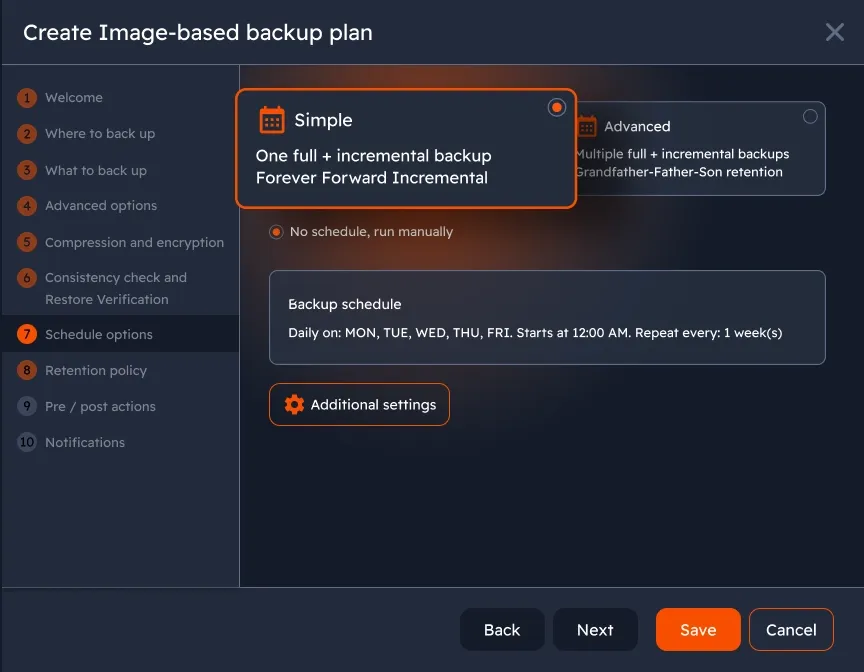
Centralized management
Access all features and manage all your endpoints from a centralized web console. Back up your data remotely and control Windows devices in a single pane of glass.
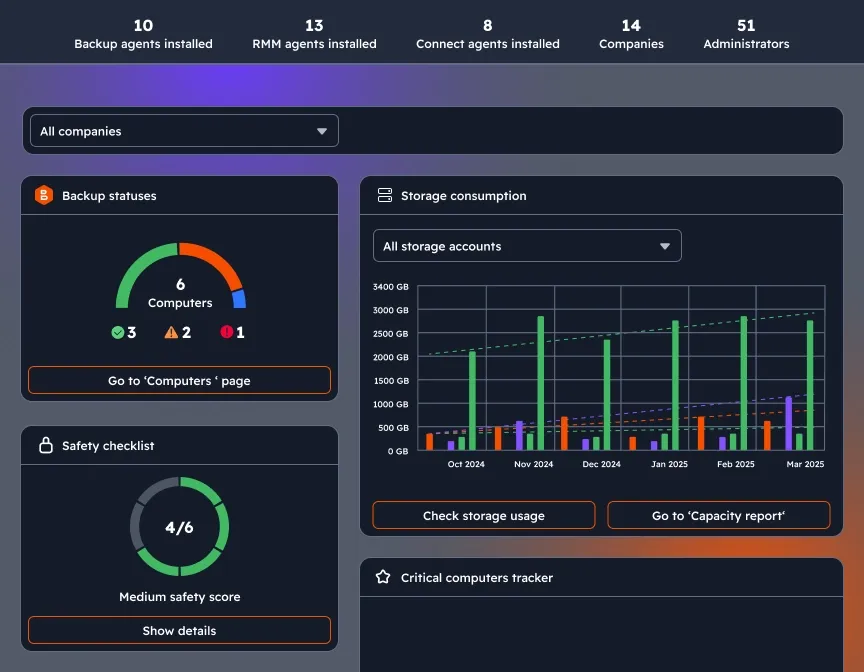
Customizable dashboard
Enhance visibility and control to your MSP360 management experience with a widget-based dashboard which combines information about backup statuses, storage consumption, license management, agent updates, and security settings on a single page.
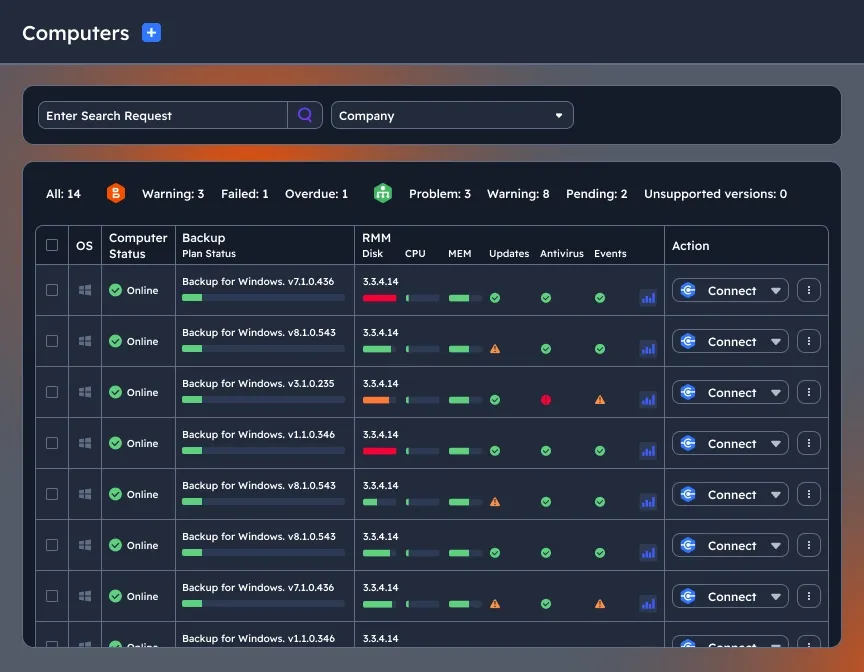
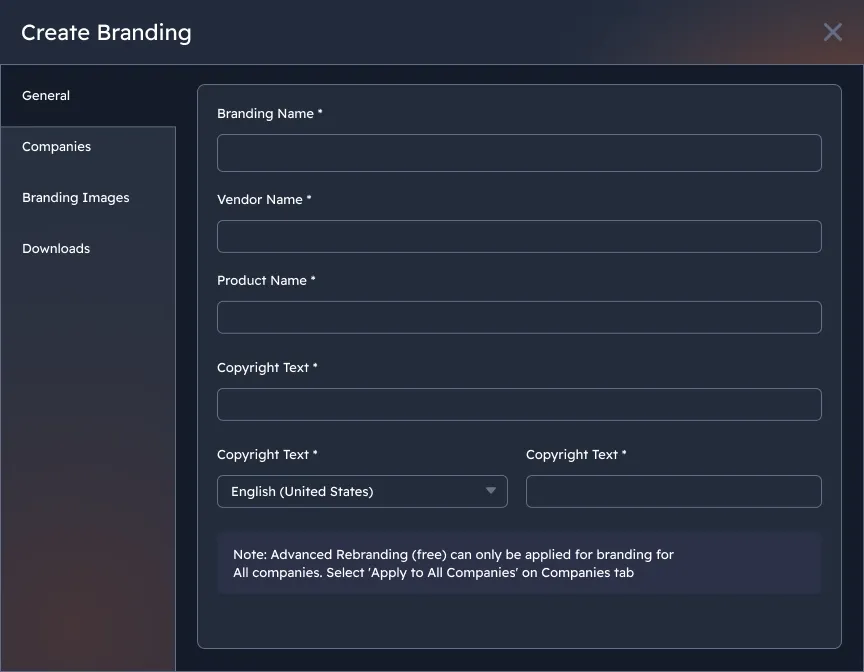
White-labelling
Build customer loyalty and trust with product rebranding using our MSP Windows backup software. Have full control over your expenses with special pricing and no hidden fees or vendor lock-in.
Compare MSP360 Windows Backup Solutions
Free
Start for Free - Upgrade Anytime Perfect for Getting Started
- File Backup
- Image-Based Backup
- Object Lock (Immutability)
- Client-Side Encryption
- Support: Forum-based support
- Supported OS: Windows, macOS, Linux
Pro
On-Premise Backup Solution with Local Management
- MS SQL Backup
- Hyper-V/VMware Backup
- Server Backup
- Support: Email support
- Supported OS: Windows, macOS, Linux
MSP Platform
MSP360 Managed Backup is part of the MSP Platform.
Great for MSPs or businesses with multiple endpoints. One-stop-shop console with flexible monthly or annual payments. Ideal for MSPs and large IT departments.
MSP Platform Features
- Centralized management
- Advanced Reporting and Alerting
- Rebranding
- Mobile Application
- MSP360 Connect Included
- Support: 24/7/365 live technical support
MSP360 Desktop Backup Software FAQ
What is the difference between MSP360 Backup Free, Pro, and Managed Backup?
How MSP360 Backup solutions are licensed and priced?
Why do I need backup software for Windows?
What are the key features to look for in backup software for Windows?
- Encryption: Ensure data security.
- Compression: Save storage space.
- Version control: Access previous file versions.
- Cloud support: Enable remote storage options.
Can MSP360 back up Windows Server as well as Windows PCs?
How secure is my data with MSP360 Managed Backup?
Why choose MSP360 as my backup software for Windows?
- MSPs: Use MSP360 Managed Backup for centralized management, flexible billing, and support for Windows, Linux, macOS, VMware, and Hyper-V.
- Local Management: Try MSP360 Backup Pro for locally managed backups.
- Personal Use: Get started with our free backup software for Windows, macOS, and Linux.
Resources Beyond MSP360 Windows Backup Software
To explore more valuable insights for enhanced cybersecurity, cloud storage best practices, and IT management, visit our Resources Center.
MSP360 Managed Backup for M365/Google
MSP360 RMM
MSP360 Managed Connect
MSP360 Tickets