
Cloud Backup Solution for Small Business
Secure and reliable cloud backup solution for small business.Perfect for desktop and servers supporting Windows, Linux, macOS, SQL Server, VMware and Hyper-V.






MSP360 Cloud Backup Solution for small business is built for Every System
Cloud Backup for Windows Desktop
MSP360 Backup Pro for Windows
Works on

Cloud Backup for Linux
MSP360 Backup Pro for Linux
Works on
Cloud Backup for macOS
MSP360 Backup Pro for macOS
Works on
Cloud Backup for Windows Server
MSP360 Backup Pro for Windows Server
Supported for
Cloud Backup for Hyper-V
MSP360 Backup Pro for Hyper-V
Works on
Cloud Backup for VMware
MSP360 Backup Pro for VMware
Works on
Cloud Backup for Proxmox
MSP360 Backup Pro for Proxmox
Requires a Windows machine with network access to the Proxmox host.
Cloud Backup for SQL Server
MSP360 Backup Pro for SQL Server
Supported for
Cloud Backup Ultimate
MSP360 Backup Ultimate
Works on
Choose A Backup Solution That Fits Your Needs
MSP360 offers flexible backup solutions for businesses of all sizes. Compare our editions to find the right balance of features, control, and scalability for your data protection strategy.
Free
Start for Free - Upgrade Anytime Perfect for Getting Started
- File Backup
- Image-Based Backup
- Object Lock (Immutability)
- Client-Side Encryption
- Support: Forum-based support
- Supported OS: Windows, macOS, Linux
Pro
On-Premise Backup Solution with Local Management
- MS SQL Backup
- Hyper-V/VMware Backup
- Server Backup
- Support: Email support
- Supported OS: Windows, macOS, Linux
Compare MSP360 Backup Pro Editions
MSP Platform
MSP360 Managed Backup is part of the MSP Software.
Great for MSPs or businesses with multiple endpoints. One-stop-shop console with flexible monthly or annual payments. Ideal for MSPs and large IT departments.
MSP Platform Features
- Centralized management
- Advanced Reporting and Alerting
- Rebranding
- Mobile Application
- MSP360 Connect Included
- Support: 24/7/365 live technical support
MSP360 Backup Pro Features
MSP360's cloud backup solution for small business is packed with the following features.
One solution for various systems
Simple to configure
File and folder backup
Image-based backup
Flexible backup scheduling
Retention settings
Total backup security
File versioning
Item-level restore
No vendor lock-in
Instant Restore
Hybrid Backup

Getting Started with MSP360 Backup Pro
Learn how to install, configure and start your first backup plan with MSP360 Backup Pro in our comprehensive guide.
Product Interface
Choose files and folders to back up
Make sure the most important files are backed up regularly in case of hardware malfunction or accidental deletion by selecting specific files and folders on your endpoint to be backed up.
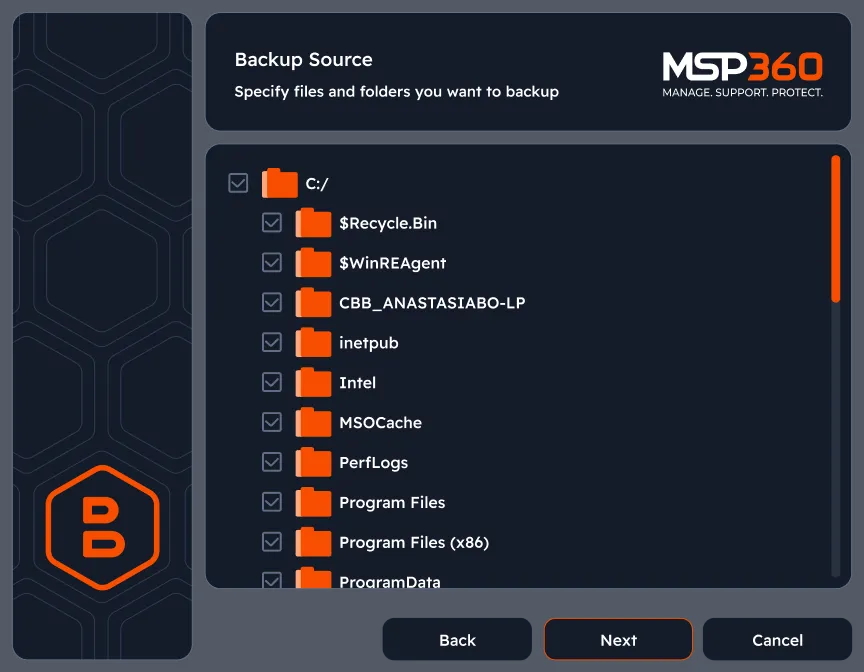
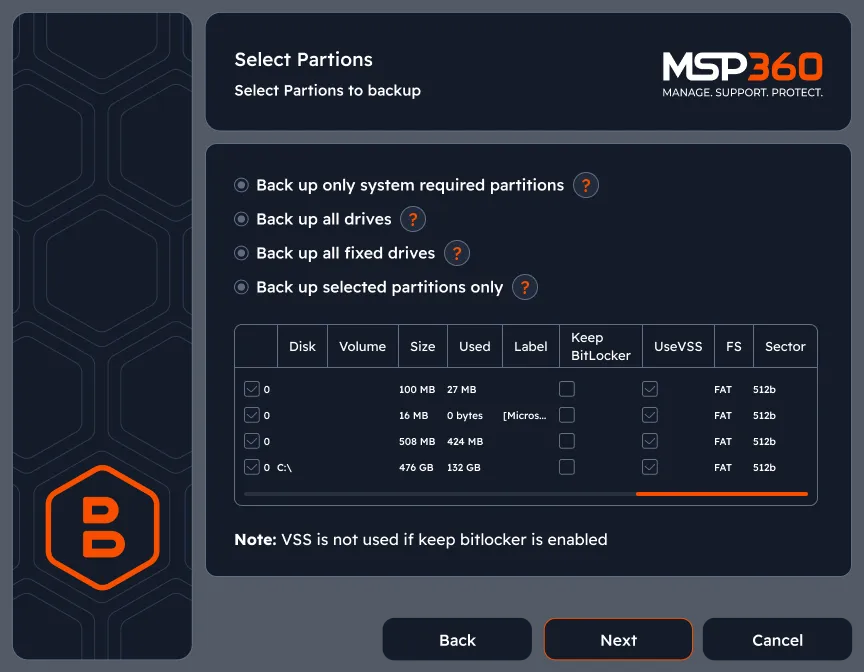
Image-based backup
Create a complete backup of the entire system by generating an image file containing all data required to restore.
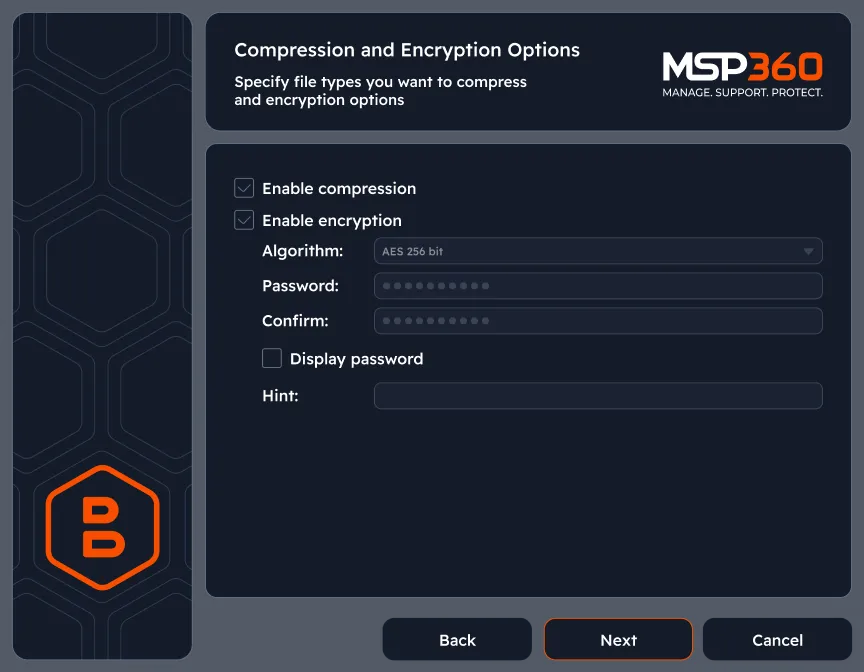
Enable encryption
Protect your data with 128-, 192-, or 256-bit AES encryption. With your backups encrypted, only those who have both access to the backup files and the encryption keys can decrypt your data.
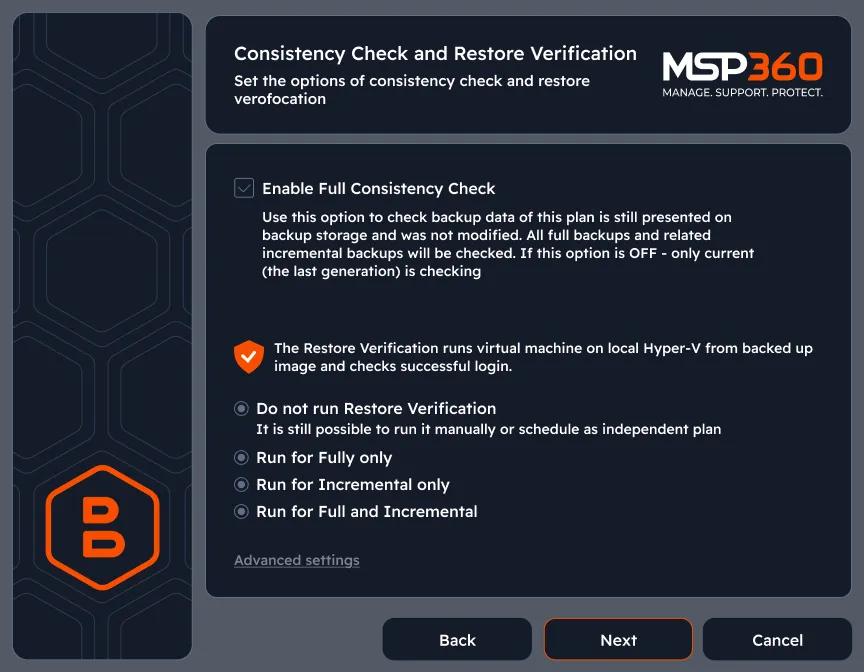
Consistency check and restore verification
Check all backup data associated with the backup plan to ensure it remains unmodified. Run restore verification to test backup recoverability by restoring it as a fully functional system on a virtual machine.
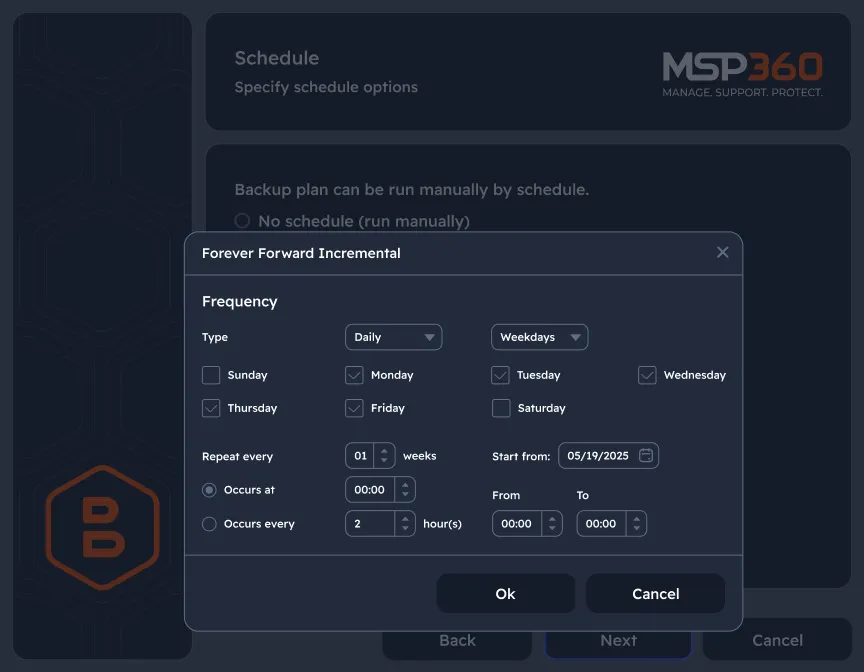
Configure backup schedule that fits your IT routines
Customize backup frequency. Schedule daily, weekly or monthly backup plans for ultimate data protection and redundancy.
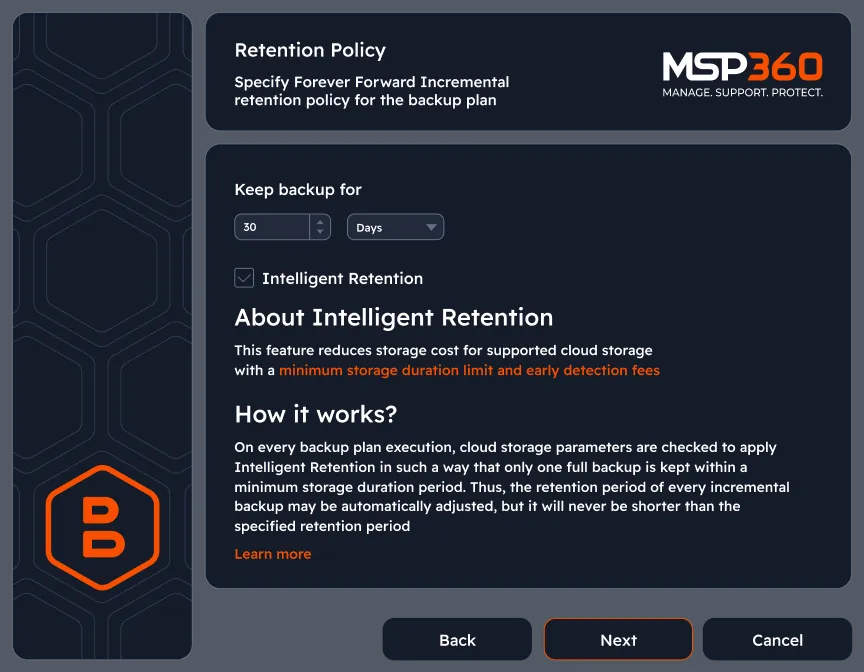
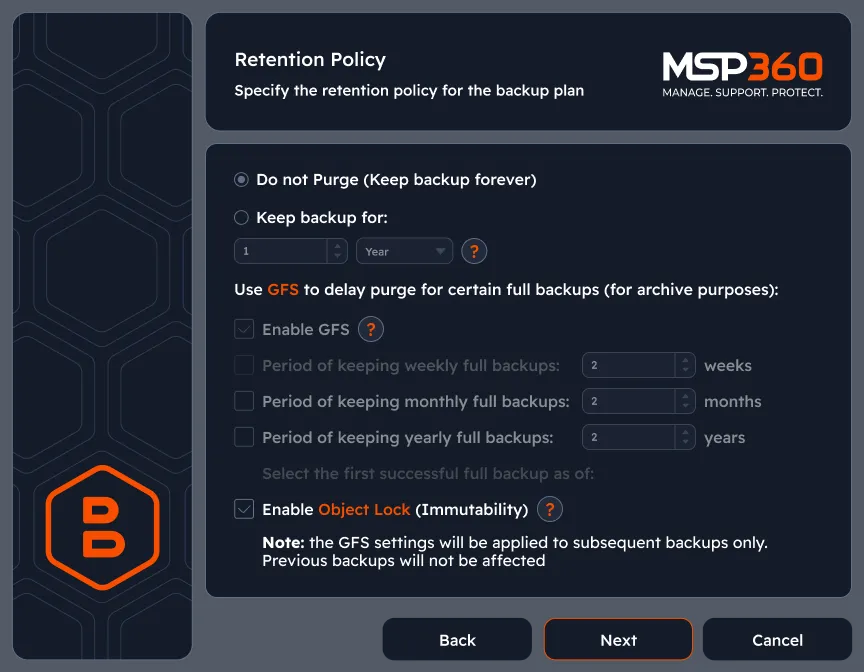
Keep your file versions for as long as you need
Retention settings let you choose how long backup data is stored to fit your specific needs, ensuring you keep necessary files.
Protect your data with object lock (immutability)
Immutable data backups are bulletproof to ransomware attacks because the data that was backed up can’t be altered. There’s always a guaranteed clean copy for recovery if your entire environment is hit by ransomware.
Start Free Trial of MSP360 Cloud Backup Solution for Small Business
Experience seamless data protection with our cloud backup solution for small businesses.

MSP360 Backup Pro in Review






FAQ
What is the difference between Free Backup, Pro, Managed Backup?
How is MSP360 Backup Pro licensed and priced?
Can I use MSP360 Backup Pro in a business environment?
Is technical support included?
- Standard support is provided with no extra costs, but the support is provided within longer periods of time.
- Premium support can be purchased separately, and it provides faster response time, regardless of your case priority.
Resources Beyond MSP360 Backup Pro
Visit our Resources Center to explore valuable resources on backup and security best practices.
MSP360 Managed Backup
MSP360 Managed Backup for M365/Google
MSP360 RMM
MSP360 Managed Connect
MSP360 Tickets
Start Free Trial of MSP360 Cloud Backup Solution for Small Business
Experience seamless data protection with our cloud backup solution for small businesses.