
SQL Server Backup Software
Application-consistent MS SQL Server backup software with transaction log support and point-in-time recovery - stored to the cloud storage of your choice.





Application-Consistent MS SQL Server Backup Software
Backing up MS SQL Server with generic file-level tools risks data corruption on restore:open transactions may not be flushed to disk, leaving databases in an inconsistent state. Native SQL Server maintenance plans require separate scheduling and storage configuration with no central visibility.
MSP360 Backup integrates with MS SQL Server to create application-consistent backups while the database remains online. Combined with transaction log backups and a point-in-time restore option, MSP360 provides a complete SQL Server data protection workflow,configured using the same backup plan wizard used for file and image backups.
MSP360 Backup for SQL Server Features
MSP360 SQL Server Backup software supports full, differential, and transaction log MS SQL Server backups with flexible scheduling, built-in encryption, and direct-to-cloud storage. Available as a standalone Pro license or as part of MSP360 Managed Backup for centralized multi-client management.
Full, Differential, and Transaction Log Backups
Point-in-Time Restore
Flexible Scheduling
Database Selection
Hybrid Backup (Local + Cloud)
Encryption and Compression
Bring-Your-Own Cloud Storage
Retention Policy
Pre/Post Actions
Edition Comparison
MSP Platform
MSP360 SQL Server Backup Software is also part of the MSP Software.
MSP360 Managed Backup lets you monitor and manage SQL Server backup jobs across all clients from a single web console. Set up alerts for failed or missed backups, review storage trends, and generate compliance reports - without logging into each machine individually. Supporting Amazon S3, Wasabi, Backblaze B2, Azure, and IDrive e2.
MSP Platform Features
- Centralized management
- Advanced Reporting and Alerting
- Rebranding
- Mobile Application
- MSP360 Connect Included
- Support: 24/7/365 live technical support
Product Interface
Create a SQL server backup plan
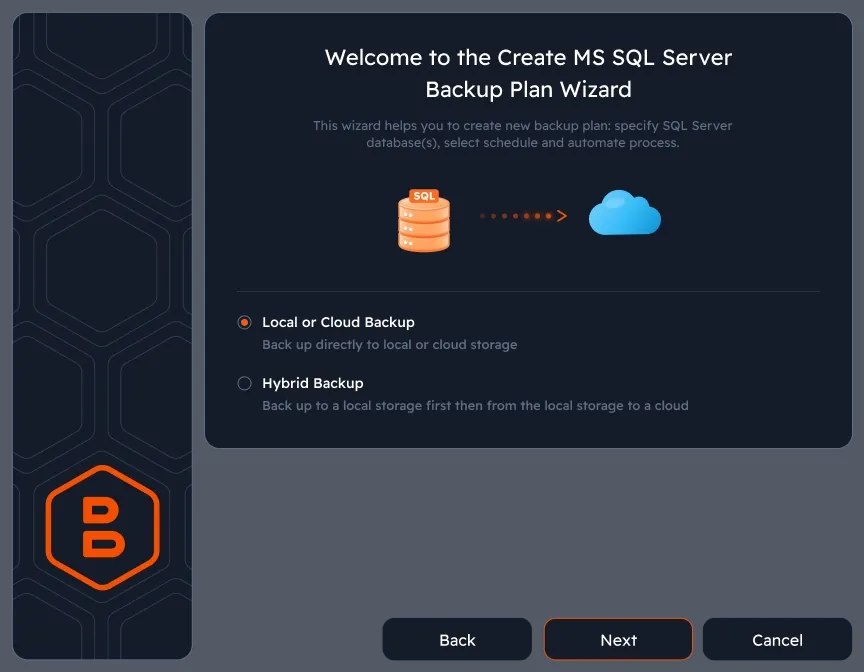
Click MS SQL Server in the MSP360 Backup horizontal menu to open the backup plan wizard. The same wizard interface is used for all MSP360 backup plan types.
Select SQL server instance and databases
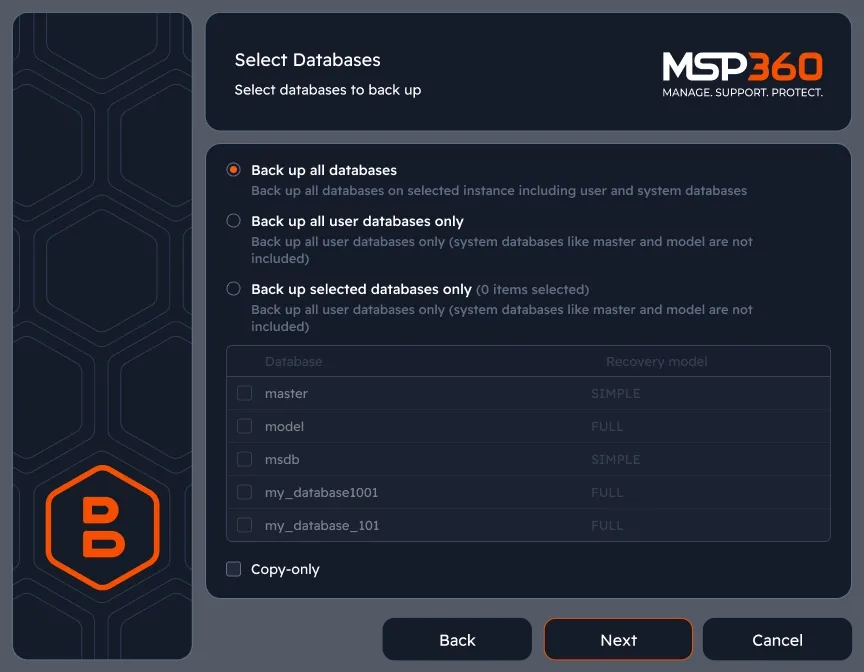
Connect to a SQL Server instance using Windows or SQL Server authentication. Choose to back up all databases, all user databases, or a specific selection.
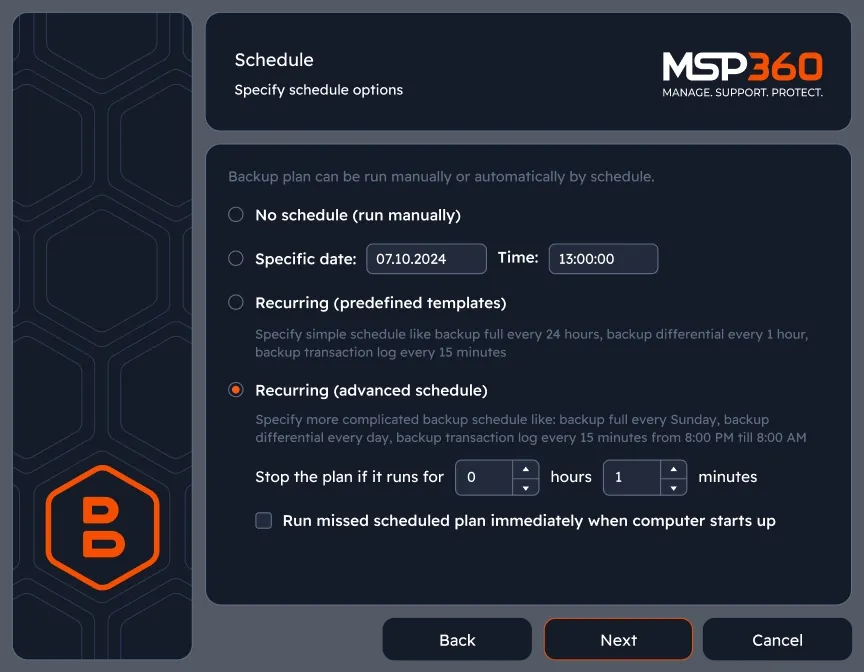
Configure backup schedule
Set independent schedules for full, differential, and transaction log backups. Choose from predefined templates or configure advanced intervals for each backup type.
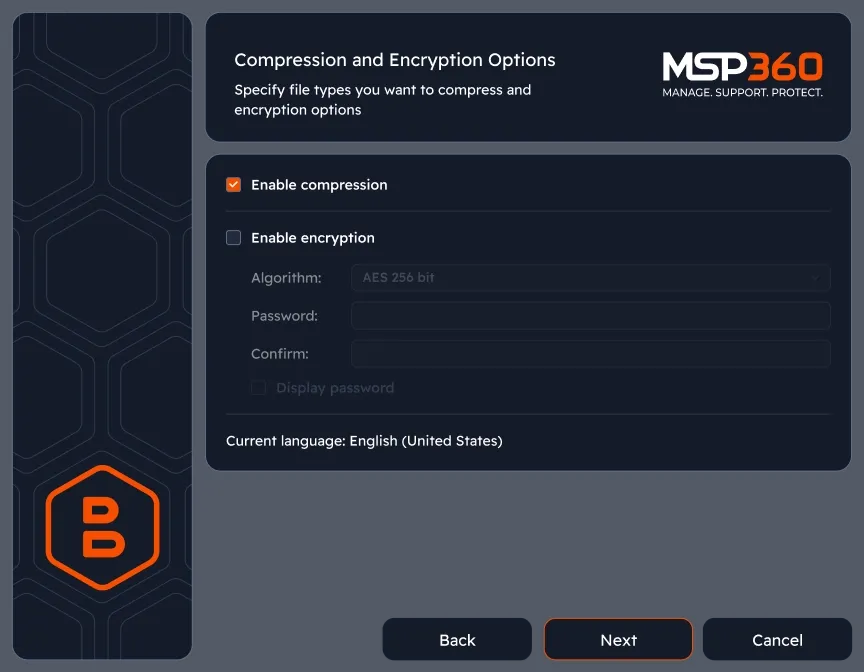
Encryption and storage destination
Select a storage provider, enable AES encryption with a custom password, and configure compression settings before the first backup run.
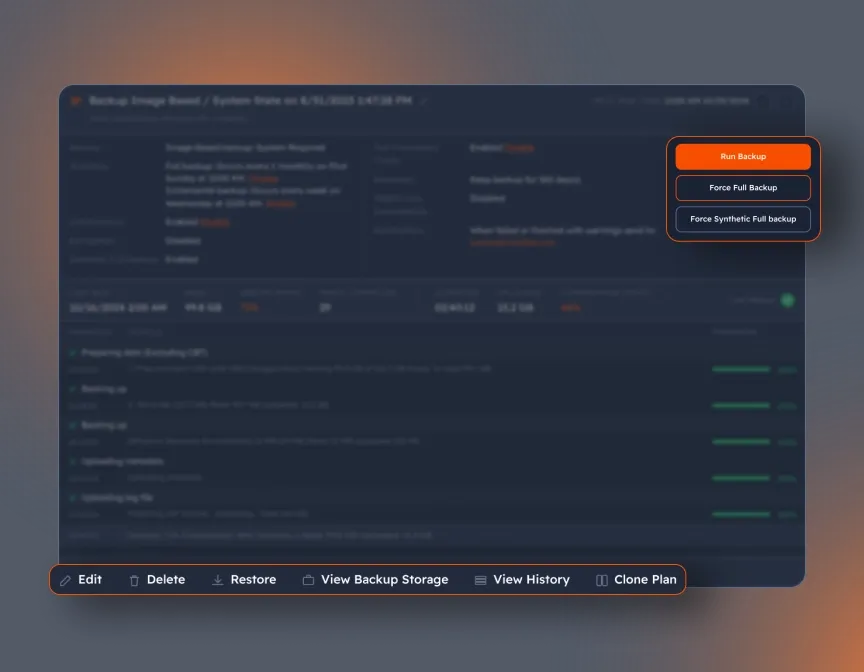
Monitor backup jobs
Track SQL Server backup job status in real time - duration, data transferred, databases processed, and any warnings or errors - from the MSP360 Backup agent.
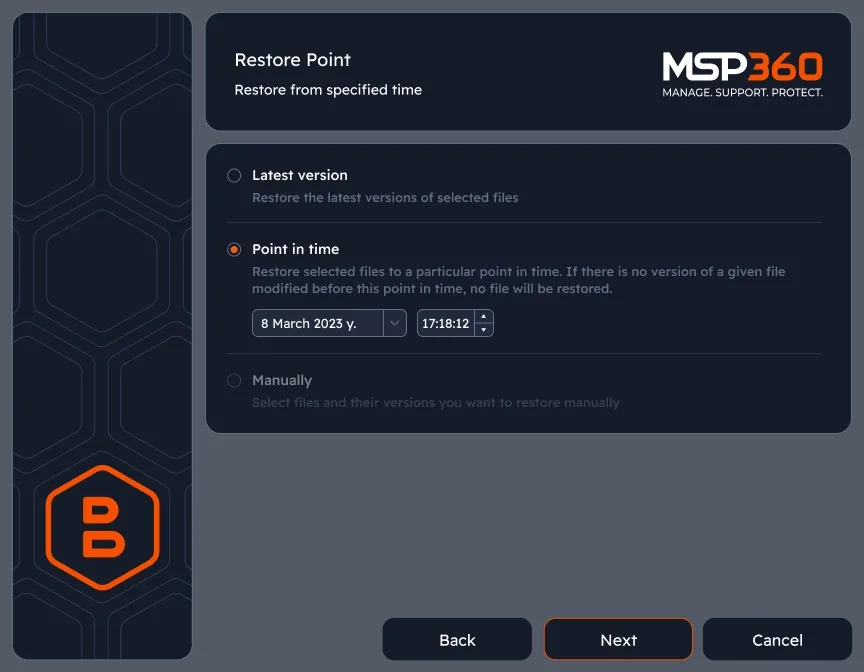
Point-in-time restore
Select the target SQL Server instance and choose between restoring the latest backup version or restoring to a specific date and time.
MSP360 SQL Server Backup FAQ
What is SQL Server backup software, and why does it matter?
How does MSP360 SQL Server backup work?
Does MSP360 support transaction log backups?
How often should I back up a SQL Server database?
Can I back up multiple SQL Server databases or instances?
Where can I store SQL Server backups?
How do I restore a SQL Server database with MSP360?
Is SQL Server backup included in the free trial?
Related Resources
To explore more about MSP360 backup solutions and data protection best practices, visit our Resource Center.
Windows Server Backup
SQL Server Backup Best Practices
VMware and Hyper-V Backup
MSP360 Managed Backup
Download MSP360 SQL Server Backup Software
Protect your SQL Server databases with application-consistent backup and point-in-time recovery.