Free RMM Software for MSPs
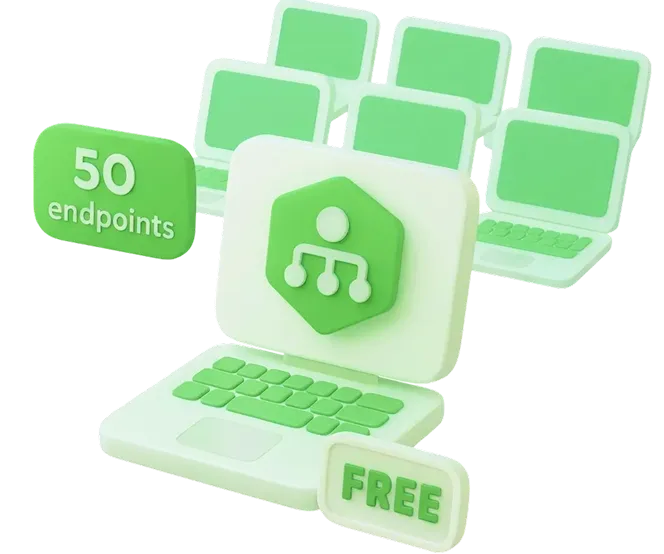
MSP360’s RMM Community Edition is a free remote monitoring and management solution designed for MSPs, providing full functionality to manage up to 50 endpoints without any cost.
What is the free RMM software by MSP360?
Why MSP360 RMM Community Edition?
Starting an MSP often means limited budgets but high client expectations. MSP360 RMM Community Edition removes the financial barrier by giving you a fully-featured remote monitoring and management tool with no contracts, hidden fees, or time limits.
Built specifically for managed service providers, this edition is ideal for:
- New MSPs launching services for their first clients.
- Small teams managing up to 50 endpoints.
- Providers who need professional RMM capabilities without upfront investment.
What You Get with MSP360 Free RMM Software
The Community Edition delivers the full MSP360 RMM toolset with usage limited to 50 endpoints:- Real-time endpoints performance data
- Secure remote troubleshooting
- Free remote desktop (web-based) included
- Automated system and software updates
- Customizable alerts and notifications
- Unlimited admins
- Software and script deployment and removal
- Multi-platform support (Windows, macOS, Linux)
MSP360 RMM Community Edition Features and Benefits
Fully Featured RMM at Zero Cost
Includes all essential RMM functions:
- System health monitoring - CPU, memory, disk, services.
- Patch management - automate OS and software updates.
- Software deployment - install and update applications remotely.
- Remote access - troubleshoot client machines securely.
- Alerting - set up notifications for critical system events.
Start managing your first 50 endpoints in minutes -
no credit card, no contracts.
Manage Up to 50 Endpoints
Monitor and manage up to 50 devices at no charge. Upgrade seamlessly when your business grows.
PSA & Tool Integrations
Connect with platforms like HaloPSA to streamline ticketing, asset syncing, and daily workflows.
Cross-Platform Compatibility
Monitor the state and health of your network with ease. Receive real-time notifications about critical metrics like CPU and memory usage, available disk space, and more.
No Time Limits or Contracts
Install and uninstall applications on multiple computers in a few clicks.
Ready to Scale? Upgrade Anytime
MSP360’s RMM Community Edition is available Free of charge, which covers 50 endpoints and is aimed primarily at smaller MSPs. As your business grows, you’ll want to move into MSP360’s paid RMM plans to unlock:
- Unlimited endpoint support
- 24/7 premium support
- More advanced options for bigger MSP businesses
Upgrading to a paid plan if you need to is no hassle when the time comes.
Learn More About Paid Plan






Who Should Use It?
MSP360 RMM Community Edition is designed for managed service providers serving external clients.
It is not intended for internal IT departments, but for MSPs who need to start delivering professional services immediately, without financial risk.
FAQ
Is the Community Edition really Free?
What happens if I exceed 50 endpoints?
Does it include all RMM features?
Which operating systems are supported?
Is support included in the Free edition?
Related Guides & Resources
Visit our Resource Centre to explore valuable resources on backup and security best practices.
Getting Started with MSP360 RMM
MSP360 RMM Community Edition Overview
A Complete Guide to RMM
MSP360 RMM Community Edition for New MSPs
Secure Remote Access with MSP360 Connect
MSP Automation Ideas
Empower Your MSP with Free RMM Software Today
Get started with MSP360 RMM Community Edition. Sign up, download the quick-start guide, and begin managing up to 50 endpoints Free of charge.