
Google Drive Backup
Google Drive backup and recovery as part of MSP360 Backup for Google Workspace offers data protection that is easy to set up and manage, with full support for item-level restore and retention policies.






File & Folder Backup

Cloud Storage of Your Choice

Retention Isn’t Recovery

Immutable backups
Why You Need to Back Up Google Drive
Protecting Your Org’s Google Workspace Data
Google is responsible only for the infrastructure it provides, while safeguarding your Google Drive data is your responsibility. Without a comprehensive backup, you risk data loss, retention gaps, and compliance issues.
Backup your Google Drive with MSP360
Backup for M365/Google
- Backup for M365 and Google Workspace
- Bring-Your-Own Storage
- Backup History
- Role-based access control
- Advanced encryption
- Item level backup and restore
- No hidden payments
- Reporting
- Retention Policy
- Audit Log
- Multi-factor authentication
- Group management operations
- Export to PST
- Email Notifications
- Support: Email support
MSP360’s Google Drive Backup Features
The Google Drive backup solution is included in MSP360 Backup for Google Workspace, offering flexible backup options for MSPs, businesses, and individuals. Advanced features are available exclusively through MSP360 Managed Backup for M365/Google, designed for MSPs.
Full Google Drive coverage
Back up all types of Google Drive files and folders, including versions and structure.
Storage of Your Choice
Choose any public cloud storage, such as AWS, Wasabi, and Backblaze B2 or a local storage to ensure full data protection.
Robust Retention Policies
Configure data retention settings the way you need with a fully customizable solution.
A Complete GuideGranular Restore
Enjoy granular recovery of individual objects in just a few clicks. Restore mailbox items, Google Drive files, contacts, calendars and Shared Drives files.
Cloud-to-Cloud Backup
Enable seamless protection without the need for local infrastructure, making it an ideal solution for MSPs serving SMBs with limited IT resources.
Cloud to Cloud BackupReporting and Alerting
Get a clear overview of backup and restore plans, with email notifications on status and results.
Flexible and Cost-Effective Shared Drives Licensing
Shared Drives backup licenses can be purchased separately, offering scalability for organizations with a large number of users.
Quick Access and Restoration from Anywhere
Mobile-friendly access ensures users can monitor backups and initiate restores remotely without requiring in-person intervention.
Export Files to PST
Export full user mailboxes, including emails, contacts, and calendars, or create an item-level export of individual folders, messages, and items.
Export to PSTProtect your Google Drive with MSP360 Backup For Google Workspace
Find how to set up and configure backup for Google Drive with our comprehensive getting started guide, designed to help you protect your data quickly and efficiently.
MSP360 Backup for Google Workspace Overview

Getting Started Guide
This guide will walk you through the essentials of using MSP360 Backup for Google Workspace to protect your Google Drive, including establishing a connection with your chosen cloud storage and configuring a backup account.
Product Interface
Choose Google Drive to Back Up
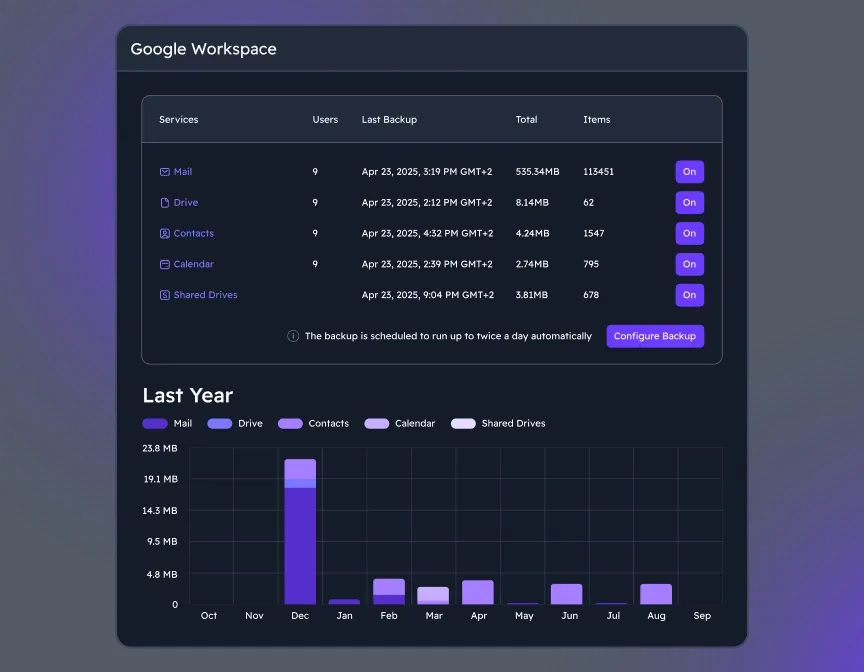
Once you are logged in, the MSP360 Google Workspace Backup dashboard is accessed, where you can select and manage all GW components like Google Drive, to back up.
Manage Users
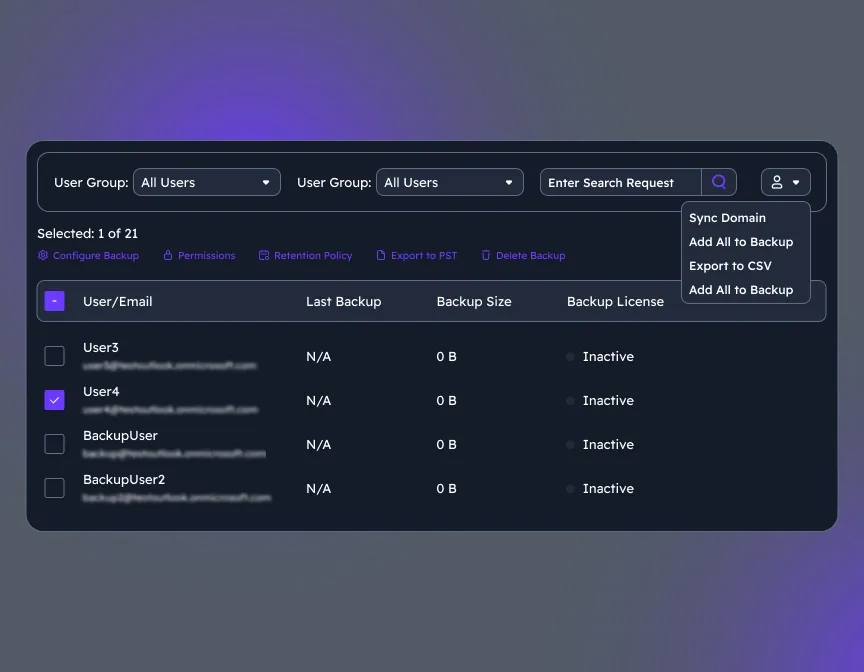
To add new users/groups to users' grid and synchronize changes for existing users, on Users click the action menu, then select Sync Domain. Users will be added to the grid automatically.
Analyze Backup Reports and Insights
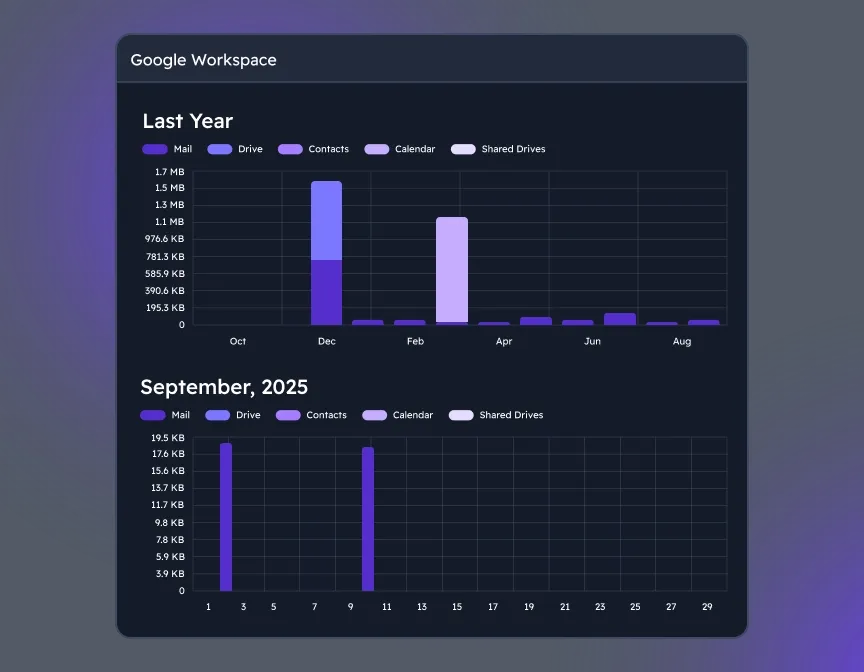
Backup statistics give you clear visibility into usage, success rates, and storage trends, helping you stay audit-ready, optimize retention, and plan ahead with confidence.
Google Drive Backup FAQ
What is the difference between Google Drive backup and MSP360 Backup for Google Workspace?
While Google Drive is just one component of Google Workspace, and the Google Workspace backup solution covers the entire ecosystem, not just files and folders in Google Drive.
How does licensing work for Google Drive within Google Workspace backup?
A separate license must be purchased for each user included in a domain intended for backup. This license allows the backup of Mail (Exchange Online/Gmail), Drive (OneDrive/GDrive), Calendar, and Contacts.
A separate license is required for Shared Drives for each domain they want to back up. One license covers all users for the same domain.
How secure are MSP360 backup solutions?
Yes. MSP360 Backup for M365/Google meets compliance requirements with GDPR, HIPAA, and other data protection frameworks by offering:
- Custom retention policies
- Immutable storage (for ransomware protection)
- Role-based access control
- Encryption at rest and in transit
- Audit logs and reporting
These features allow you to demonstrate data integrity and retention compliance during audits.
Resources Beyond MSP360 Backup for Google Workspace
Visit our Resources Center to explore valuable resources on backup and security best practices.
Why You Need to Back Up Google Workspace and How MSP360 Helps
The Complete Guide on How to Backup Google Drive
How proprietary backup storage requirements kill your ROI
Protecting Your Org’s Google Workspace Data: Why Google Isn’t Doing It for You
Get Google Drive Protection with MSP360 Backup for Google Workspace
Cloud-to-cloud data protection and quick recovery for Google Drive, with simple setup and maintenance.