
Proxmox Backup Software
Back up Proxmox VE virtual machines with secure, hypervisor-level backup – stored directly to the cloud storage of your choice. Start free with MSP360 Backup for Proxmox Community Edition, available for one Proxmox host with up to 2 CPU sockets and up to 5 TB of backup data.





Hypervisor-Level Proxmox Backup
MSP360 Proxmox Backup Features
MSP360 Backup for Proxmox provides core hypervisor-level backup capabilities for Proxmox VE. Backup virtual machines with encryption, compression, and flexible scheduling.
Hypervisor-level VM backups
Incremental backups
Synthetic full backups
Simple Schedule (Forever Forward Incremental)
Scheduled full backups
Backup data encryption
Bring-your-own cloud storage
Flexible VM selection
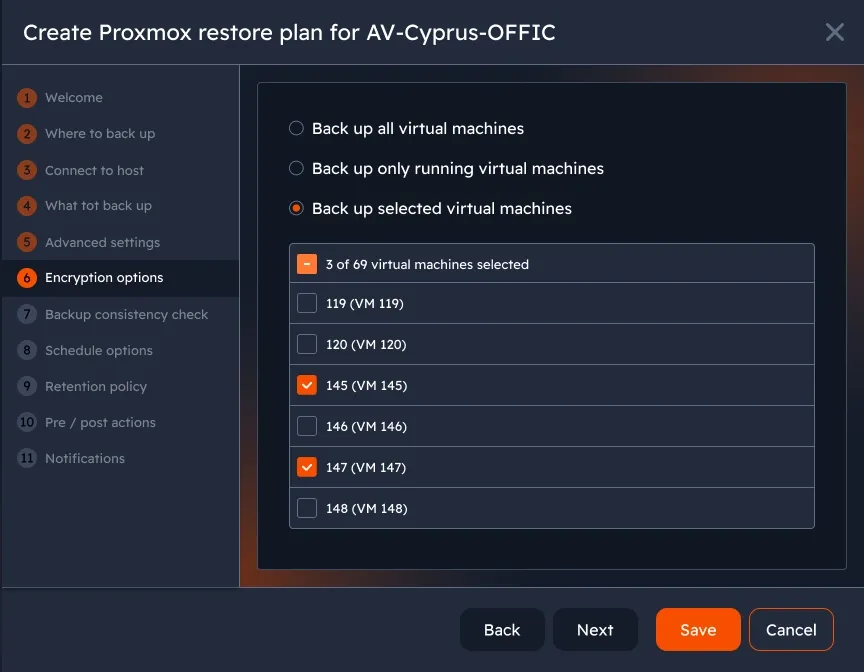
Choose exactly what to backup from your Proxmox environment: all existing virtual machines, all currently running virtual machines, or a specific selection of virtual machines.
Planned: Granular disk selection is planned for a future release. Currently, all disks attached to a VM are included in the backup.
Full VM restore
Item-level restore
Free Proxmox Backup
MSP360 Backup for Proxmox Community Edition is a free standalone backup tool for Proxmox VE environments - covering 1 host with up to 2 sockets, with no time limits and no contracts.

MSP360 Backup for Proxmox Community Edition
- Hypervisor-level backupBack up Proxmox VMs at the hypervisor level - no MSP360 agent required inside each guest OS.
- 1 host, 2 socketsCovers one Proxmox host with up to 2 CPU sockets. Upgrade to VM Edition for higher limits and paid capabilities without centralized management.
- No contract or card requiredDownload and use without any commitments.
- No time limitsStay on the free version as long as you need - no expiration, no forced upgrades.
- No hidden feesFull access to all Community Edition features. No surprise charges.
- Limited supportAccess the MSP360 community forum and Knowledge Base. E-mail technical support available with a paid MSP360 Backup license.
Edition Comparison
MSP Platform
MSP360 Backup for Proxmox is also part of the MSP Software.
MSP360 Managed Backup simplifies backup management for MSPs across various clients and environments. Its web console allows remote monitoring of backup jobs and Proxmox environments, enabling detailed reports, trend analysis, and advanced alerts. Supporting Amazon S3, Wasabi, Backblaze B2, Azure, and IDrive e2.
MSP Platform Features
- Centralized management
- Advanced Reporting and Alerting
- Rebranding
- Mobile Application
- MSP360 Connect Included
- Support: 24/7/365 live technical support
Product Interface
Agent installed on a Windows machine
MSP360 Backup for Proxmox runs on any supported Windows machine. No software installation or configuration changes are required on the Proxmox host itself. Backup plans are configured using the standard MSP360 Backup Plan workflow - familiar to any MSP360 user.
Windows system requirements: see MSP360 Backup agent system requirements page.
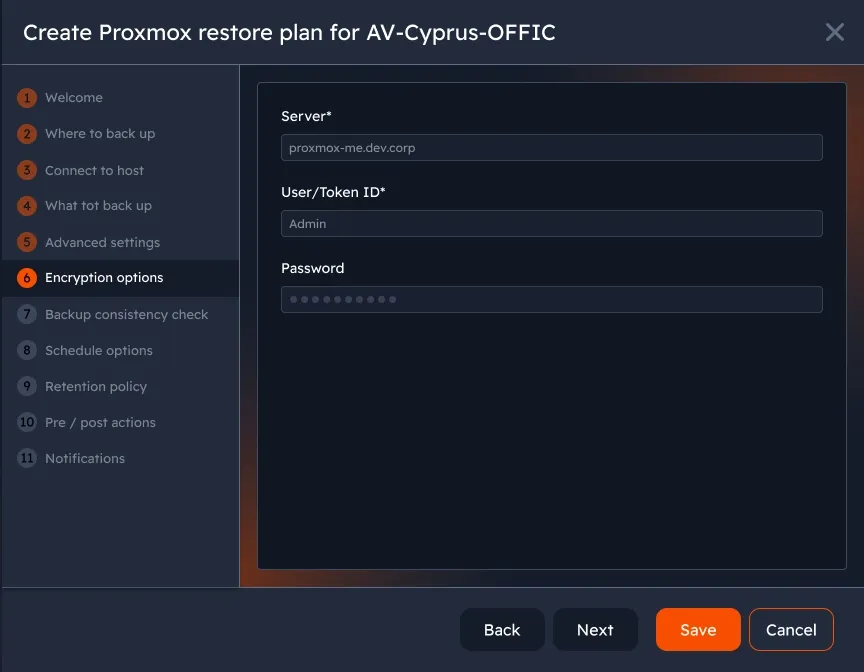
Select Proxmox host and virtual machines
Connect MSP360 Backup to your Proxmox host via the API and choose which virtual machines to include in the backup plan - all VMs, only running ones, or a specific selection.
Configure backup schedule
Set up incremental, full, or Simple Schedule backup plans. Choose frequency, start time, and retention settings to match your recovery point objectives.
Encryption and storage destination
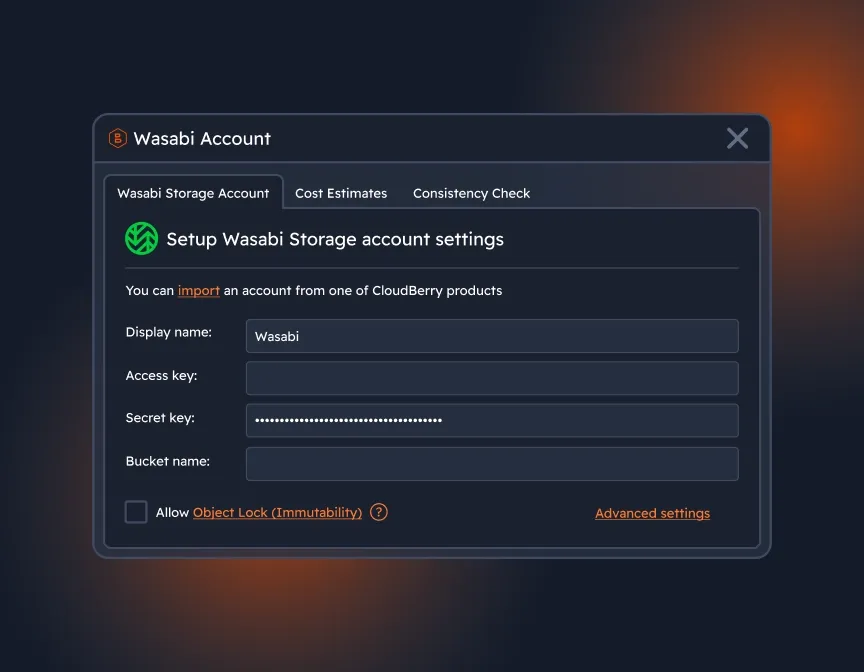
Select a backup storage destination from the supported providers, enable encryption with a custom password, and review compression settings before running the first backup.
Monitor backup jobs
Track the status of Proxmox backup jobs in real time - duration, data transferred, any warnings or errors - directly from the MSP360 Backup agent interface.
Item-level restore
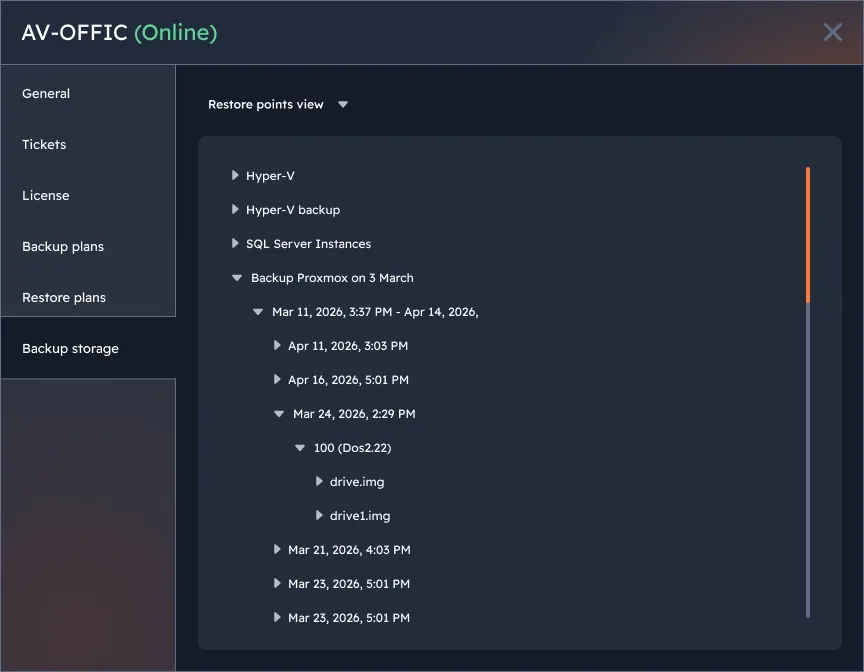
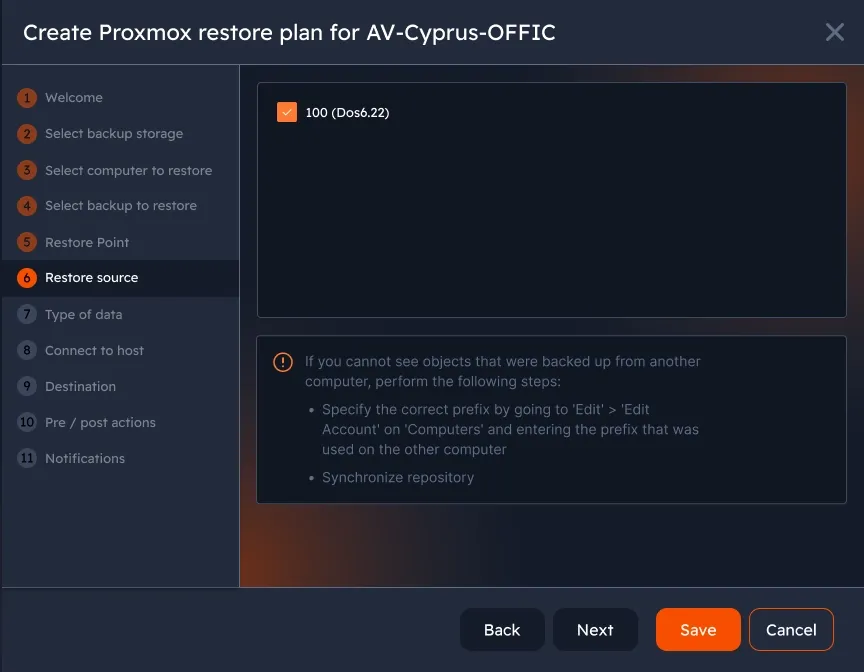
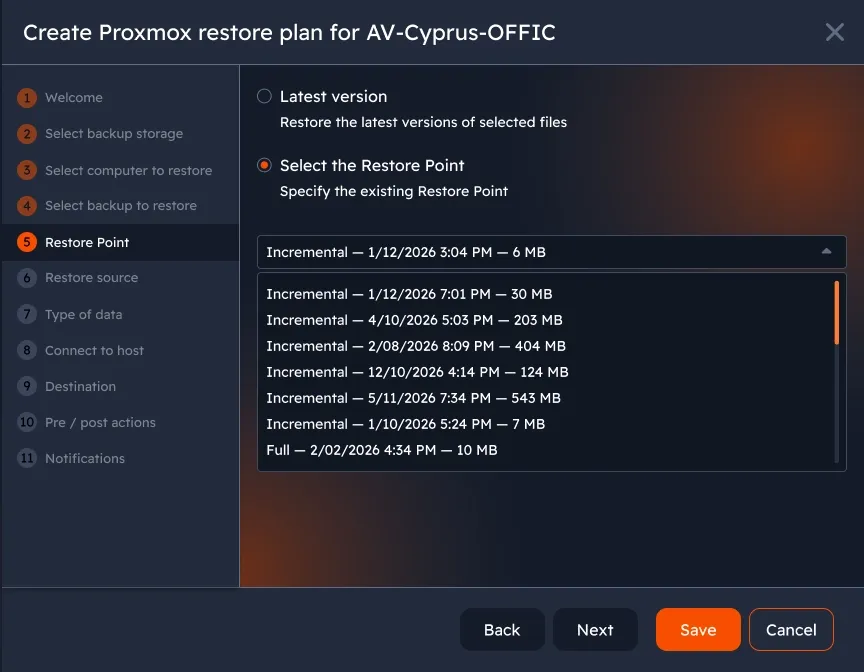
Browse backed-up VM volumes, locate individual files or folders, and restore them to a specified local path without restoring the entire virtual machine.
MSP360 Backup for Proxmox FAQ
Where do I install MSP360 Backup for Proxmox?
Do I need Proxmox Backup Server?
Is there anything I need to configure on the Windows machine?
Are backups incremental?
Where can I store my Proxmox backup?
What can I restore?
What is MSP360 Backup for Proxmox Community Edition?
How is Community Edition supported?
Resources Beyond MSP360 Proxmox Backup
To explore more about MSP360 backup solutions and data protection best practices, visit our Resource Center.
VMware and Hyper-V Backup with MSP360
MSP360 Backup for Proxmox: FAQ and Setup Guide
How to Prepare a Proxmox VM for Backup
MSP360 Managed Backup
MSP360 Backup Pro
Windows Server Backup with MSP360
Download MSP360 Backup for Proxmox
Protect your Proxmox virtual machines with hypervisor-level backup.