
Windows Server Backup Software
Protect critical Windows server environment, ensure fast recovery, and maintain business continuity, security, and compliance with a reliable backup software for Windows Server.





Full System Backup and Recovery with Windows Server Backup Software
MSP360 Windows Server Backup Software Features
MSP360 Windows Server backup software is a feature-rich solution that protects mission-critical data. Back up Windows Server environments with the highest level of reliability and security.
Image-based (full system) backups
Image-based backups overcome the limitations of file-level backups by capturing a complete snapshot of the system, including the OS, applications, and settings. This method allows for quick and consistent recovery from hardware failures, even to different hardware or virtual environments, greatly minimizing downtime.
Bare-metal restore
Restore the entire system to similar or dissimilar hardware. Recover OS, applications, and settings, minimize downtime and ensure business continuity by quickly bringing servers back to their exact pre-failure state without manual reinstallation or configuration.
Restore verification
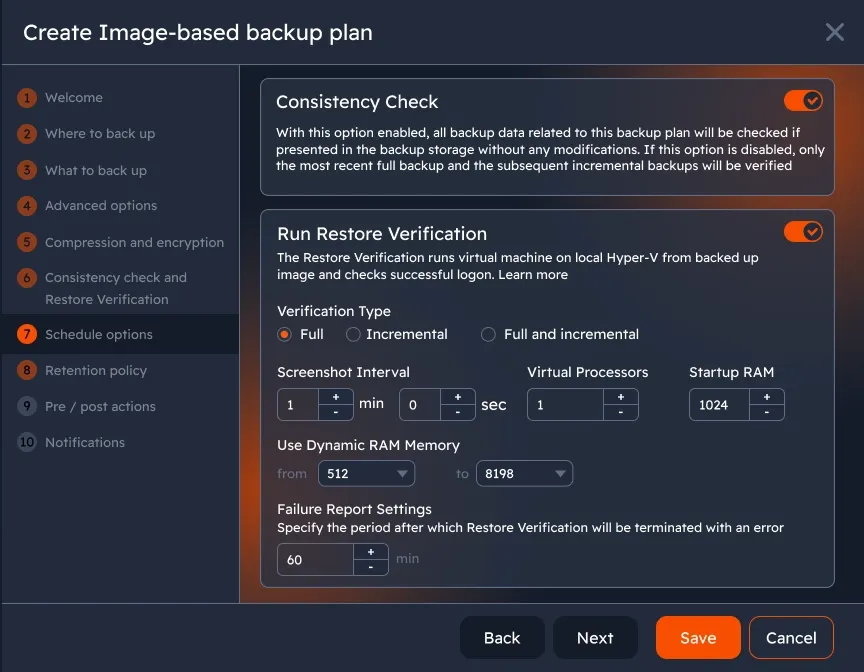
Backing up data ensures it's safe and recoverable during disasters. MSP360 offers two key features for validating backups: Restore Verification, which tests recoverability, and Consistency Check, which confirms that all backed-up data is consistent and stored properly.
Object lock (immutability)
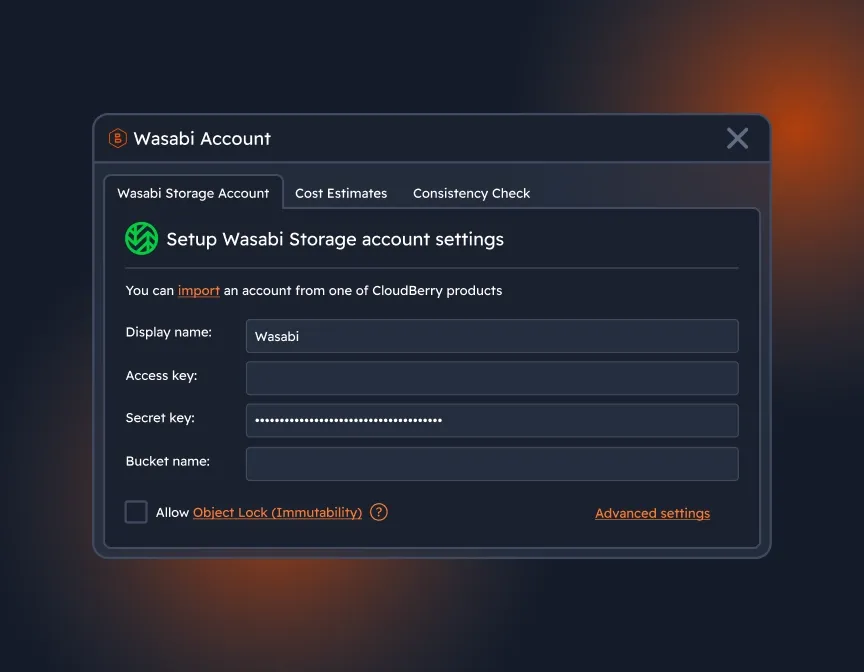
Make your server backups indestructible with object lock, and ensure the highest-possible level of backup protection to safeguard your data from ransomware attacks.
Flexible Backup Scheduling
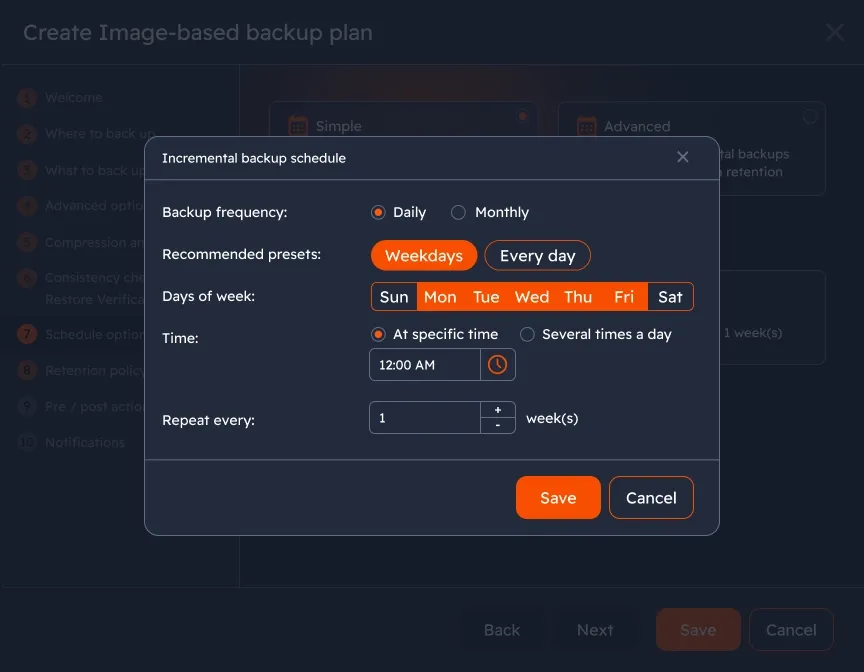
Multiple backup schedules are used in most backup infrastructures to make backup processes more efficient. Customize your schedules as granularly as you need, and back up daily, weekly, or set a monthly backup to an external drive or the cloud.
GFS (Grandfather-Father-Son) Retention
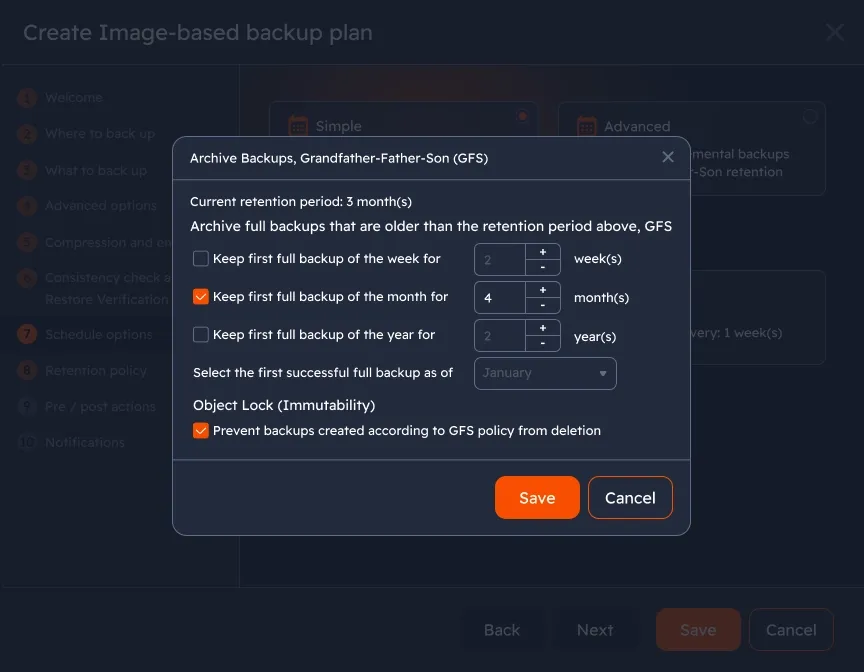
With the GFS setup that creates full backups with different retention routines (weekly (son), monthly (father), and yearly (grandfather)), MSP360 Backup creates a flexible archival strategy and optimizes the number of full backups to significantly reduce storage costs.
Client-side encryption
If your files aren’t encrypted, anyone who gets access to your storage could see your personal or business data. Don’t leave your data exposed - enable military-grade AES encryption with MSP360 Backup, keep your data safe from hackers, breaches and unauthorized access.
Bring-your-own cloud storage
Our Windows Server backup software is natively integrated with leading cloud storage providers like AWS, Wasabi Hot Cloud Storage, Backblaze B2, Microsoft Azure, Google Cloud Platform, IDrive e2, and other S3-compatible options. Connect to the preferred storage account, and ensure complete data protection.
Local backup
Ensure you’re following the 3-2-1-1-0 backup rule, and include local backups in your data protection strategy. Configure backup routines that automatically copy all your data not only to cloud storage but also to local storage.
Compare MSP360 Backup Solutions
Cloud Backup Solution for Small Business (MSP360 Backup Pro)

Compare MSP360 Backup Pro Editions
| Desktop | Server | SQL | Ultimate | |
|---|---|---|---|---|
| Operating Systems | ||||
| Windows 7/8/10/11 | ||||
| Windows Server | ||||
| Backup Types | ||||
| File Backup | ||||
| Image-Based Backup | ||||
| System State Backup | ||||
| Bare Metal Restore | ||||
| Restore to Cloud VM | ||||
| Microsoft SQL Server Backup | ||||
| Encryption and Compression | ||||
| Network Share Backup | 1 share | 5 shares | 5 shares | Unlimited |
| Backup Types | ||||
| AWS, Wasabi, Backblaze B2, Microsoft Azure, Google Cloud Storage | 5 TB | 1 TB | 1 TB | Unlimited |
| Local Storage | Unlimited | Unlimited | Unlimited | Unlimited |
| Pricing and Support | ||||
| Support | Email support | Email support | Email support | Email Support |
| Pricing* *The license is per computer, annual subscription. The price doesn't include VAT | $29.99 Buy Now | $109.99 Buy Now | $124.99 Buy Now | $179.99 Buy Now |
MSP Platform
MSP360 Managed Backup is part of the MSP Platform.
MSP360 Managed Backup simplifies backup management for MSPs across various clients and environments. Its web console allows remote monitoring of backup jobs and Windows Servers, enabling detailed reports, trend analysis, and advanced alerts. Supporting Amazon S3, Wasabi, Backblaze B2, Azure, and IDrive e2.

MSP Platform Features
- Centralized management
- Advanced Reporting and Alerting
- Rebranding
- Mobile Application
- MSP360 Connect Included
- Support: 24/7/365 live technical support
Windows Server Backup Software Best Practices
This white paper explains why you need to back up your Windows Servers and demonstrates the ins and outs of server backup with MSP360 Windows Server backup software.
Why You Need to Back Up Windows Server and How MSP360 Helps
This whitepaper outlines the main reason why backing up your server with a third-party solution like MSP360 Backup is the most sensible thing to do.
Product Interface
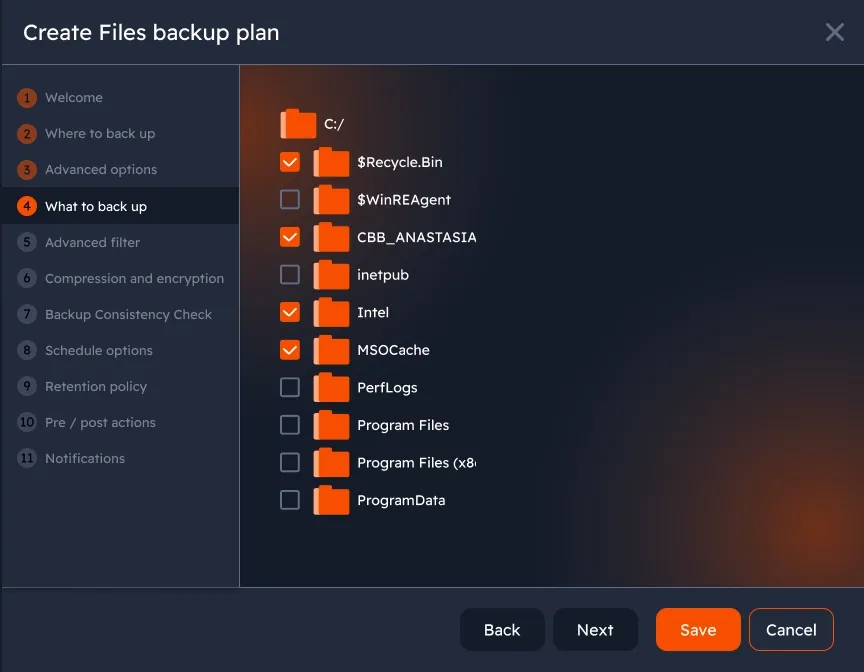
Image-based backup
Make a full copy of all the partitions that contain your system files, as well as applications, services, permissions, configuration, and user data.
Custom schedules
Power outages happen, so without a solid backup schedule, you could lose your data entirely. Schedule your backups to run daily, weekly, or monthly and avoid hardware failure consequences.
GFS (Grandfather-Father-Son) Retention
Keep backups on a hierarchical schedule and restore data from multiple points in time to meet compliance requirements and ensure reliable long-term data protection.
Enhanced data security with object lock
Once enabled, object lock (immutability) ensures backups remain unmodified until the GFS retention period expires. This feature is available for Amazon S3, Wasabi Hot Cloud Storage, and Backblaze B2.
Verify backup integrity and restorability with a consistency check
Restore Verification ensures your system image backups are recoverable. When enabled, it creates a file structure that can be restored to a virtual machine for testing. Consistency Check, enabled by default, verifies that all necessary files for restoration are present and that no data is lost.
Windows Server Backup Software FAQ
What is the difference between MSP360 Backup Pro, and Managed Backup?
Why should I back up servers?
Why should I choose MSP360 as a Windows Server backup software?
How MSP360 Backup solutions are licensed and priced?
Resources Beyond MSP360 Windows Server Backup Software
To explore more valuable insights for enhanced cybersecurity, cloud storage best practices, and IT management, visit our Resource Center.
SQL Server Backup with MSP360
Hyper-V Backup with MSP360
MSP360 Managed Backup
MSP360 Managed Backup for M365/Google
MSP360 RMM
MSP360 Managed Connect
Try MSP360 Windows Server Backup Software
Reliable Windows Server Backup software.